Hello,
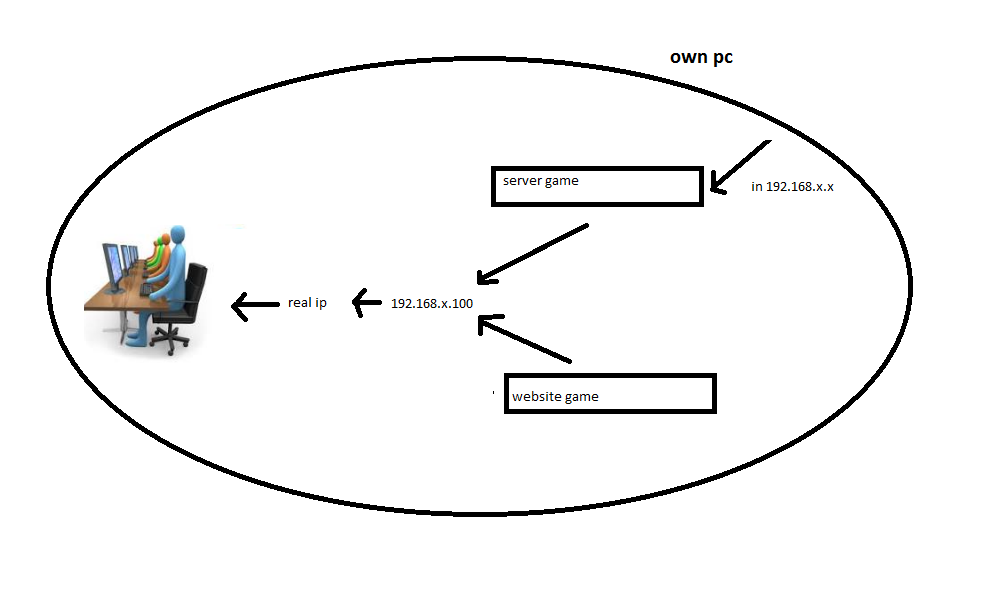
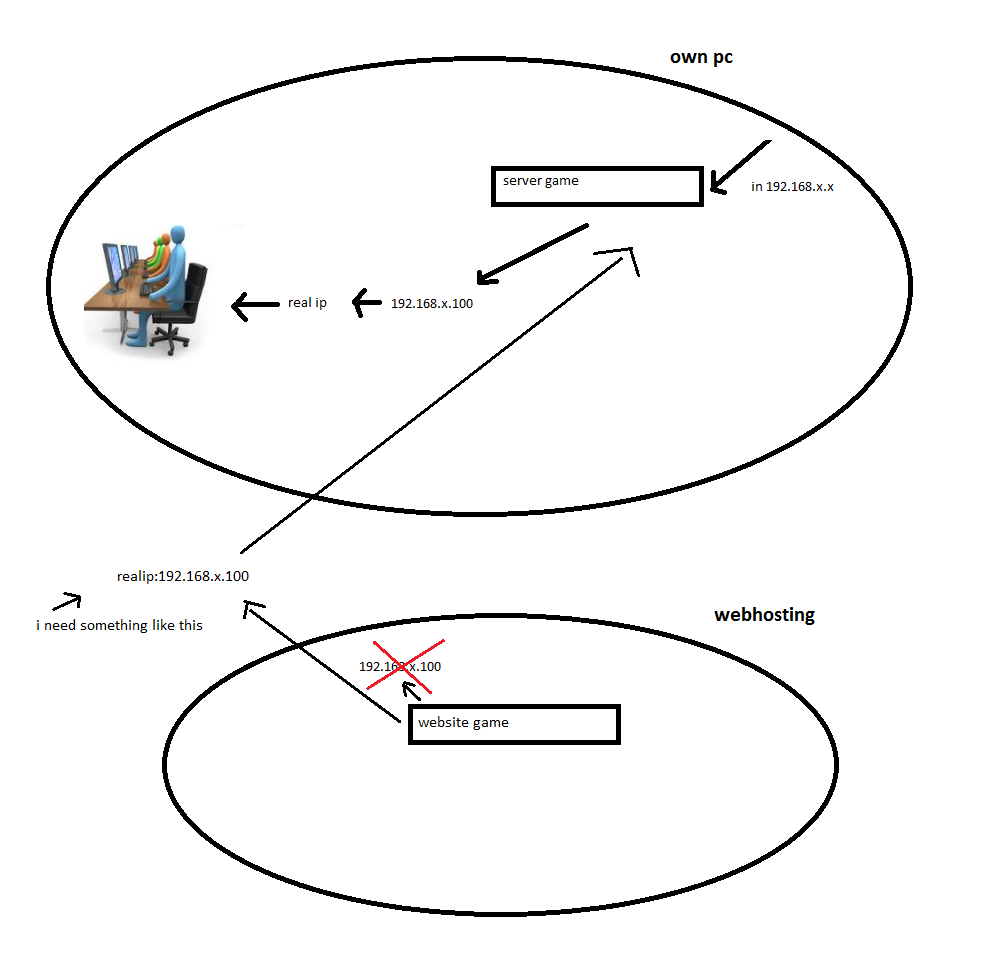
You either need to post the files to the server that is up on the web (via FTP or scp) or if you are intent on connecting to your PC then you need to find out what IP address the internet views you at. From a browser connect to Whatismyipaddress.com The 192.168.x.100 address is what is called a public Ip address. 192.168.x.x is used inside private networks and then translated by your router (or modem) to the address that you are getting from your Internet service provider. The web site above will tell you what your real IP address is. You can us Dynamic DNS to point a domain name to your home PC. The link for DDNS wiki site will explain it better than I could.
rch1231
Veteran Poster
1,040 posts since Sep 2009
Reputation Points: 142
Solved Threads: 154
Skill Endorsements: 12
You still need to find out what your external ip address is. Once you find out your WAN IP you should be able to have your router redirect traffic to you game servers internal IP. Look for a setting for Port Forwarding or DMZhost on your router. You router should also show your WAN ipaddress. Dynamic DNS servers will handle redirecting a domain to your rotating IP address to your home systems.
Another thing you should consider is that many ISP's give you a much higher download speed than upload speed (example: 1.5MB Download, 512k Upload). Attempting to run a game server from your home may turn out to be limited by those speeds.
rch1231
Veteran Poster
1,040 posts since Sep 2009
Reputation Points: 142
Solved Threads: 154
Skill Endorsements: 12