954,320 Members — Technology Publication meets Social Media
Username:
Password:
Lost login information?
Have something to say? Contribute New Article Reply to this Article

After Hard Drive Lock Bios not recognizing hard drive or CD Rom Drive

I got me a new used computer from a neighbor in trade, I formatted and put win xp home on it. After getting all my basic setup done, I went in to bios and set all my security like I always do with any of my CPU's. After doing the normal Start up and Bios security, then into Win XP and set user, I went back in to set hard drive lock. Nothing un-common for me. after I rebooted that time, Neither my hard drive nor my CD Rom drive is being detected in the bios and it doesn't even ask for hard drive password. I have reset cmos and everything to no avail. Pleas help...
SillyBilly

SillyBilly
Junior Poster
140 posts since May 2007
Reputation Points: 46
Solved Threads: 1
 

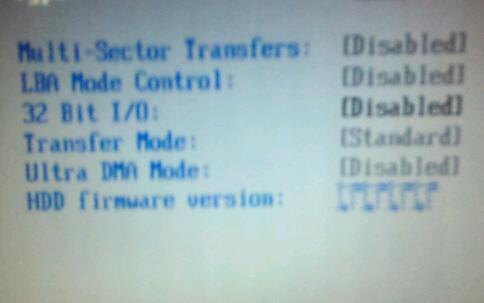
here is a picture of the bios,,,, check out the characters of the last line, "hdd firmware"!

I got me a new used computer from a neighbor in trade, I formatted and put win xp home on it. After getting all my basic setup done, I went in to bios and set all my security like I always do with any of my CPU's. After doing the normal Start up and Bios security, then into Win XP and set user, I went back in to set hard drive lock. Nothing un-common for me. after I rebooted that time, Neither my hard drive nor my CD Rom drive is being detected in the bios and it doesn't even ask for hard drive password. I have reset cmos and everything to no avail. Pleas help... SillyBilly
Attachments bios_pic.jpg 12.84KB
SillyBilly
Junior Poster
140 posts since May 2007
Reputation Points: 46
Solved Threads: 1
 
here is a picture of the bios,,,, check out the characters of the last line, "hdd firmware"!


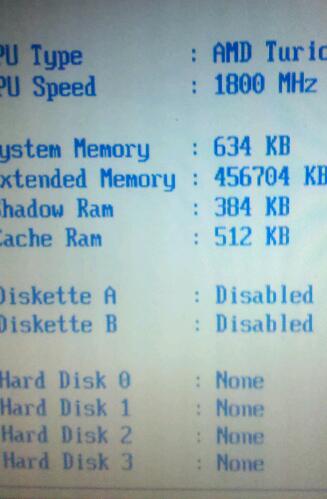
this picture of the bios shows diskette a and b disabled??? what the heck?

Attachments new_pik.jpg 21.39KB
SillyBilly
Junior Poster
140 posts since May 2007
Reputation Points: 46
Solved Threads: 1
 
this picture of the bios shows diskette a and b disabled??? what the heck?


if you have a floppy drive in the tower enable diskette A

caperjack
I hate 20 Questions
Team Colleague
13,069 posts since Aug 2003
Reputation Points: 1,064
Solved Threads: 812
 
I got me a new used computer from a neighbor in trade, I formatted and put win xp home on it. After getting all my basic setup done, I went in to bios and set all my security like I always do with any of my CPU's. After doing the normal Start up and Bios security, then into Win XP and set user, I went back in to set hard drive lock. Nothing un-common for me. after I rebooted that time, Neither my hard drive nor my CD Rom drive is being detected in the bios and it doesn't even ask for hard drive password. I have reset cmos and everything to no avail. Pleas help... SillyBilly


try another hard drive .old ones are a dime a dozen ,nowadays

caperjack
I hate 20 Questions
Team Colleague
13,069 posts since Aug 2003
Reputation Points: 1,064
Solved Threads: 812
 

Do This
1. Unplug the power and Remove BIOS battery. Remove RAM and HDD and keep it for 24 hrs. Re-assemble and mostly it will be fixed. if not

2.Update BIOS. After Updating BIOS do step number 1 as above.

adamvaldez
Newbie Poster
6 posts since Apr 2011
Reputation Points: 10
Solved Threads: 1
 

maybe your sata port or power plugs are having prob . please reconnect your HDD and DVD drive.

and even then if u r facing same prob then please go to the BIOS and pres the F9 button for changing Ur BIOS into Default mood.
thanx

deew
Light Poster
44 posts since Apr 2011
Reputation Points: 7
Solved Threads: 4
 

This question has already been solved

Post: Markdown Syntax: Formatting Help
You
View similar articles that have also been tagged: