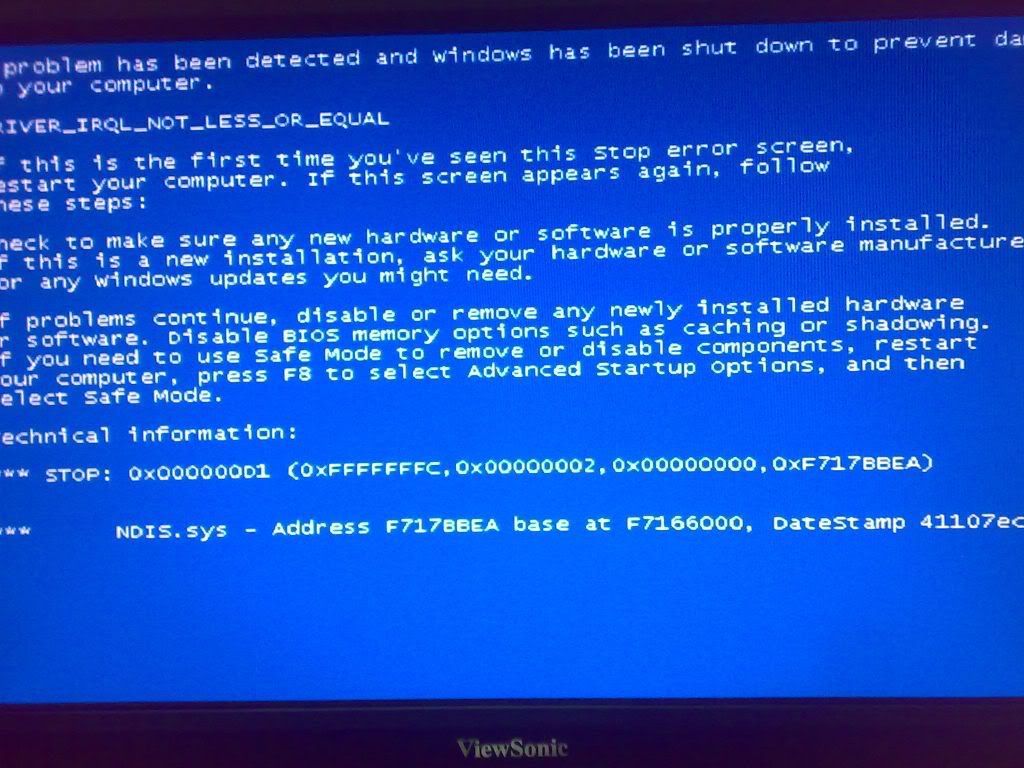
i am using airtel broadband line, tera 100u adsl modem. suddenly an Error message stating "0x000000D1 (0xEBA1CA30, 0X00000002,0X00000000,0XB7BC0F8B) DRIVER_IRQL_NOT_LESS_OR_EQUAL" is displayed. when i restart the machine i could browse for another half hour and then the same blue screen error message. sometimes even while browsing the modem link light gets off and i receive message "adsl modem not responding". kindly help me.

dkarthikeyan
0
Newbie Poster
Recommended Answers
Jump to PostWas that the full text of the error message? Other text in the message would help identify the problem.
0x000000D1 DRIVER_IRQL_NOT_LESS_OR_EQUAL
is an error which can relate to many issues, including software ones. I've even seen suggestions that if such a problem is consistently encountered and recurs even …
Jump to Postchange ur RAM. u have 2 RAM means. Remove one Ram and try it. it happens only RAM problems
hi newbie poster ,welcome to daniweb please check dates on threads you want to help with ,this one was last posted to in April 2008 thank you
All 9 Replies
Devonalper
0
Newbie Poster
dkarthikeyan
0
Newbie Poster
Devonalper
0
Newbie Poster
Catweazle
140
Grandad
Team Colleague
PCPowerUp
0
Newbie Poster
ATHUL_143
0
Newbie Poster
ATHUL_143
0
Newbie Poster
nklrajesh
0
Newbie Poster

caperjack
875
I hate 20 Questions
Team Colleague
Be a part of the DaniWeb community
We're a friendly, industry-focused community of developers, IT pros, digital marketers, and technology enthusiasts meeting, networking, learning, and sharing knowledge.