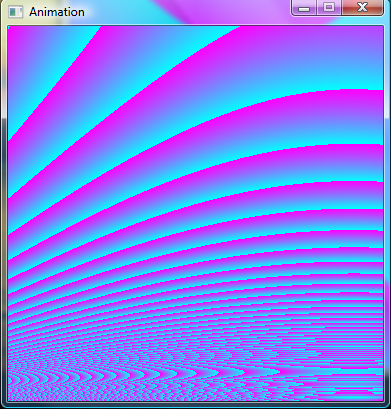
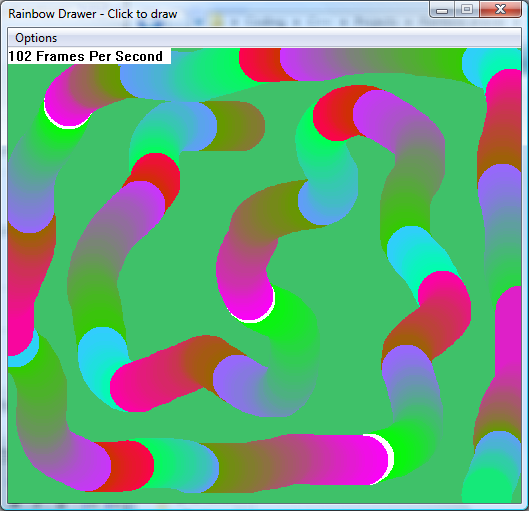
Quite a while ago, I made this snippet. This code is basically the same, except that it adds animation.
This method of blitting is very fast assuming you don't use a surface that's too large. On a 500 x 500 surface, I managed 350fps using only 0-1% of the cpu. This snippet may appear much slower because of the amount of CPU it's applying to each pixel, but the blitting itself is very fast. Also, don't forget that an average game will only redraw parts of the window that need redrawing, this redraws the whole surface every time.
So, as long as you know what you're doing, Windows GDI isn't actually that slow :icon_lol:
main.cpp:12: error: ISO C++ prohibits anonymous structs
main.cpp: In function `void onFrame(pixel*)':
main.cpp:60: error: expected primary-expression before "unsigned"
main.cpp:60: error: expected `;' before "unsigned"
main.cpp: In function `void MakeSurface(HWND__*)':
main.cpp:134: warning: passing NULL used for non-pointer converting 2 of `void* CreateThread(_SECURITY_ATTRIBUTES*, DWORD, DWORD (*)(void*), void*, DWORD, DWORD*)'
main.cpp:134: warning: passing NULL used for non-pointer converting 5 of `void* CreateThread(_SECURITY_ATTRIBUTES*, DWORD, DWORD (*)(void*), void*, DWORD, DWORD*)'
main.cpp: In function `int WinMain(HINSTANCE__*, HINSTANCE__*, CHAR*, int)':
main.cpp:237: warning: passing NULL used for non-pointer converting 4 of `BOOL GetMessageA(tagMSG*, HWND__*, UINT, UINT)'
This includes the cast you've already corrected. So it's mostly just that anonymous struct you may want to look at.
[edit]Also, the necessary library to link with:
-LD:\Programs\CodeBlocks\MinGW\lib -lgdi32
Where the path to the library will be whatever your install might be.
This includes the cast you've already corrected. So it's mostly just that anonymous struct you may want to look at.
Does giving the anonymous structure a name fix that?
Never thought there would be so many compiler issues, and I didn't realize that anonymous structs weren't allowed.
Hi, thanks for the cool code. I got it working in a Win32 app (project type choice) in VC++ Express 2010 by making the includes:
#include "stdafx.h"
#include "GDIWin32.h"
#include <windows.h>
#include <iostream>
#include <cmath>
and putting the L in front of the quoted text, as in:
// Init wc
wc.cbClsExtra = 0;
wc.cbWndExtra = 0;
wc.cbSize = sizeof( WNDCLASSEX );
wc.hbrBackground = CreateSolidBrush( 0 );
wc.hCursor = LoadCursor( NULL, IDC_ARROW );
wc.hIcon = LoadIcon( NULL, IDI_APPLICATION );
wc.hIconSm = LoadIcon( NULL, IDI_APPLICATION );
wc.hInstance = hInstance;
wc.lpfnWndProc = WndProc;
wc.lpszClassName = L"animation_class";
wc.lpszMenuName = NULL;
wc.style = 0;
Very cool, thanks very much. Any thoughts on how this could be implemented in a Windows Forms Application? (Sorry if this is a really stupid question, just starting in VC++.) Thanks again, Bill
Finally got around to putting this animation code into a Visual C++ 2010 Express Windows form application. To use it, start a new form build, add a PictureBox, name it "src" and make it some even dimension like 400,400. Add a button, name it "btnStart", text to "Start", add a timer to the form, set it to 20ms and disabled.
Add the attached code.
void DrawMath(void){
// Create a new bitmap.
Bitmap^ bmp = gcnew Bitmap(src->Size.Width,src->Size.Height);
//bmp->PixelFormat=Format32bppArgb;
// Lock the bitmap's bits.
Rectangle rect = Rectangle(0,0,src->Size.Width,src->Size.Height);
System::Drawing::Imaging::BitmapData^ bmpData = bmp->LockBits( rect, System::Drawing::Imaging::ImageLockMode::ReadWrite, bmp->PixelFormat );
// Get the address of the first line.
IntPtr ptr = bmpData->Scan0;
// Declare an array to hold the bytes of the bitmap.
// This code is specific to a bitmap with 24 bits per pixels.
int bytes = bmpData->Stride * bmp->Height;
array<Byte>^rgbValues = gcnew array<Byte>(bytes);
array<Byte>^rgbValues1;
rgbValues1 = rgbValues;
// Copy the RGB values into the array.
// This is where all the drawing takes place
// +0.005 each frame
static double frameOffset = 0;
double px; // % of the way across the bitmap
double py; // % of the way down the bitmap
double mycosoff;
int width = src->Size.Width;
int height = src->Size.Height;
double frame10 = (10.0) * frameOffset;
double cosoff = (1270) * cos(frameOffset * 3);
double pyinc = (1.0) / double(height);
int counter=0;
for (int x = 0; x < width; ++x) {
px = double(x) / double(width);
mycosoff = cos(px + frame10) * cosoff;
int ywidth=x;
py=pyinc+frameOffset;
for (int y = 0; y < height; ++y ) {
unsigned char red = unsigned char(((mycosoff / sin(py))) + 127);
rgbValues[counter++] = 0xff;
rgbValues[counter++] = red;
rgbValues[counter++] = ~red;
rgbValues[counter++] = 0xff;
ywidth+= width;
py+=pyinc;
}
}
frameOffset += 0.005;
// Copy the RGB values back to the bitmap
System::Runtime::InteropServices::Marshal::Copy( rgbValues1, 0, ptr, bytes );
// Unlock the bits.
bmp->UnlockBits( bmpData );
// Draw the modified image.
//e->Graphics->DrawImage( bmp, 0, 150 );
src->Image = bmp;
src->Invalidate();
}
#pragma endregion
private: System::Void timer1_Tick(System::Object^ sender, System::EventArgs^ e) {
DrawMath();
}
private: System::Void btnStart_Click(System::Object^ sender, System::EventArgs^ e) {
static int OnOff=0;
if (OnOff==0){
btnStart->Text = L"Stop";
timer1->Enabled = true;
OnOff=1;
}
else{
btnStart->Text = L"Start";
timer1->Enabled = false;
OnOff=0;
}
}
Have fun! THANKS AGAIN FOR POSTING THE FAST ANIMATION SNIPPET!