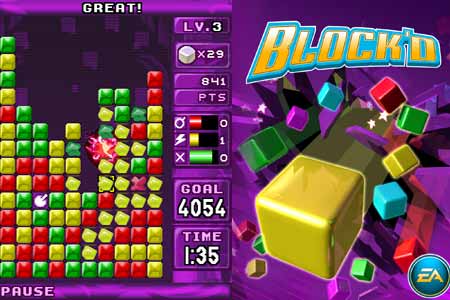
Hi, guys
I'm new to this forum, and also kind of new to C#. I actually develop programs in C# for 2 years, but in a very amateur level.
Here is my question;
I'm trying to make a game like Block'd
I found the way to create an array of buttons, and colored them randomly, too. Below is the screencap of my program's debug and the code
And I have to make a function that controls any button clicked, and takes its index numbers, and check if it has the same color as its adjacent blocks etc.
I don't want to create 400 functions like
private void Button1_Click
private void Button2_Click
private void Button3_Click
...
private void Button400_Click
so what would be a convenient way to create such a function?
Note: I don't know what an EventHandler, or a sender is, if the answer involves these terms, please briefly explain what do they do, if you can.
Thanks in advance..
http://img40.imageshack.us/img40/9239/screencapo.png
using System;
using System.Collections.Generic;
using System.ComponentModel;
using System.Data;
using System.Drawing;
using System.Linq;
using System.Text;
using System.Windows.Forms;

namespace BlockdDeneme2
{
    public partial class Form1 : Form
    {
        public Form1()
        {
            InitializeComponent();
        }

        public string s = Application.StartupPath + "\\pics\\";
        public string jpg = ".jpg";
        public Random r = new Random();
        public int MaxButtonNumberFurk = 20;
        public Button[,] Buttons = new Button[20,20];
        public int i,j;
        private void Form1_Load(object sender, EventArgs e)
        {
            label5.Visible = false;
            button1.Visible = false;
            int howmany = 15;
            CreateButtons(howmany, howmany);


        }


        public void ColorTheButtons(Button bttn) //1:green, 2:blue, 3:red , 4:yellow
        {
            if (bttn.ImageIndex == 1)
            {
                bttn.BackColor = Color.Green;
            }
            else if (bttn.ImageIndex == 2)
            {
                bttn.BackColor = Color.RoyalBlue;
            }
            else if(bttn.ImageIndex == 3)
            {
                bttn.BackColor = Color.OrangeRed;
            }
            else if(bttn.ImageIndex == 4)
            {
                bttn.BackColor = Color.Gold;
            }
            else
            {
                bttn.BackColor = Color.Black;
            }
        }
        public void CreateButtons(int NumX, int NumY)
        {

            this.Location = new Point(2, 2);
            this.Size = new Size((NumX+1) * 40-20,(NumY+1) * 40);

            int temp;
            for (i = 0; i < NumX; i++)
            {
                for(j=0;j<NumY;j++)
                {

                Buttons[i,j] = new Button();
                Buttons[i,j].Name = "ItemNum_" + i.ToString();
                Buttons[i,j].Location = new Point(40 * i, 40*j);
                Buttons[i,j].Size = new Size(40, 40);
                temp = (r.Next(4) + 1);
                Buttons[i, j].ImageIndex = temp;
                label5.Text += " " + temp.ToString();

                ColorTheButtons(Buttons[i, j]);


                Buttons[i,j].Visible = true;

                this.Controls.Add(Buttons[i,j]);


                }
                label5.Text += "\n";
            }


        }

        private void button1_Click(object sender, EventArgs e)
        {

        }


    }
}