954,536 Members — Technology Publication meets Social Media
Username:
Password:
Lost login information?
Have something to say? Contribute New Article Reply to this Article

load image in applet

Hi,

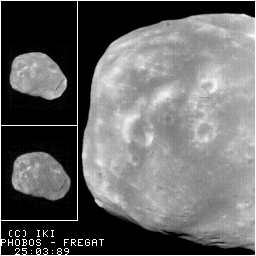
I am trying to load an image into an applet, however unsuccessfully.
What's wrong here?

package sess31;

// Import the AWT graphics package
import java.awt.*;
import java.applet.*;

public class myownapplet extends Applet
{
    Image image;
    public void init() {
        // Load image
        //image = getImage(getDocumentBase(), "show14.gif");
    }
    public void paint(Graphics g) {
        // Draw image
        g.drawImage(image, 0, 0, this);
    }
}
gampalu
Junior Poster in Training
78 posts since Mar 2006
Reputation Points: 21
Solved Threads: 0
 

Hi,

I can't see any faults in your code, so my guess is that the program is unable to find the image.
If your folder structure looks like this:
.\src\sess31\myownapplet.java
then place the image like this:
.\src\image.gif

or specify the location in the path.

Hope this helps!

di2daer
Junior Poster in Training
66 posts since Sep 2008
Reputation Points: 22
Solved Threads: 13
 

Thank you for your answer.
At the moment I have the image file in that location but the image is not appearing in the applet.

However if I try with the same image from an URL, it works:

image = getImage(getDocumentBase(), "http://www.iki.rssi.ru/IPL/show14.gif");


I don't get it why is this. Should the image file be in another location?Hi,

I can't see any faults in your code, so my guess is that the program is unable to find the image.
If your folder structure looks like this:
.\src\sess31\myownapplet.java
then place the image like this:
.\src\image.gif

or specify the location in the path.

Hope this helps!

gampalu
Junior Poster in Training
78 posts since Mar 2006
Reputation Points: 21
Solved Threads: 0
 

How are you running the applet? Make sure that the image is available from where you run it.

di2daer
Junior Poster in Training
66 posts since Sep 2008
Reputation Points: 22
Solved Threads: 13
 

The image is there.
I am attaching the project, so if you could take a look I apreciate very much :)

Attachments Session_31.zip (512.67KB)
gampalu
Junior Poster in Training
78 posts since Mar 2006
Reputation Points: 21
Solved Threads: 0
 

Do you get a security exception when launching the applet? If that is the case you need to sign it before you can run it.

If not, it might just be becuase the image doesn't reside in the build folder. Try adding it there.

di2daer
Junior Poster in Training
66 posts since Sep 2008
Reputation Points: 22
Solved Threads: 13
 

It works now, thank you very much for the help.
I didn't know that the image had to be in the build folder.

Cheers!

Do you get a security exception when launching the applet? If that is the case you need to sign it before you can run it.

If not, it might just be becuase the image doesn't reside in the build folder. Try adding it there.

gampalu
Junior Poster in Training
78 posts since Mar 2006
Reputation Points: 21
Solved Threads: 0
 

tq.. this solve my problems =)

kizUna_rR
Newbie Poster
4 posts since May 2009
Reputation Points: 10
Solved Threads: 0
 

You can Run this program.First copy it in jdk/bin directory then copy rn1.jpg named any picture in ur jdk/bin directory. Ok Run this program now

import java.applet.Applet;
import java.awt.Graphics;
import java.awt.Image;

public class ronyphoto1 extends Applet
{
Image Img1;


public void init()
{
URL codebase=getCodeBase();

showStatus(codebase.toString());

Img1=getImage(codebase,"rn1.jpg");
//Img2=getImage(codebase,"Image2.gif");
}


public void paint(Graphics g)
{
g.drawImage(Img1,10,10,this);
//g.drawImage(Img2,400,10,this);
}

}

Alimuzzaman
Newbie Poster
1 post since Jul 2010
Reputation Points: 10
Solved Threads: 0
 

This question has already been solved

Post: Markdown Syntax: Formatting Help
You
View similar articles that have also been tagged: