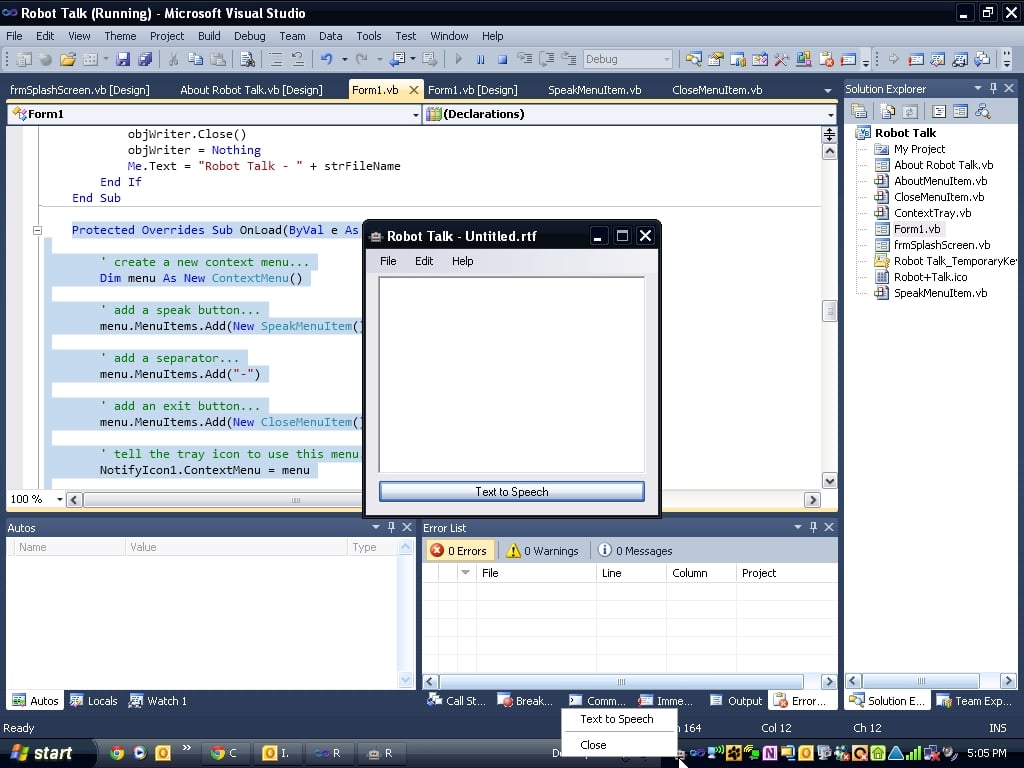
Pass a reference to the RTB in in custom menu item's constructor or add a RTB property to it.
Private RTB as RichTextBox
Public Sub New(RTB as RichtextBox)
Me.New()
Me.RTB = RTB
End Sub
or
Private _RTB As RichTextBox
Public Property RTB() As RichTextBox
Get
return _RTB
End Get
Set (value as RTB)
_RTB = Value
End Get
End Property
Then use RTB as your reference in your code
TnTinMN
Practically a Master Poster
640 posts since Jun 2012
Reputation Points: 418
Solved Threads: 148
Skill Endorsements: 13
try
Dim strText As String
strText = Form1.RichTextBox1.Text
If strText = "" Then
MsgBox("You need to put text in the textbox before I speak it!", MsgBoxStyle.OkOnly, "Robot")
Else
Dim objVoice = CreateObject("SAPI.SpVoice")
objVoice.Speak(strText)
End If
Change 'Form1' to the name of your form. By default controls are declared as Friend. You should be able to call it from any where in your project by qualifying it with the form name.
tinstaafl
Nearly a Posting Virtuoso
1,312 posts since Jun 2010
Reputation Points: 341
Solved Threads: 227
Skill Endorsements: 14
First off you've kind of got things a little out of order. You're calling the speech object before you check if there is any text. If you look at the code I gave you, you'll see simple way of doing it in the proper order.
The way it's coded, strText will only get a value if the button is clicked, and it will get the current text from frmMain.rtbText. If you try my code it should work.
If not, perhaps you're over thinking things by overriding the click event. You can easily add a handler for the click event in the form class, that will do the same thing.
tinstaafl
Nearly a Posting Virtuoso
1,312 posts since Jun 2010
Reputation Points: 341
Solved Threads: 227
Skill Endorsements: 14
When you say it's not working, you'll have to be more specific. Is nothing happening, is the wrong thing happening, is there an error?
tinstaafl
Nearly a Posting Virtuoso
1,312 posts since Jun 2010
Reputation Points: 341
Solved Threads: 227
Skill Endorsements: 14