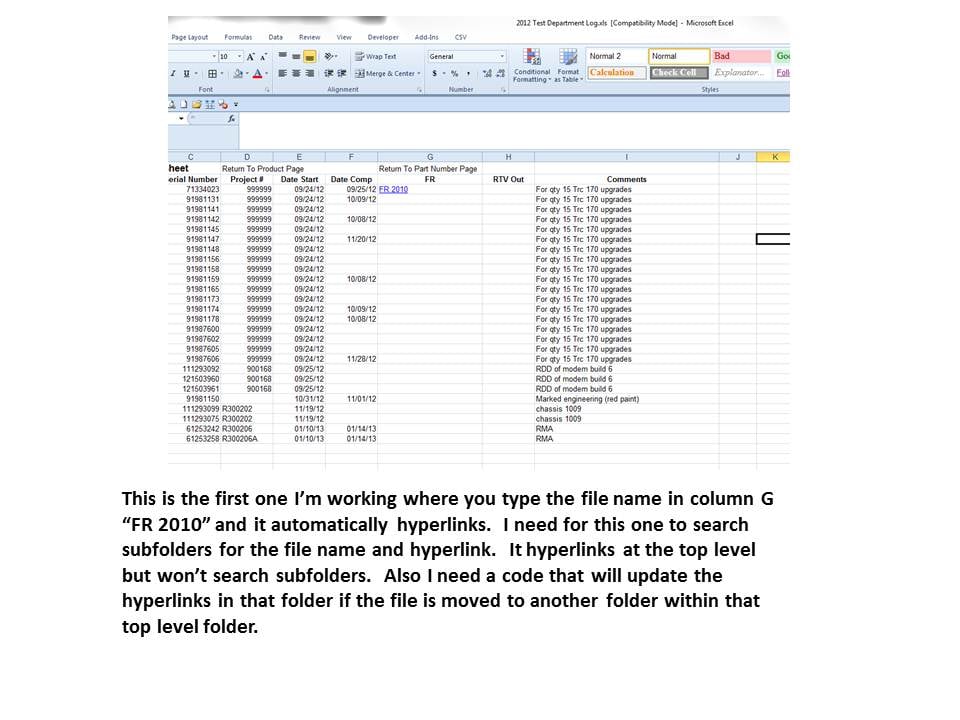
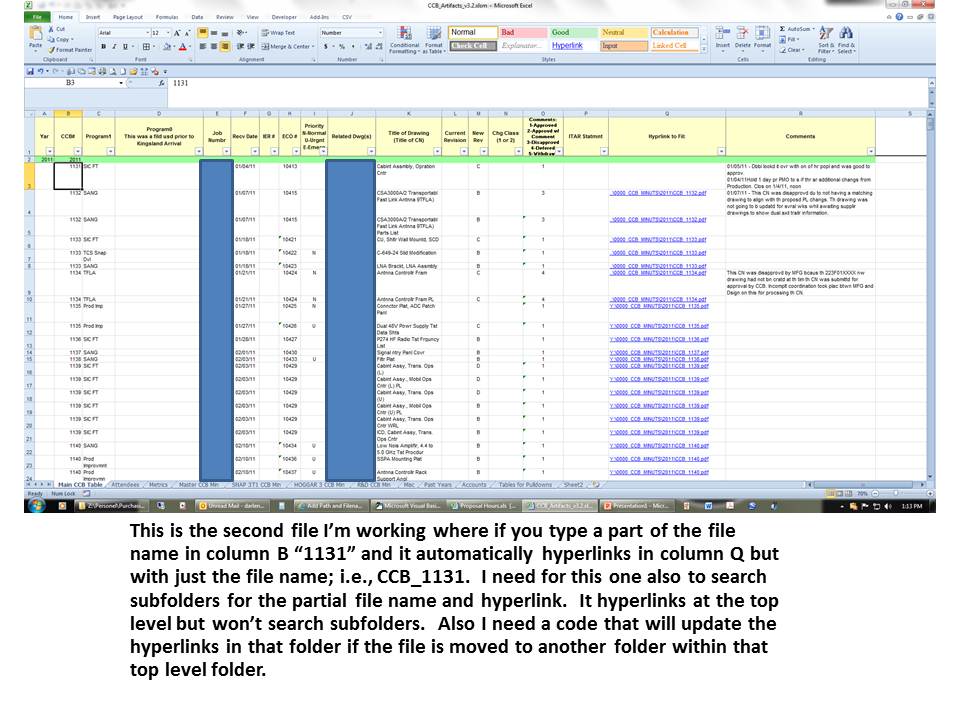
Okay I'm still working on this and can't seem to get it to work properly. It's not that it's not working, it's slow and I need to search and replace some hyperlinks because when you close the workbook, you loose the links.
This is what I have that works but it's slow because there are subfolders and plenty files:
Private Sub Worksheet_Change(ByVal Target As Range)
With Application
.ScreenUpdating = False
.Calculation = xlCalculationManual
.EnableEvents = False
End With
If Target.Column = 7 Then
MakeHyperLink Target, "Q:\"
End If
With Application
.ScreenUpdating = True
.Calculation = xlCalculationAutomatic
.EnableEvents = True
End With
End Sub
Option Explicit
Private Files As Dictionary
Private StrFile As String
Dim StrFlePath As String, FleCollection, fle, f1
Public Function MakeHyperLink(InRange As Range, _
ToFolder As String, _
Optional InSheet As Worksheet, _
Optional WithExt As String = "doc") As String
Dim Rng As Range
Dim Filename As String
Dim Ext As String
With Application
.ScreenUpdating = False
.Calculation = xlCalculationManual
.EnableEvents = False
End With
GetFileAddress
'check to see if folder has trailing \
If Right(ToFolder, 1) <> "\" Then
Filename = ToFolder & "\"
Else
Filename = ToFolder
End If
'check to see if need ext
If WithExt <> "" Then
'check to see if ext has leading dot
If Left(WithExt, 1) <> "." Then
WithExt = "." & WithExt
End If
End If
'if not explicit sheet then assign active
If InSheet Is Nothing Then
Set InSheet = ActiveSheet
End If
'now for every cell in range
For Each Rng In InRange
'does range have value
If Rng <> "" Then
'make hyperlink to file
StrFlePath = Files(UCase(Rng.Text & WithExt))
InSheet.Hyperlinks.Add Anchor:=Rng, Address:= _
StrFlePath, TextToDisplay:=Rng.Text
End If
Next
With Application
.ScreenUpdating = True
.Calculation = xlCalculationAutomatic
.EnableEvents = True
End With
End Function
Sub GetFileAddress()
With Application
.ScreenUpdating = False
.Calculation = xlCalculationManual
.EnableEvents = False
End With
Set Files = New Dictionary
FindFolder "Q:\"
With Application
.ScreenUpdating = True
.Calculation = xlCalculationAutomatic
.EnableEvents = True
End With
End Sub
Public Function FindFolder(strPath As String) As String
Dim fs, f2, subfld
Set fs = CreateObject("scripting.filesystemobject")
Set f1 = fs.GetFolder(strPath)
Set f2 = f1.SubFolders
Set FleCollection = f1.Files
With Application
.ScreenUpdating = False
.Calculation = xlCalculationManual
.EnableEvents = False
.StatusBar = LoopNum
End With
For Each fle In FleCollection
If Not (Files.Exists(UCase(fle.Name))) Then
Files.Add UCase(fle.Name), fle.Path
End If
Next
For Each subfld In f2
FindFolder subfld.Path
Next
With Application
.ScreenUpdating = True
.Calculation = xlCalculationAutomatic
.EnableEvents = True
End With
End Function
Also I need to replace some hyperlinks that already exist. What happen is when you close the workbook the links stop working and looses the beginning of the hyperlink.
This is the code that I have for that:
Sub FindReplaceHLinks(sFind As String, sReplace As String, _
Optional lStart As Long = 1, Optional lCount As Long = -1)
With Application
.ScreenUpdating = False
.Calculation = xlCalculationManual
.EnableEvents = False
.StatusBar = LoopNum
End With
Dim rCell As Range
Dim hl As Hyperlink
For Each rCell In ActiveSheet.UsedRange.Cells
If rCell.Hyperlinks.Count > 0 Then
For Each hl In rCell.Hyperlinks
hl.Address = Replace(hl.Address, sFind, sReplace, lStart, lCount, vbTextCompare)
Next hl
End If
Next rCell
With Application
.ScreenUpdating = True
.Calculation = xlCalculationAutomatic
.EnableEvents = True
End With
End Sub
Sub ReplacePartHyperlinkAddress()
Dim hLink As Hyperlink
Dim wSheet As Worksheet
For Each wSheet In Worksheets
For Each hLink In wSheet.Hyperlinks
hLink.Address = Replace(hLink.Address, "..\..\..\..\QA\", "Q:\")
Next hLink
Next wSheet
End Sub
I would like to condense this as much as possible and see if that helps it work faster. The replacement code for the hyperlinks works but don't get all the hyperlinks on the worksheet. Would be nice if the the hyperlink replacement code could check each worksheet when it opens or by the click of a button that it would check all hyperlinks within the workbook.
Any ideas anybody.