954,574 Members — Technology Publication meets Social Media
Username:
Password:
Lost login information?
Have something to say? Contribute New Article Reply to this Article

How to bind images and text together in same jsp page in easiest way ???

I am developing a dynamic page in that some text and images should be displayed together...!
But before that i had tried to get nevigation page for whole application. In that i am getting same problem, Image is not displayed...!

What i should write in src=" ????? "
I have tried everything

1. /images/Forward.jpg
2. /WEB-INF/images/Forward.jpg
3. /localhost:8081/Car_Dynamic_Demo/images/Forward.jpg
4. D:\study\ADVANCE_JAVA\PrOgRaMs\WEB_APPS\Car_Dynamic_Demo\web\WEB-INF\images\Forward.jpg

But nothing is working for me...!

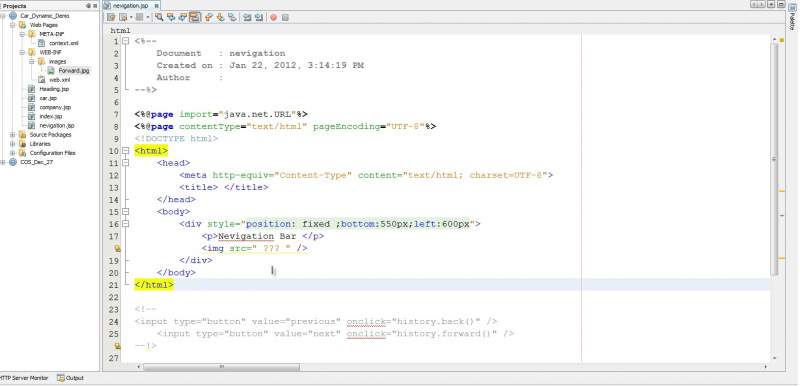
<%@page import="java.net.URL"%>
<%@page contentType="text/html" pageEncoding="UTF-8"%>
<!DOCTYPE html>
<html>
    <head>
        <meta http-equiv="Content-Type" content="text/html; charset=UTF-8">
        <title> </title>
    </head>
    <body>
        <div style="position: fixed ;bottom:550px;left:600px">
            <p>Nevigation Bar </p>             
            <img src=" ??? " />
        </div>
    </body>
</html>


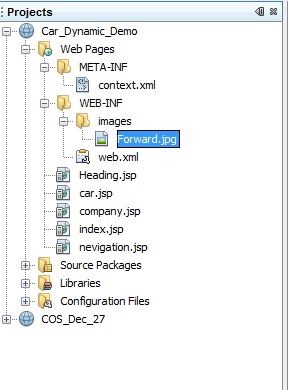
In directory file i have shown my directory structure

One more query i have...
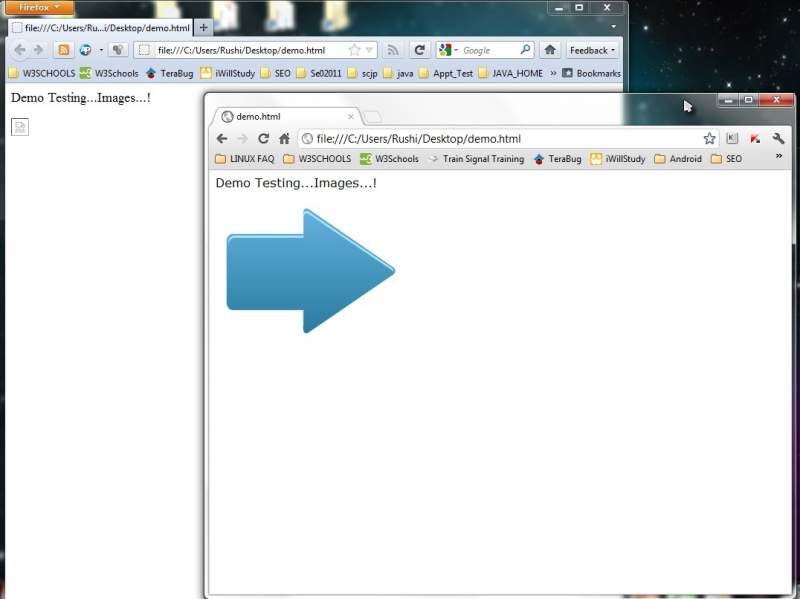
I had tried simple html code on both browser Chrome and Mozila
But in mozila it didnot work , In chrome it gave Result...!
What can be the reason for that ??

<html>
<body>
<p> Demo Testing...Images...!</p>
<img src="D:/study/ADVANCE_JAVA/PrOgRaMs/WEB_APPS/Car_Dynamic_Demo/web/WEB-INF/images/Forward.jpg" />
</body>
</html>


I am trying to get same thing done by JSP page...!
Why its not working ????
Attachments directory.jpg 34.41KB errorPageCode.jpg 28.34KB error.jpg 34.72KB
rushi3311
Newbie Poster
10 posts since Oct 2011
Reputation Points: 10
Solved Threads: 0
 

It depends on where you put your image and how you deployed your web application and what server do you use. If you simply used NetBeans to create the .war file or just run your application then the image is not beeing read from where you think it is. In the above case your image is deployed inside the war and you must read from there.

I have tried your example and had the same problem. Then I moved the image inside a folder in the structure of the server and it worked. In my case I had the .war in :
.......\domains\testDomain\autodeploy\web_app.war and I moved the images at:
.......\domains\testDomain\autodeploy\images
And at the code I used: src="/images/image.jpg"

The first thing you can do is try to read the images from the .war file or from whatever you have deployed. Or:

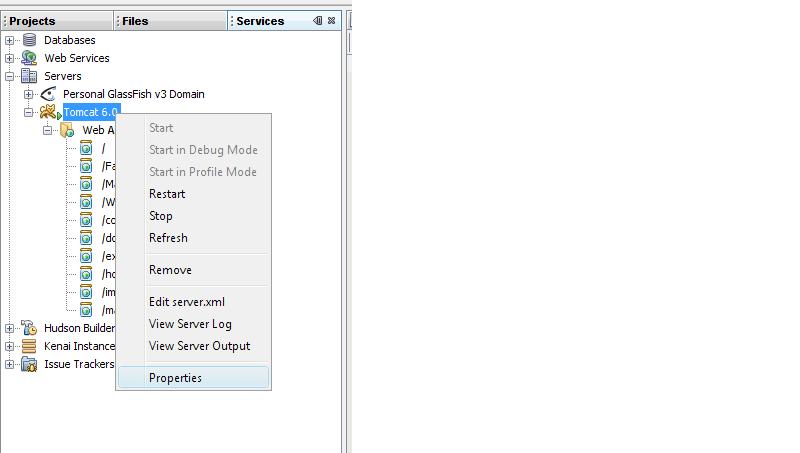
You need to open the directory where your server is running and place the images in a folder where your application is. From your images it looks to me that you are using NetBeans. If you go to the Services tab, (next to the tabs where you see the structure of the project - the image you posted) click the Servers icon and follow the tree. Right click on the server you are running and find its location. There you will find your application and place there your folder with the images.

Attachments image.jpg 29.6KB
javaAddict
Nearly a Senior Poster
Team Colleague
3,329 posts since Dec 2007
Reputation Points: 1,014
Solved Threads: 448
 

Thanks....!
I will check it out...!

rushi3311
Newbie Poster
10 posts since Oct 2011
Reputation Points: 10
Solved Threads: 0
 

This article has been dead for over three months

Post: Markdown Syntax: Formatting Help
You
View similar articles that have also been tagged: