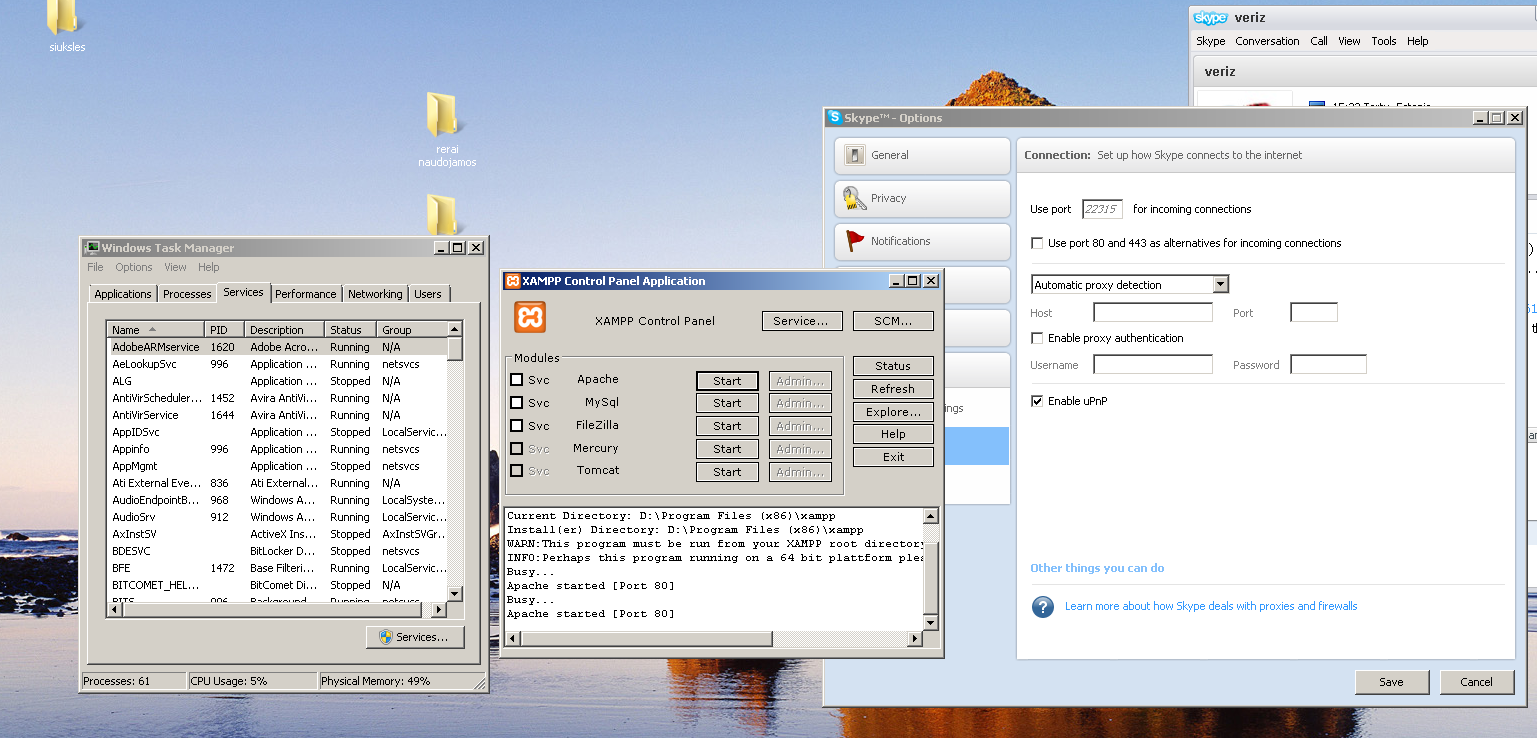
I have had this problem many times and there is a very simple solution. Do the following.
1. Open C:\xampp\apache_stop.bat file
2. Open C:\xampp\control.exe
3. Single click Start Apache and wait 30 seconds before moving the mouse or clicking anything else otherwise you will need to repeat the above three steps.
cwarn23
Occupation: Genius
3,033 posts since Sep 2007
Reputation Points: 413
Solved Threads: 260
Skill Endorsements: 13
you meant xampp-control.exe in step 2?
yes indeed. They call it different names in different versions.
cwarn23
Occupation: Genius
3,033 posts since Sep 2007
Reputation Points: 413
Solved Threads: 260
Skill Endorsements: 13
if you don't mind waste time fixing things you can use Wamp. In windows is what I use!
Stefano Mtangoo
Senior Poster
3,731 posts since Jun 2007
Reputation Points: 462
Solved Threads: 396
Skill Endorsements: 0
Maybe I will if I don't find a way to fix it. But I am used to xampp, some configuration, on wamp there migth be some other things I don't know. But thanks of course for this advice also
Actually configuring Wamp is as breeze as right clicking the tray icon and behold all configs are there :)
Stefano Mtangoo
Senior Poster
3,731 posts since Jun 2007
Reputation Points: 462
Solved Threads: 396
Skill Endorsements: 0
Actually configuring Wamp is as breeze as right clicking the tray icon and behold all configs are there :)
I find from past experiences Wamp is a devel to configure especially to enable modules such as mssql. It is better to deal with xampp. I would suggest doing Ctrl+alt+del and end task to apache then try to enable it again but once again only single click. And as I said, I strongly recommend not to use wamp as it will cause you problems for enabling modules down the track.
cwarn23
Occupation: Genius
3,033 posts since Sep 2007
Reputation Points: 413
Solved Threads: 260
Skill Endorsements: 13
didn't see appache process in task manager..
It should be under services in the task manager
cwarn23
Occupation: Genius
3,033 posts since Sep 2007
Reputation Points: 413
Solved Threads: 260
Skill Endorsements: 13
Did you try and single click on the start button for apache so that it becomes green? Does it stay green? If not then you may need to look both in services and processes for the item named "apache" or possibly "httpd" and end task to it then back in xampp single click the start button.
cwarn23
Occupation: Genius
3,033 posts since Sep 2007
Reputation Points: 413
Solved Threads: 260
Skill Endorsements: 13
Then try opening apache_start.bat and see if there are any error messages. If there are then post them here or if there are not then you might want to reinstall xampp. To keep the mysql data you simply copy the directory xampp\mysql
cwarn23
Occupation: Genius
3,033 posts since Sep 2007
Reputation Points: 413
Solved Threads: 260
Skill Endorsements: 13