954,206 Members — Technology Publication meets Social Media
Username:
Password:
Lost login information?
Have something to say? Contribute New Article Reply to this Article

How do I burn a cd in ubuntu?

Ok I'm getting there.

I have managed to get my printer to work, and I have got g++ and gcc working! Yay.

Before I try and get my graphics card working,how do I burn cds?:'(

Thanx

iamthwee
Posting Expert
5,950 posts since Aug 2005
Reputation Points: 1,543
Solved Threads: 439
 

Ubuntu - thats gnome, right?

You should be able to hit computer and choose Places then select CD/DVD Burning.

jbennet
Moderator
Moderator
18,523 posts since Apr 2005
Reputation Points: 1,820
Solved Threads: 600
 

Ok I'm getting there.

I have managed to get my printer to work, and I have got g++ and gcc working! Yay.

Before I try and get my graphics card working,how do I burn cds?:'(

Thanx

As jbennet says nautilus is fine for burning files. For burning ISOs and other stuff:

sudo apt-get install gnomebaker


You should already have Serpentine installed (for burning audio cds)

If gnomebaker doesn't float your boat you may wanna try K3B (Its KDE so apt will have to install quite a few other libraries on your machine to use it, but its a bit fancier than gnomebaker).

If you're on Feisty and have an nVidia or ATi card there's a utility to install the restricted drivers automagically. If you're on something older than Feisty I'd recommend you upgrade/reinstall - its worth it!

pty
Posting Pro
530 posts since Oct 2005
Reputation Points: 64
Solved Threads: 39
 

I like gnomebaker. The version of K3B on ubuntu doesnt integrate very will with gnome.

And yeah, to get the wma codecs and ati drivers etc.... you can either upgrade to Feisty or you can use something like EasyUbuntu or Automatix (getting feisty and doing it that way is easier though)

jbennet
Moderator
Moderator
18,523 posts since Apr 2005
Reputation Points: 1,820
Solved Threads: 600
 

Thanx guys I didn't even notice that option. Erm does feisty come with a kde flavour? Cos I like ubuntu but I prefer kde over gnome.

I might put the upgrade on hold because I've got a few things working, and I don't wanna reinstall feisty and start all over again.

iamthwee
Posting Expert
5,950 posts since Aug 2005
Reputation Points: 1,543
Solved Threads: 439
 

>Erm does feisty come with a kde flavour?
Yup .

Of course, you can always manually install window managers; you're not limited to the Ubuntu branch you choose.

John A
Vampirical Lurker
Team Colleague
7,630 posts since Apr 2006
Reputation Points: 2,240
Solved Threads: 339
 

Just apt-get it. or use Kubuntu

jbennet
Moderator
Moderator
18,523 posts since Apr 2005
Reputation Points: 1,820
Solved Threads: 600
 

Hello friend

use this link to find the solutioon

http://linuxera.com/content/view/198/2/

jay

jay.smith
Newbie Poster
18 posts since Apr 2007
Reputation Points: 10
Solved Threads: 1
 

You dont need to do that.

Just either install Kubuntu (i dont like it myself) or from ubuntu use Synaptic to install KDE.

jbennet
Moderator
Moderator
18,523 posts since Apr 2005
Reputation Points: 1,820
Solved Threads: 600
 

Following the advice of pty I installed fiesty for kbuntu. Very nice.:)

And now I've got my mp3s and mpegs to work. Yay!

I went to the konsole I typed:

sudo aptitude install libxine-extracodecs


But I'm having problems playing my dvds. I installed VLC player but when I play the dvd the image all patchy? How do I fix this please help.

:'(

iamthwee
Posting Expert
5,950 posts since Aug 2005
Reputation Points: 1,543
Solved Threads: 439
 

To play dvds you need libdvdcss (read up on whether it is legal in your area). Also you need a fiarly good pc (get the proper drivers for your graphics card too, check ati/nvidias site)

jbennet
Moderator
Moderator
18,523 posts since Apr 2005
Reputation Points: 1,820
Solved Threads: 600
 

Ok, I've tried VLC player with an .avi movie and it works perfect, so I assume it has something to do with libdvdcss - although I have yet to install the drivers for my nvida graphics card. I'll do that later. How do I get the libdvdcss to work with VLC? I've downloaded the library and I have no idea how to compile it? Pleasssssssse help?

Thanx.

iamthwee
Posting Expert
5,950 posts since Aug 2005
Reputation Points: 1,543
Solved Threads: 439
 

dont worry about compiling. On the net there are APT repositotories which you can add to synaptic. Get it from one of those and it will sort it all for you.

Get the Nvidia drivers firs.

jbennet
Moderator
Moderator
18,523 posts since Apr 2005
Reputation Points: 1,820
Solved Threads: 600
 
On the net there are APT repositotories which you can add to synaptic. Get it from one of those and it will sort it all for you.


No idea what that means. :(


Ok my graphics card is:
graphics card:

64MB geforce II mx200

What should I do now. Please explain step by step. :'(

iamthwee
Posting Expert
5,950 posts since Aug 2005
Reputation Points: 1,543
Solved Threads: 439
 

I assume my nvidia card is working now cos I saw the nvdia logo:

I followed these two links: The opengl screensavers seem to be more responsive.

https://help.ubuntu.com/community/MythTV/Install/Live/Feisty+/Hardware/Video_Nvidia?highlight=%28feisty%29%7C%28nvidia%29

http://www.pendrivelinux.com/2007/02/22/installing-nvidia-drivers-in-ubuntu-edgy/

The second one appeared to do the trick.

I also discovered how to set the root password:

sudo passwd root


And then to actually change to root

su root


So now jbennet if you could help me get my dvds to work I would be most grateful. :)

iamthwee
Posting Expert
5,950 posts since Aug 2005
Reputation Points: 1,543
Solved Threads: 439
 

>So now jbennet if you could help me get my dvds to work I would be most grateful.

Start off by downloading the .deb file instead of the source code.
http://download.videolan.org/pub/libdvdcss/1.2.9/deb/

Installing this deb file is quite easy with dpkg at the shell:

# sudo dpkg -i libdvdcss[version junk here].deb
John A
Vampirical Lurker
Team Colleague
7,630 posts since Apr 2006
Reputation Points: 2,240
Solved Threads: 339
 

yes. In debian based systems you rarely need to compile anything. Either download the .deb or use the Synaptic Package Manager (gui tool under system -> administration) to download it from the net.

By default thouh, synaptic does not contain legally dubious files like libdvdcss though so in order to download thins like that you will need to add paths to package repositoties to it.

jbennet
Moderator
Moderator
18,523 posts since Apr 2005
Reputation Points: 1,820
Solved Threads: 600
 

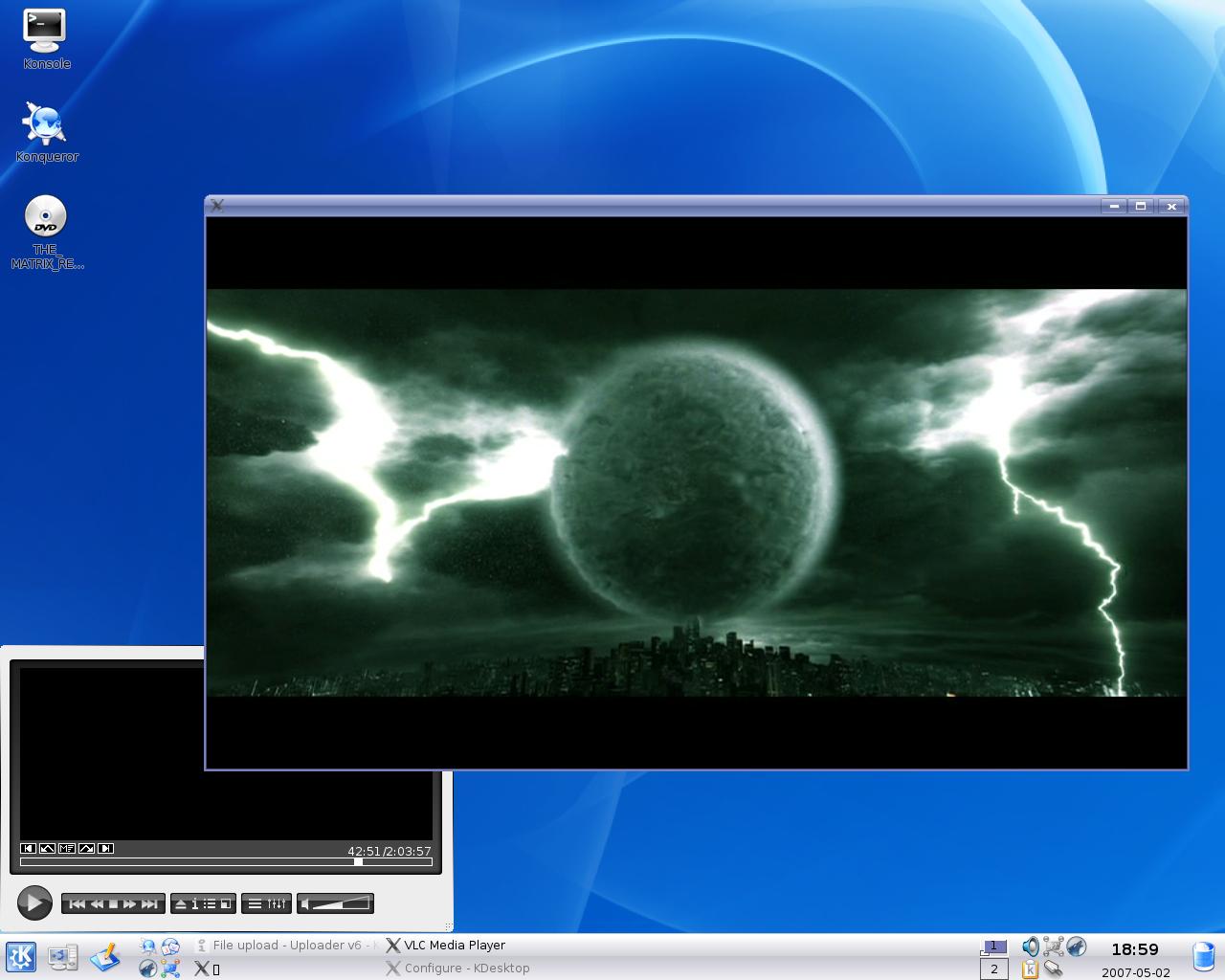
Ohhhhhhhhh yes. See screeny! That did the trick joeprogrammer. Now all I need is a freakin sound card and I'll be in business.

Attachments matric1.jpg 96.51KB
iamthwee
Posting Expert
5,950 posts since Aug 2005
Reputation Points: 1,543
Solved Threads: 439
 

Sound card? Does your motherboard one not work?

I have a dell (intel based custom chipset) and i had to get a BIOS flash in order to get my onboard HD sound working in linux/vista

jbennet
Moderator
Moderator
18,523 posts since Apr 2005
Reputation Points: 1,820
Solved Threads: 600
 

No I have an external soundblaster one.

But I took it out cos it only worked once when i booted to windows for the first time but didn't work again when I booted to linux then back to windows.

Do you think it is worth trying once more?

iamthwee
Posting Expert
5,950 posts since Aug 2005
Reputation Points: 1,543
Solved Threads: 439
 

This article has been dead for over three months

Post: Markdown Syntax: Formatting Help
You
View similar articles that have also been tagged: