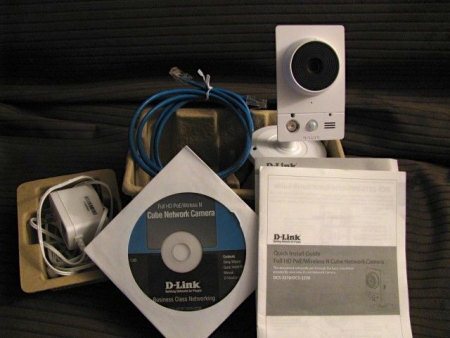
The D-link DCS-2230 offers a low cost solution to indoor surveillance. Boasting 2-way communication, wireless N connectivity, and 1080p resolution even in complete darkness. Opening the box provided the basics: The camera, power, documentation, mounting hardware, CAT5 cable, and installation software. After plugging the camera into my router and powering it on, I proceeded to install the software. Inserting the CD greeted me with the familiar D-Link installation screen. There are two programs that need to be installed: The Setup Wizard SE and the D-ViewCam surveillance software.
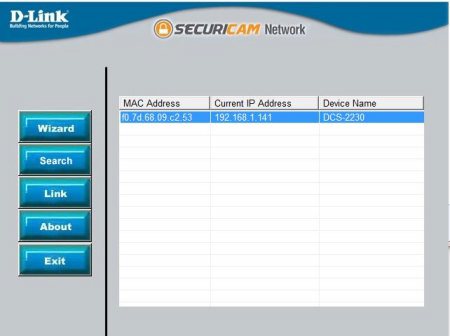
The Setup Wizard found the camera in seconds and I was able to run the wizard to configure the camera. This included IP settings, WIFI, camera resolution, and audio. Once this was completed, I was free to use the wireless and move on to the surveillance software. The D-ViewCam software was also very user intuitive and adding the camera to the software was as simple as clicking “search” once inside the settings. All settings for the camera can be maintained within the software or via web browser (I.E. only). After adding the camera, it was time to check the quality.
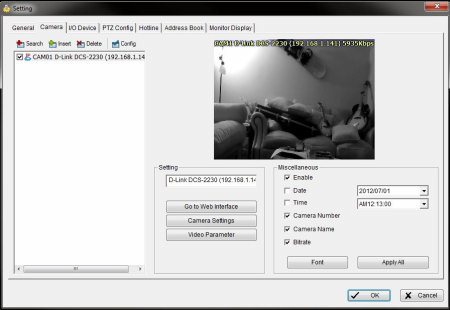
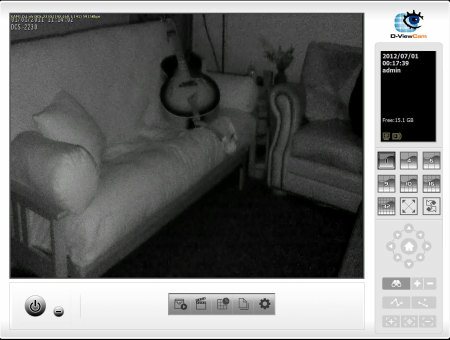
The overall video quality of the camera was very impressive. Normal indoor lighting and even low light settings were crystal clear at 1920 x 720. But there was only one problem; WIFI does not like streaming HD video. The average throughput ranged from 5.8MB - 6MB / second at full quality. The latency was unbearable for real-time viewing so I decided to switch back to the CAT5 cable. Once back in Ethernet mode, my latency issues were resolved. Next up was to see how the camera functioned in complete darkness. Once again, I was very impressed. Movement was accurate and the video stream was much more vivid than expected.
The built in microphone on the DCS-2230 was able to capture everything in the room. The Audio was clear and precise. Adjusting the gain through the web interface allowed me to practically hear the neighbors. The speaker on the other hand was virtually useless. At first, I was unable to activate the speaker. Enabling the talk feature from D-ViewCam did nothing. I had to disable the speaker, restart the camera, and re-enable the speaker through the web interface (doing this from the surveillance software did nothing).
With output finally activated, it was time to reprimand a virtual intruder. Using a USB headset to reduce feedback, I activated the talk feature and began speaking. Output ranged from a low whisper to inaudible crackling when speaking loudly. To rule out the headset, I tried other input devices, which yielded the same results.
Specifications:
- Full High Definition Megapixel sensor (1080p)
- Wireless N technology for the fastest connection speeds
- H.264, MJPEG and MPEG-4 compression to store high quality images in less disk space
- Simultaneous multi-stream support
- Software-based motion detection and email alerts
- ePTZ (Electronic Pan/Tilt/Zoom)
- Supports multiple access list
- 3GPP support for mobile monitoring
- MicroSD card slot for local image storage
- Built-in Samba client for NAS
- IR illuminator and IR-cut filter for night vision
- Built-in 2-way audio support (microphone + speaker)
- Built-in PIR (Passive Infrared) sensor for infrared motion detection
Digital Input/Outputs for integration with sensors and alarms
Privacy Mask feature