Following on from the news earlier this month that LinkedIn had suffered a major security breach involving the compromise of at least six million user passwords, and then dating site eHarmony apparently falling victim to the same password hacking compromise, the latest to be hit would appear to be the UK-based consumer technology news and magazine site TechRadar.
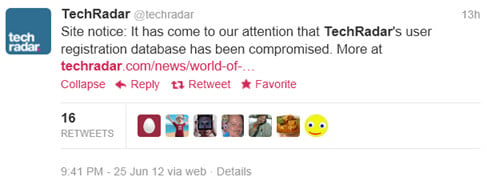 Late last night the site, owned by magazine giants Future Publishing and which gets in excess of seven million visitors from around the world each month, made the announcement on Twitter and the website forums were closed while an investigation into the breach is underway. According to an official statement from Nick Merritt "user details including username, email address, date-of-birth and encrypted passwords have been stolen" due to the compromise of the user registration database for the site.
Emails have been sent out to all registered members of TechRadar, and to those who were registered as members of the various Future Publishing magazine forums which came under the TechRadar banner when they were merged to form the site, warning of the breach and advising that they change their passwords at other sites if they used the same one.
Here is what that email, signed by TechRadar Publisher Nick Merritt, had to say on the matter:
Following on from the news earlier this month that LinkedIn had suffered a major security breach involving the compromise of at least six million user passwords, and then dating site eHarmony apparently falling victim to the same password hacking compromise, the latest to be hit would appear to be the UK-based consumer technology news and magazine site TechRadar.
Our IT team launched an investigation immediately and has identified the cause of the problem and taken action to rectify it. The forums have been closed and will remain closed until we are satisfied that there are no further issues and the forum can be safely restored to service.
In the meantime, although your TechRadar password is encrypted, we are contacting you today to let you know that if you use the same password on TechRadar for any other websites then we strongly advise you to change these passwords immediately.
We will contact you again shortly with instructions on how to update your password details for the TechRadar website.
We take the security of your data extremely seriously and we apologise for any inconvenience caused.
