Netbooks remain hugely popular courtesy of their small form factor and low price, both achieved partly due to the relatively limited technical specs of the average device. Low computing power and Internet security suite software do not, it has to be said, traditionally make for good bed-fellows. Which leaves netbook users stuck between a rock and a hard place when it comes to keeping the nasties off the netbook without impacting upon performance, especially when online. And that's where Trend Micro has stepped in with a security product developed specifically with the low power processor and memory requirements of the netbook in mind.
Titanium Internet Security for Netbooks is available to purchase as a download, so no worries about having to use one of those USB-powered external DVD drives in order to get the application off of physical media and into your netbook: it's just click and install. What's more, the installation process really is almost that quick. I was amazed at how lean the installation process was, taking no more than a minute or two from pressing the install button to being protected on my Windows 7 Starter-Edition testbed netbook. Like most of the smart players in the security vendor market today, Trend Micro has opted to move most of what the Titanium Security for Netbooks product does into the cloud which not only ensures that everything is kept automatically up to date but also helps keep that resource impact nice and low. I've been running the product on a daily basis, in a very real-world environment, for a month now and have to say I've been very pleasantly surprised by how well it has performed. Not once have I been tempted to disable the security measures because they are slowing down my activity, no matter what it is I am doing. Truth be told, I have pretty much forgotten that Titanium Security for Netbooks is even installed. It provides 'silent' protection against viruses, malware and even phishing attempts by blocking links in emails or search results which are determined to be untrustworthy. It's always-on and always up to date, just running quietly in the background doing the job you installed it for: protecting you from the bad guys, and from yourself. If it finds anything bad, it removes it automatically without any fuss. This combination of real-time protection, automatic updates and low resource impact has proved to be pretty much perfect for netbook use.
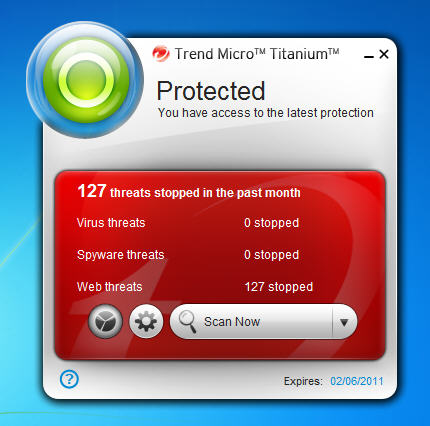
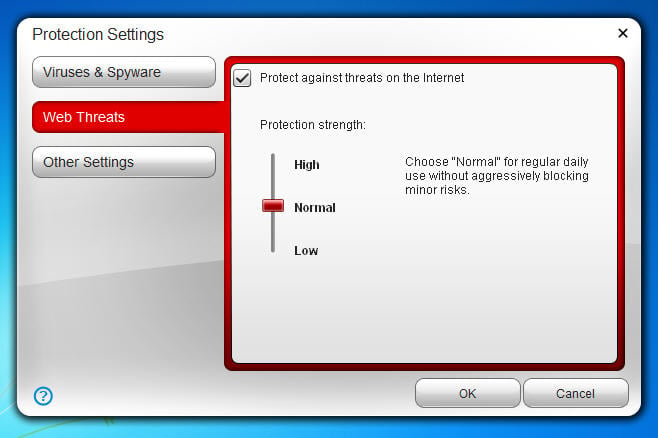
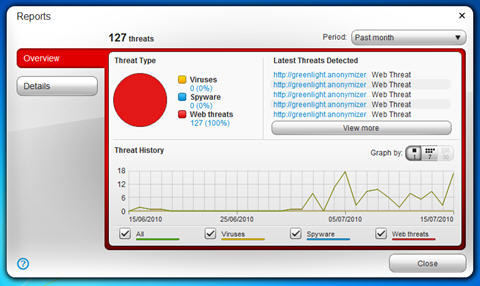
The 'widget-alike' security console is minimal and intuitive, providing an overview of your netbook usage threat landscape and allowing for basic configuration choices such as how strictly you want it to apply the web blocking functions for example. Again, this is all part of the silent firewall concept whereby the default configurations are honed to provide the best balance of usability and security. I've long since argued that too many options, or too 'noisy' a solution impacts upon the security of a product as the end user is more likely to tweak things into a state of insecurity or disable features that they find annoying. Trend Micro has got the balance just about right here, right out of the box as it were.
On the downside, you only get a single user license for your money and it only runs on Windows XP, Vista and 7. Like all security products it's a little hungry when it comes to disc space, requiring a minimum of 150MB which could be a problem for the lowest spec netbooks which don't have massive hard drives. That said, it's still a lot less than the bigger brother security suites demand.