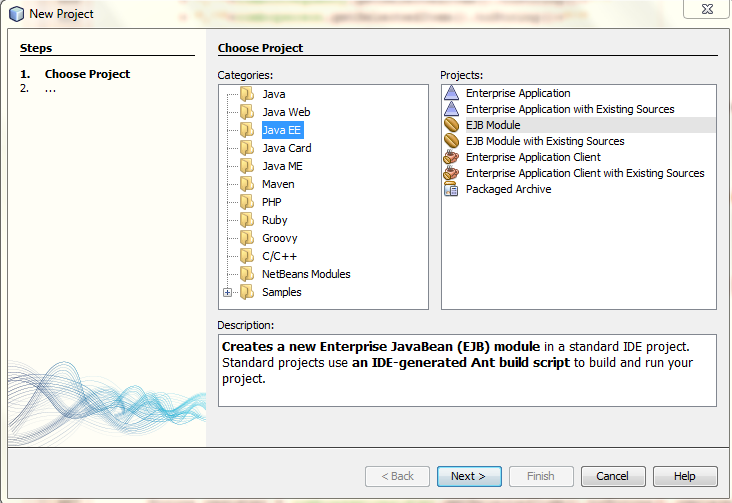
Hey there

I started coding again on my old project in netbeans but i have no idea what kind of a prject it is, for example, is it javaEE or whatever.
like in the image attached.

How can i find out what my current project type is?

Thanx

Dani AI

Generated

Below are concise, reliable ways to tell what kind of NetBeans project you have — practical checks you can run in the IDE and on disk. This expands on ’s suggestion about checking project metadata and gives extra, actionable steps that helped get unstuck.

Right in NetBeans

  • Right‑click the project and open Properties. The Run/Server, Libraries and Frameworks pages often reveal whether the project is a web/EE module or a plain Java app.
  • Inspect the Projects tree: a pure Java SE app usually shows only Source/Test packages, a web app shows a web pages/configuration area and deployment descriptors, and enterprise modules add beans/resources nodes. The small icon overlay next to the project name can also indicate WAR/EAR modules.

On‑disk clues (fast and reliable)

  • Maven: open pom.xml. The <packaging> value tells you the artifact type (jar, war, ear). Example:
    <!-- in pom.xml -->
    <packaging>war</packaging>
  • Gradle: look for build.gradle with a war or ear plugin or src/main/webapp layout.
  • Ant: presence of a build.xml and a typical Java source layout implies an Ant-based project.
  • Deployment descriptors and folders are telling: WEB-INF/web.xml, META-INF/ejb-jar.xml, META-INF/application.xml or src/main/webapp point to web/EE modules.

Code-level signals

  • Find framework APIs or annotations: servlet classes or servlet packages indicate web apps; persistence APIs/annotations indicate JPA usage; EJB-related packages/annotations point to EJB modules. Note also the package namespace: older projects use javax.*, newer Jakarta projects use jakarta.*.

Quick troubleshooting

  • If NetBeans does not recognize the folder as a project, open the pom.xml or build.gradle directly or create a new project of the appropriate type and import the sources. If modules are combined (EAR containing WAR/EJB), check packaging files to see module roles.

Recommended Answers

All 4 Replies

Hey there

I started coding again on my old project in netbeans but i have no idea what kind of a prject it is, for example, is it javaEE or whatever.
like in the image attached.

How can i find out what my current project type is?

Thanx

I'd recommend that you check the Lookup of the project for clues as to its type. The Lookup for most project types should contain a ProjectInfo and a Properties object, and possibly other unique things. By checking the existence and content of these things, you could probably find some differences between the common project types and then be able to tell them apart. there is no easy way or api to identify this. if it is a previous netbeans project you could look at the 'project.xml' found in the 'nbproject' directory of your netbeans project.

Isnt there anything i can use to test my code with?
like its javaEE if you can import X
or something like that?

Isnt there anything i can use to test my code with?
like its javaEE if you can import X
or something like that?

I might be wrong but look at this:
in J2ME we get our class name like this:

String s=new Myclass().getClass().getName();

Java EE we get the class name like so:

String s= new Myclass().getClassName()

Myclass()-represents you class name

So therefore if the you put the j2me code in a javaEE it will give you an error and vice versa if it is the same project type there should be no error.

also here are 3 imports which if imported by a J2ME will give errors:

import javax.interceptor.AroundInvoke;
import javax.interceptor.Interceptor;
import javax.interceptor.InvocationContext;

oHhh oky thank yoU. Im beginning to see what it is. Thank you

Be a part of the DaniWeb community

We're a friendly, industry-focused community of developers, IT pros, digital marketers, and technology enthusiasts meeting, networking, learning, and sharing knowledge.