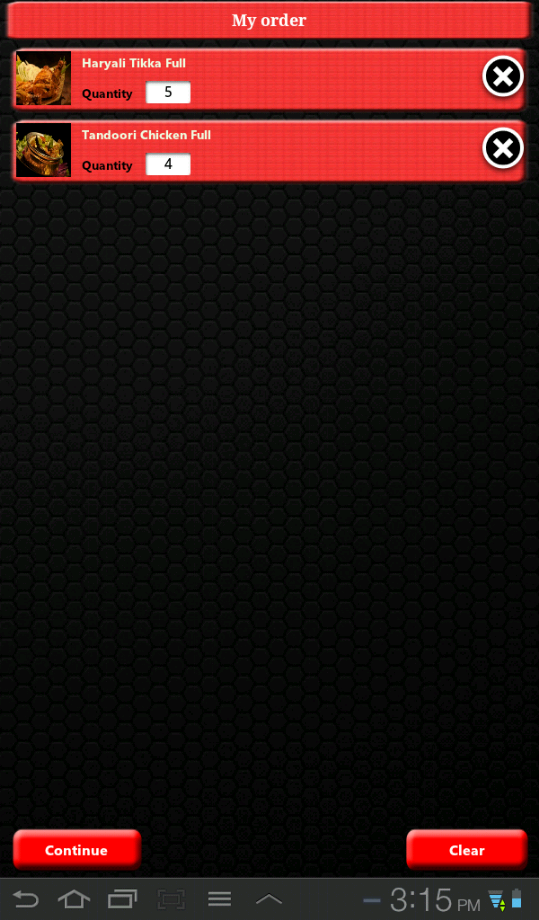
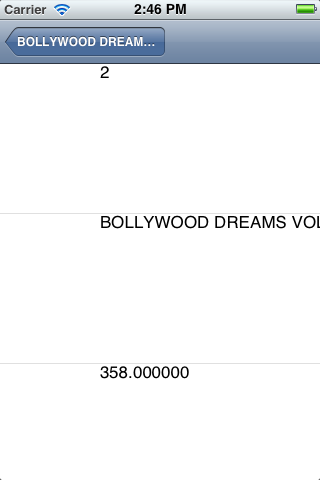
In my table view cell i need to display the contents of my array elements in a single cell and if i insert any new contents the previous contents are not to be overwritten.The previous content and my new content should be displayed in order.Here is my code
#import "Carttable.h"

@interface Carttable ()

@end

@implementation Carttable
@synthesize cnfqty,cnfrate,cnfimage,cnftitle,finarray;


- (id)initWithStyle:(UITableViewStyle)style
{
self = [super initWithStyle:style];
if (self) {
// Custom initialization

}
return self;
}

- (void)viewDidLoad
{
[super viewDidLoad];

// Uncomment the following line to preserve selection between presentations.
// self.clearsSelectionOnViewWillAppear = NO;

// Uncomment the following line to display an Edit button in the navigation bar for this view controller.
// self.navigationItem.rightBarButtonItem = self.editButtonItem;

NSMutableArray *arr1=[NSMutableArray arrayWithObjects:cnfqty, nil];
NSMutableArray *arr2=[NSMutableArray arrayWithObjects:cnftitle, nil];
NSMutableArray *arr3=[NSMutableArray arrayWithObjects:cnfrate, nil];

NSMutableArray *arrMain=[NSMutableArray arrayWithObjects:arr1, arr2, arr3, nil];


finarray=[[NSMutableArray alloc]init];
[finarray addObjectsFromArray:arrMain];
NSLog(@"%@",finarray);


}

- (void)viewDidUnload
{
[super viewDidUnload];
// Release any retained subviews of the main view.
// e.g. self.myOutlet = nil;
}

- (BOOL)shouldAutorotateToInterfaceOrientation:(UIInterfaceOrientation)interfaceOrientation
{
return (interfaceOrientation == UIInterfaceOrientationPortrait);
}

#pragma mark - Table view data source

- (NSInteger)numberOfSectionsInTableView:(UITableView *)tableView
{

// Return the number of sections.
return 1;
}

-(CGFloat)tableView:(UITableView *)tableView heightForRowAtIndexPath:(NSIndexPath *)indexPath
{

return 150.0;

}

- (NSInteger)tableView:(UITableView *)tableView numberOfRowsInSection:(NSInteger)section
{
// Return the number of rows in the section.
return [finarray count];
}

- (UITableViewCell *)tableView:(UITableView *)tableView cellForRowAtIndexPath:(NSIndexPath *)indexPath
{
static NSString *CellIdentifier = @"Cell";
UITableViewCell *cell = [tableView dequeueReusableCellWithIdentifier:CellIdentifier];
{
cell = [[[UITableViewCell alloc] initWithStyle:UITableViewCellStyleDefault reuseIdentifier:CellIdentifier] autorelease];


}
  cell.textlabel.text=[NSString stringWithFormat:@"%@",finarray];
return cell;


}
The problem which i'm facing with my code is each string is displayed in each cell and if i insert any new string previous contents are gone and only new contents are displayed.
To get clear idea about this question i'm trying to implement "add to cart" service for online shopping.As per concept the items have to be added from various products and it saves the product info and have to display the details in Table view.But i'm not getting it..
Kindly Guide please..Thanks in advance..
My output is like this first image
But i need to get display as second image which done in Android..