Hello friends
I would love to have your help with a blocking for hours.
In summary, I have to read an XML file and retrieve information with the VB.Net language.
I would like to recover the "name", the "checkvalue" and the "compositekey"
That's the structure of my xml file:
<supercollection name="BF000000.hks"> <collections> <collection maxdukptkeyindex="17" maxmskeyindex="13" merchantid="" applicationcertificate="Only Collection Certificate" applicationname="Only Collection Application" name="Only Collection"> <mskeys> <key index="1" checkvalue="E8F71A" variantindex="0" verifycheckvalue="yes" keylength="32" compositekey="BA03BDBDF091092C26B9D22A2922F504" usage="1" encryptionmode="TECB" name="Key"> <type>Master</type> </key> </mskeys> <dukptkeys></dukptkeys> </collection> </collections> </supercollection>

Dani AI

Generated

A more robust approach is to parse the XML with LINQ to XML (System.Xml.Linq) rather than rely on regular expressions. 's regex will work for simple, one-off text extraction, but an XML parser correctly handles nesting, attributes, encoding and namespaces and is far less fragile. For the posted structure (a top-level supercollection with collection elements and nested key elements) the relevant attributes — supercollection/@name, collection/@name, key/@checkvalue and key/@compositekey — can be read directly from the XDocument.

Imports System.Xml.Linq

Dim doc As XDocument = XDocument.Load("D:\test.xml")

Dim superName As String = If(doc.Root IsNot Nothing AndAlso doc.Root.Attribute("name") IsNot Nothing,
                             doc.Root.Attribute("name").Value, String.Empty)

Dim collectionNames = doc.Descendants("collection") _
                         .Select(Function(c) If(c.Attribute("name") IsNot Nothing, c.Attribute("name").Value, String.Empty)) _
                         .ToList()

For Each k In doc.Descendants("key")
    Dim checkValue As String = If(k.Attribute("checkvalue") IsNot Nothing, k.Attribute("checkvalue").Value, String.Empty)
    Dim compositeKey As String = If(k.Attribute("compositekey") IsNot Nothing, k.Attribute("compositekey").Value, String.Empty)
    ' process or store values...
Next

Notes and cautions: attribute names are case-sensitive, so use the exact names shown in the sample. If the XML uses a default namespace, queries must use XNamespace and qualified names (e.g., doc.Descendants(ns + "key")). For very large files consider a streaming reader (XmlReader) to avoid loading everything into memory. Always guard against missing attributes (as shown) and handle file/parse exceptions.

Recommended Answers

All 5 Replies

I've never had much luck working with XML and I'm sure there is a better way to do this via Linq but you could try a regular expression approace as in

Private Function GetField(name As String) As String

    Dim pattern = name & "=""(.*?)"""
    Dim rex = New Regex(pattern)
    Dim match = rex.Matches(txtXML.Text)

    Try
        Return match(0).Groups(1).Value
    Catch ex As Exception
        Return "not found"
    End Try

End Function

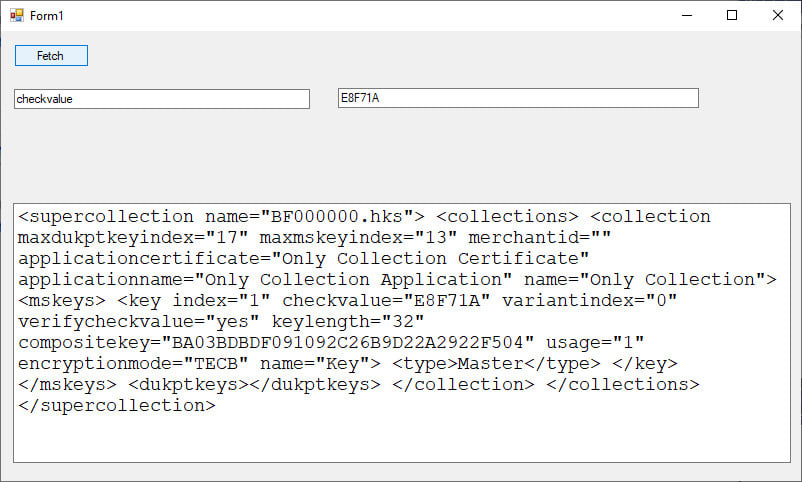
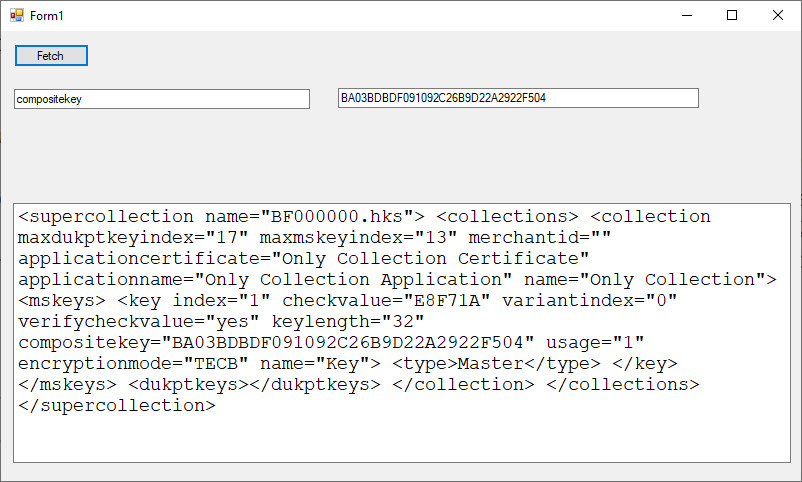
Pass it a field name like "supercollection name" (case sensitive) and it will return a field value as a string. If you want someone to post a Linq solution you'll have to post a complete xml sample document.

commented: This is my story. Client hands me XML, Microsoft XMLreader blows up. I parse it with my own code. +15

Here is what the contents of my xml file look like

<supercollection name="BF000000.hks">
    <collections>
        <collection maxdukptkeyindex="17" maxmskeyindex="13" merchantid="" applicationcertificate="Only Collection Certificate" applicationname="Only Collection Application" name="Only Collection">
            <mskeys>
                <key index="1" checkvalue="E8F71A" variantindex="0" verifycheckvalue="yes" keylength="32" compositekey="BA03BDBDF091092C26B9D22A2922F504" usage="1" encryptionmode="TECB" name="Key">
                    <type>Master</type>
                </key>
            </mskeys>
            <dukptkeys/>
        </collection>
    </collections>
</supercollection>

Dang. I always complain when other people do this and now I did it. I left out the import when I posted the code. Please add the following:

Imports System.Text.RegularExpressions

I'll see if I can figure out the Linq version. I'll post it later if I have any luck.

commented: Thank you for your help with this function but it returns me not found +0

Please someone wants to help me solve this blocking problem.
I would like to recover the following values with VB.Net: name, checkvalue and compositekey

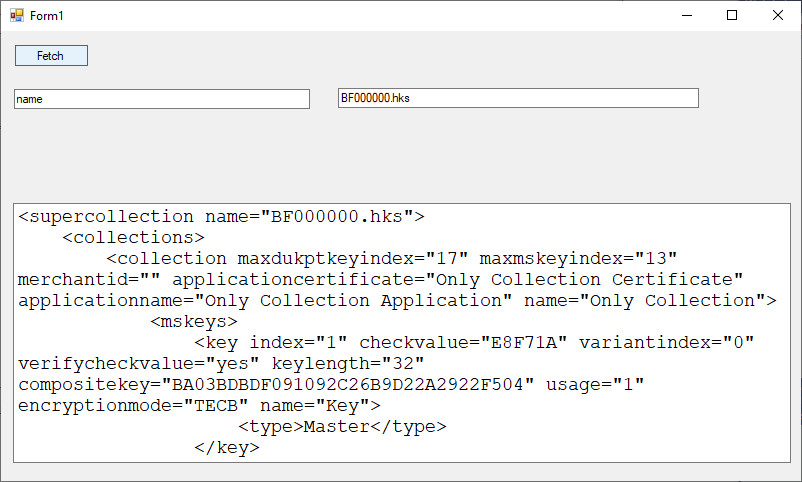
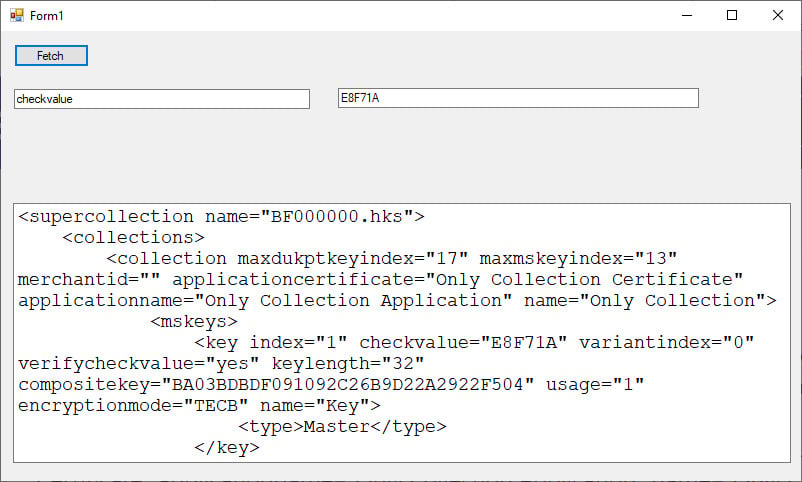
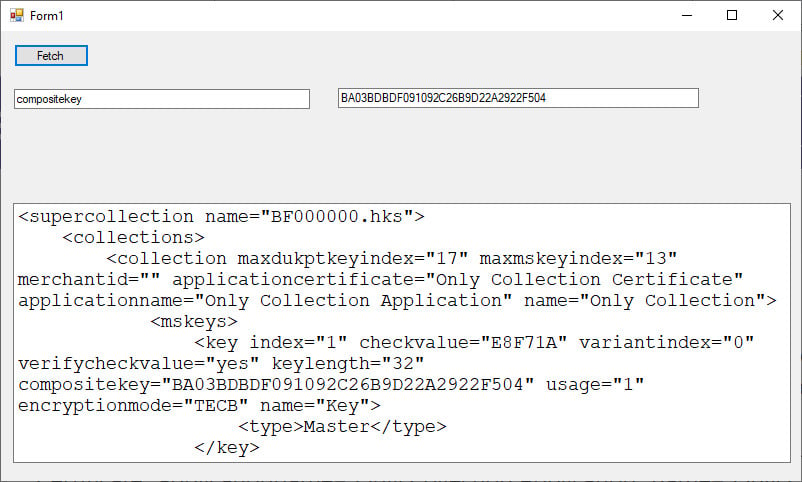
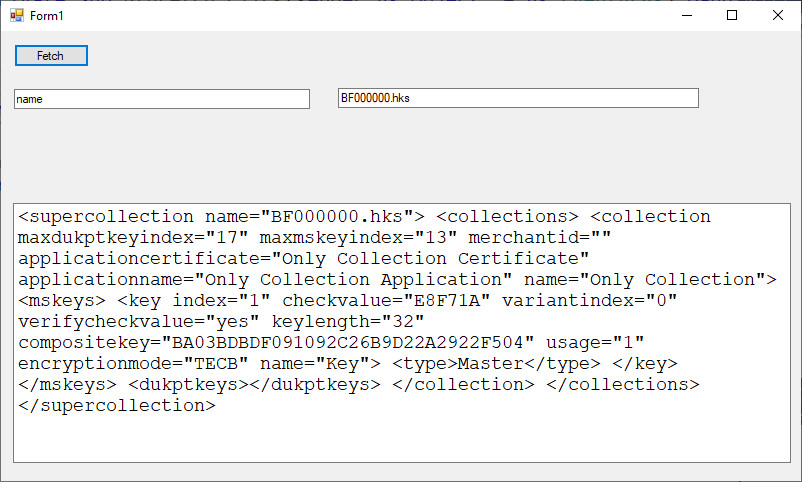
I posted code that will do that. It's the only solution you have so far so use it until something better comes along. I tested it with the xml text that you provided, and requesting the fields you specified. I loaded the test data with

txtXML.Text = My.Computer.FileSystem.ReadAllText("D:\test.xml")

2019-06-26_111457.jpg

2019-06-26_111253.jpg

2019-06-26_111309.jpg

commented: thank you very much it works well with your function +0
Be a part of the DaniWeb community

We're a friendly, industry-focused community of developers, IT pros, digital marketers, and technology enthusiasts meeting, networking, learning, and sharing knowledge.