At the moment I have a Div in a Div within a container div. now the effect I am looking for is shown here.
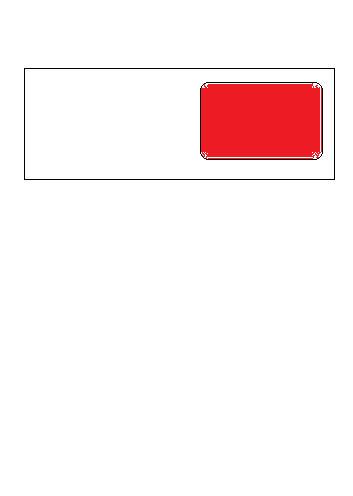
ineed1

What I have at the moment is shown here.
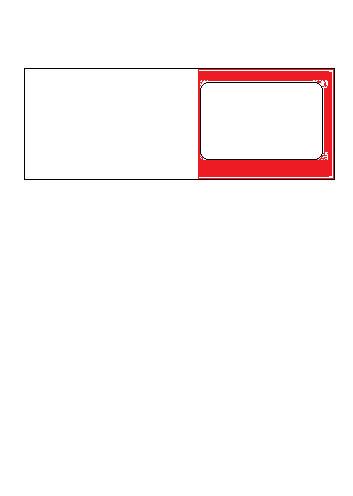
atthemoment

Which bit of the CSS did I get wrong. I will put code up here if it helps but I think that it is something really simple that I am missing as the background colour seems to be bleeding out.

Thanks

Noel.

Dani AI

Generated

Likely cause: the inner boxes are floated and either not being contained or their widths/padding are exceeding the parent, so the layout wraps or overlaps and the red background looks like it’s “bleeding.” Using positional offsets (e.g. left:1px) on floated elements makes width math harder. As observed, floats are the root of the behavior; the fixes below keep the same HTML but make the layout predictable.

A quick containment fix (no layout rewrite) is a clearfix on the parent so it contains floated children:

.driver::after {
  content: "";
  display: table;
  clear: both;
}

Alternatively, .driver { overflow: auto; } will contain floats as well (but can introduce scrollbars if content overflows). After containing floats, remove the unnecessary left offsets from the child elements so their widths add up cleanly.

A modern, cleaner approach is to drop floats and use flexbox — easier vertical centering and spacing:

.driver {
  display: flex;
  align-items: center;   /* vertically centers .dropzone */
  gap: 8px;
}

.info  { flex: 1; min-width: 0; }   /* allow the text box to shrink/wrap */
.dropzone { flex: 0 0 130px; height: 65px; }

Also use box-sizing: border-box sitewide so padding does not silently add to widths.

Quick troubleshooting checklist: confirm .info width + .dropzone width + padding/margins/gap ≤ parent width; inspect computed sizes and backgrounds with browser devtools; remove relative left offsets on floated children. For broad compatibility use the clearfix; for modern browsers use flexbox. This builds on ’s markup and ’s float observation.

Recommended Answers

All 3 Replies

Can you post your existing HTML - it be easier to figure out what is happening

ok here is the code.

I have just put it into html file.

<div class="driver">
    <div class="info">
    </div>
    <div class="dropzone">
    </div>
</div>

and css file

.driver{
   position: relative;
   float: left;
   left: 1px;
   width: 530px;
   height:120px;
   margin-bottom: 1px;
    -webkit-border-radius: 10px;
    -moz-border-radius: 10px;
    border-radius: 10px;
    padding: 1px;
    margin-top: 1px;
    margin-right: 1px;
    margin-bottom: 1px;
    margin-left: 1px;
background: rgba(255, 0, 0, 0.6)
}
.info{
   /*position: relative;*/
   float: left;
   left: 1px;
   width: 400px;
   height: 120px;
   line-height:12px;
   font-size:12px;
   background-color: rgba(255,0,0,0.5);
}
.dropzone{
   position: relative;
   float: left;
   left:1px;
    width: 130px;
    height: 65px;
    box-shadow: 0 0 10px #999;
    overflow: hidden;
    -webkit-border-radius: 10px;
    -moz-border-radius: 10px;
    border-radius: 10px;
    padding: 1px;
    margin-top: 1px;
    margin-right: 1px;
    margin-bottom: 1px;
    margin-left: 1px;
background-color: rgba(255,255,255,0.1);
}

I am using google chrome incase that makes a difference

All your divs are floating left... W3 Schools Float It looks to me like you have an outer div Driver, with two inner divs info and drop zone because the inner divs are both left floating they will be both trying to be on the left hand side of the outer div both with a starting point of 1 px relative to their parent Div I'm not sure if the browser would try and Stack the DIVs over each other also I've always specified color by name or Hex code so not sure what colors you are using (Decimal values in an RGB?)

Be a part of the DaniWeb community

We're a friendly, industry-focused community of developers, IT pros, digital marketers, and technology enthusiasts meeting, networking, learning, and sharing knowledge.