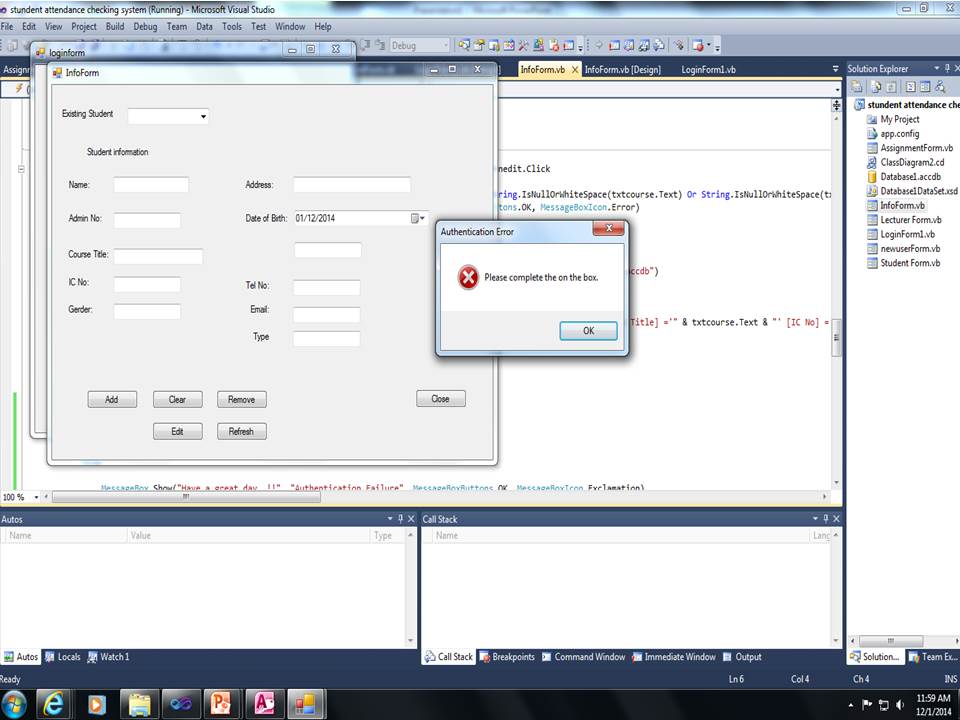
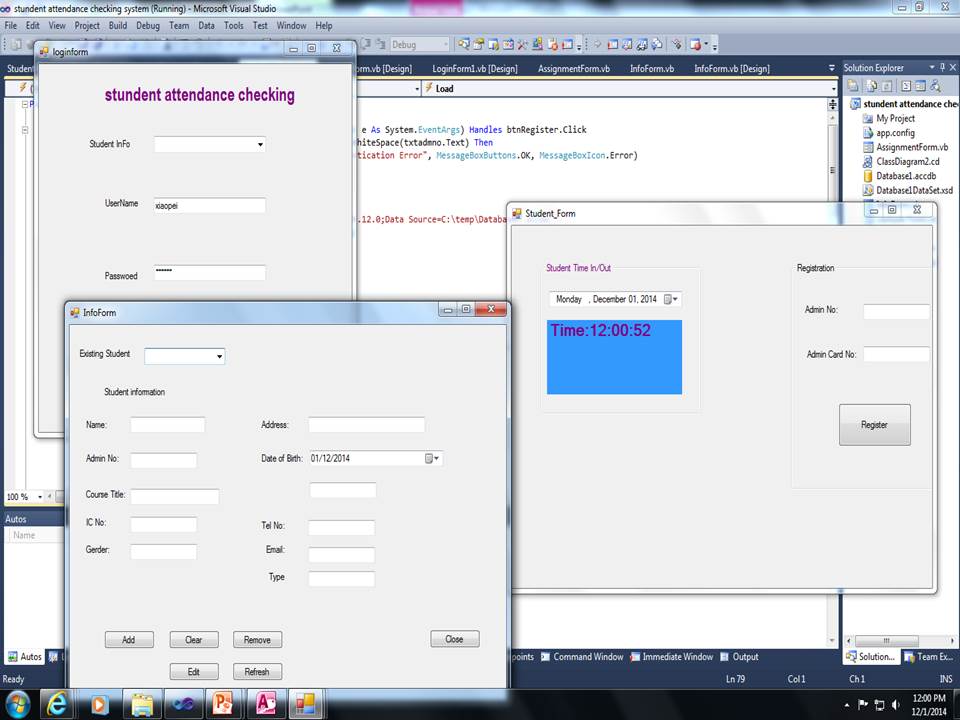
when i login it will come 2 form one is info and other one is register form when i login that time my info come out come a samll form say error complet the box it should not come out this..!! where go worng

Dani AI

Generated

The message box is coming from validation that runs when the info form loads. As recommended, find the code that shows forms and validation; the check in the form's Load event will always run when the form opens, so a missing value triggers the error every time. Also note 's point: the SQL in the posted code mixes SELECT and VALUES incorrectly — VALUES belongs to INSERT statements.

Move input validation out of the form load and into the action that actually submits or authenticates (for example, the login button click). Validate there and return early so the form can open normally until the user tries to submit. Example pattern (do not paste this into Load):

' in LoginButton_Click
If String.IsNullOrEmpty(txtUserId.Text) OrElse String.IsNullOrEmpty(txtCardNo.Text) Then
    MessageBox.Show("Please fill required fields.", "Input required", MessageBoxButtons.OK, MessageBoxIcon.Warning)
    Return
End If

For the database logic: decide whether you want to check for existence or insert a row. To check use a COUNT(*) query and ExecuteScalar(); to add a row use an INSERT INTO ... VALUES and ExecuteNonQuery(). Example flow:

' check existence
cmd.CommandText = "SELECT COUNT(*) FROM tbl_studentadm WHERE [Date Select] = ?"
cmd.Parameters.Add(New OleDb.OleDbParameter With {.OleDbType = OleDb.OleDbType.Date, .Value = myDate})
Dim exists As Integer = Convert.ToInt32(cmd.ExecuteScalar())

' insert if not exists
cmd.CommandText = "INSERT INTO tbl_studentadm ([Date Select]) VALUES (?)"
cmd.Parameters.Clear()
cmd.Parameters.Add(New OleDb.OleDbParameter With {.OleDbType = OleDb.OleDbType.Date, .Value = myDate})
If cmd.ExecuteNonQuery() > 0 Then
    ' inserted
End If

Use Using blocks, add parameters in the same order as placeholders (OleDb is positional), and wrap DB calls in Try/Catch so real exceptions surface while debugging. See the docs for ExecuteScalar and ExecuteNonQuery and Access INSERT syntax for details: ExecuteScalar, ExecuteNonQuery, INSERT INTO (Access SQL).

Recommended Answers

All 5 Replies

Inspect the codes to locate where you write codes for showing the forms.
The small window is a message box that you call for invalid text in the form info.

i find out it is becouse of this:
should i take out? or change another code?
how to do..!!

Private Sub Student_Form_Load(ByVal sender As System.Object, ByVal e As System.EventArgs) Handles MyBase.Load

** If String.IsNullOrWhiteSpace(txtadmno.Text) Or String.IsNullOrWhiteSpace(txtcard.Text) Then
MessageBox.Show("Please complete the on the box.", "Authentication Error", MessageBoxButtons.OK, MessageBoxIcon.Error)
Exit Sub
End If**

    Using conn As New System.Data.OleDb.OleDbConnection("Provider=Microsoft.ACE.OLEDB.12.0;Data Source=C:\temp\Database1.accdb")

        Dim Result As Integer
        Dim sql As String = "Select [Date Select] From tbl_studentadm values (@DateSelect)"

        Dim cmd As New System.Data.OleDb.OleDbCommand(sql, conn)

        cmd.Parameters.Add("@dateselect", OleDb.OleDbType.Date).Value = DTP.Value
        conn.Open()
        Result = cmd.ExecuteNonQuery()

        If Result > 0 Then
            MessageBox.Show("Successfully.")
        Else
            MessageBox.Show("This date you did have it.")
        End If

        cmd.Parameters.Clear()
        cmd.Dispose()
        conn.Close()
    End Using

    'Catch ex As Exception
    'MessageBox.Show("Failed to connect to Database..", "Database Connection Error", MessageBoxButtons.OK, MessageBoxIcon.Error)
    'End Try


End Sub

Do not understand , what do you want by the following SQL Statement?

Dim sql As String = "Select [Date Select] From tbl_studentadm values (@DateSelect)"

And also what do you want to do by all codes in this procedure?

The VALUES keyword is used when doing an INSERT, not a SELECT.

the small box will come out is becouse of this

Private Sub Student_Form_Load(ByVal sender As System.Object, ByVal e As System.EventArgs) Handles MyBase.Load

** If String.IsNullOrWhiteSpace(txtadmno.Text) Or String.IsNullOrWhiteSpace(txtcard.Text) Then
MessageBox.Show("Please complete the on the box.", "Authentication Error", MessageBoxButtons.OK, MessageBoxIcon.Error)
Exit Sub
End If**

Be a part of the DaniWeb community

We're a friendly, industry-focused community of developers, IT pros, digital marketers, and technology enthusiasts meeting, networking, learning, and sharing knowledge.