I am developing a dynamic page in that some text and images should be displayed together...!
But before that i had tried to get nevigation page for whole application. In that i am getting same problem, Image is not displayed...!

What i should write in src=" ????? "
I have tried everything

1. /images/Forward.jpg
2. /WEB-INF/images/Forward.jpg
3. /localhost:8081/Car_Dynamic_Demo/images/Forward.jpg
4. D:\study\ADVANCE_JAVA\PrOgRaMs\WEB_APPS\Car_Dynamic_Demo\web\WEB-INF\images\Forward.jpg

But nothing is working for me...!

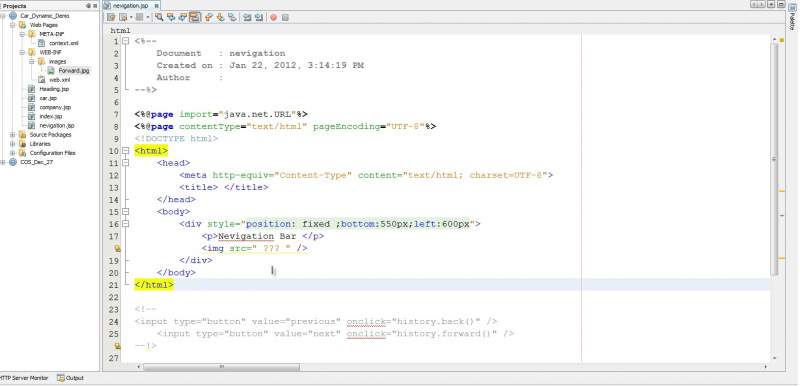
<%@page import="java.net.URL"%>
<%@page contentType="text/html" pageEncoding="UTF-8"%>
<!DOCTYPE html>
<html>
    <head>
        <meta http-equiv="Content-Type" content="text/html; charset=UTF-8">
        <title> </title>
    </head>
    <body>
        <div style="position: fixed ;bottom:550px;left:600px">
            <p>Nevigation Bar </p>             
            <img src=" ??? " />
        </div>
    </body>
</html>

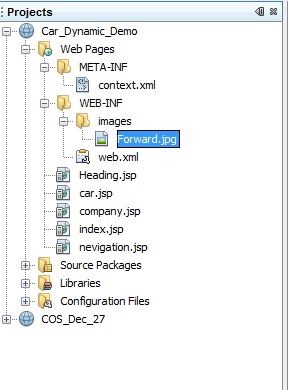
In directory file i have shown my directory structure

One more query i have...
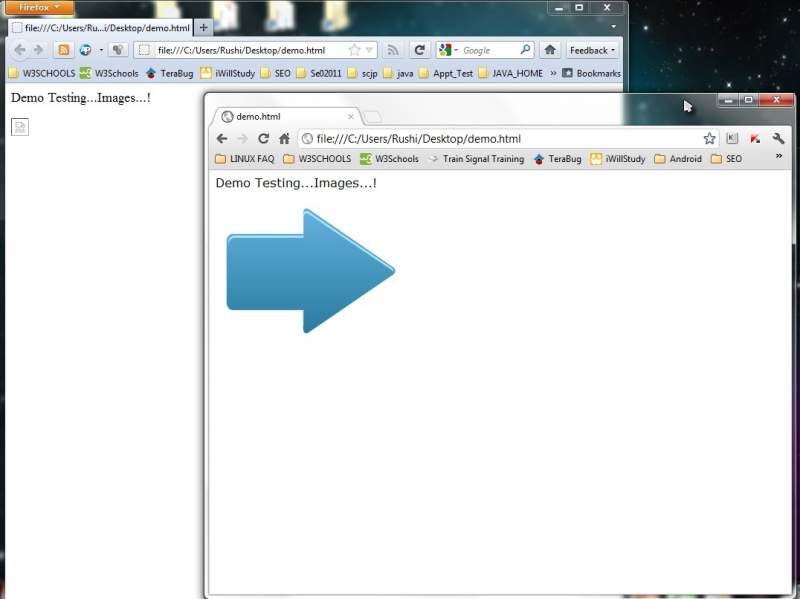
I had tried simple html code on both browser Chrome and Mozila
But in mozila it didnot work , In chrome it gave Result...!
What can be the reason for that ??

<html>
<body>
<p> Demo Testing...Images...!</p>
<img src="D:/study/ADVANCE_JAVA/PrOgRaMs/WEB_APPS/Car_Dynamic_Demo/web/WEB-INF/images/Forward.jpg" />
</body>
</html>

I am trying to get same thing done by JSP page...!
Why its not working ????
Dani AI

Generated

A short, practical explanation and fix based on the thread: the browser can only load images that the web server actually serves. Absolute filesystem paths (for example a D: path) won’t work when the page is delivered by the servlet container, and resources placed under WEB-INF are not directly reachable by a browser. Chrome sometimes shows a local-file image when an HTML file is opened from disk; that behavior is not a reliable indicator of a properly deployed webapp.

A safe, portable pattern is to keep images in the webapp’s public area (for Maven: src/main/webapp/images; for classic projects: WebContent or the web root) and build the URL so the app’s context path is included. Example approaches:

<%@ taglib prefix="c" uri="http://java.sun.com/jsp/jstl/core" %>
<c:url value="/images/Forward.jpg" var="imgUrl" />
<img src="${imgUrl}" alt="Forward" />

-- or --

<img src="${pageContext.request.contextPath}/images/Forward.jpg" alt="Forward" />

Quick troubleshooting checklist:

  • Confirm the image file is present inside the deployed WAR (or the server’s exploded webapp) and that filename case matches exactly.
  • View the page source in the browser, copy the img URL, and open it directly to see the HTTP status (404/200).
  • Use browser DevTools Network tab while loading the page to spot missing-resource errors.
  • Avoid placing public images under WEB-INF (that folder is server-private).
  • If the app is not deployed at the server root, a leading slash alone can point to the wrong location; using contextPath or c:url avoids that.

As discovered by moving images into a served folder, the underlying cause is deployment/pathing, not JSP syntax. Keeping images in the public web root and using a context-aware URL reliably fixes broken image links across browsers and environments.

Recommended Answers

All 2 Replies

It depends on where you put your image and how you deployed your web application and what server do you use. If you simply used NetBeans to create the .war file or just run your application then the image is not beeing read from where you think it is. In the above case your image is deployed inside the war and you must read from there.

I have tried your example and had the same problem. Then I moved the image inside a folder in the structure of the server and it worked. In my case I had the .war in :
.......\domains\testDomain\autodeploy\web_app.war and I moved the images at:
.......\domains\testDomain\autodeploy\images
And at the code I used: src="/images/image.jpg"

The first thing you can do is try to read the images from the .war file or from whatever you have deployed. Or:

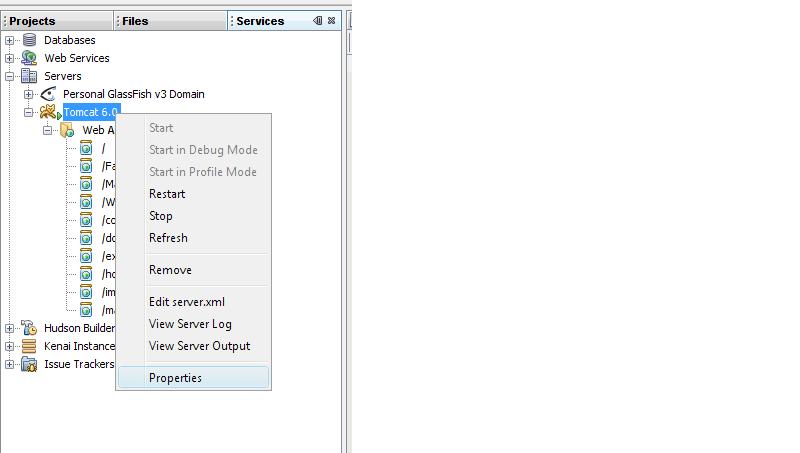
You need to open the directory where your server is running and place the images in a folder where your application is. From your images it looks to me that you are using NetBeans. If you go to the Services tab, (next to the tabs where you see the structure of the project - the image you posted) click the Servers icon and follow the tree. Right click on the server you are running and find its location. There you will find your application and place there your folder with the images.

Thanks....!
I will check it out...!

Be a part of the DaniWeb community

We're a friendly, industry-focused community of developers, IT pros, digital marketers, and technology enthusiasts meeting, networking, learning, and sharing knowledge.