hi guys, can anyone advise me how to pass ajax post, my alert message has value but i cant pass to index.php .

searchresult.php

<input class="lowfliter" onclick="lowprice()" type="submit" id="lprice" name="lprice" value="Lowest">

search.js

function lowprice() {

        var lprice = document.getElementById("lprice").value;           

        var myData = 'lprice='+lprice;

            jQuery.ajax({
            type: "POST", // HTTP method POST or GET
            url: "index.php", //Where to make Ajax calls
            dataType:"text", // Data type, HTML, json etc.
            data:myData, //Form variables
            success:function(){

            alert(lprice);    

            },  
            });  

          document.getElementById("myNav").style.display = "block";
    }

    function closeoverlay() {
          document.getElementById("myNav").style.display = "none";
    }
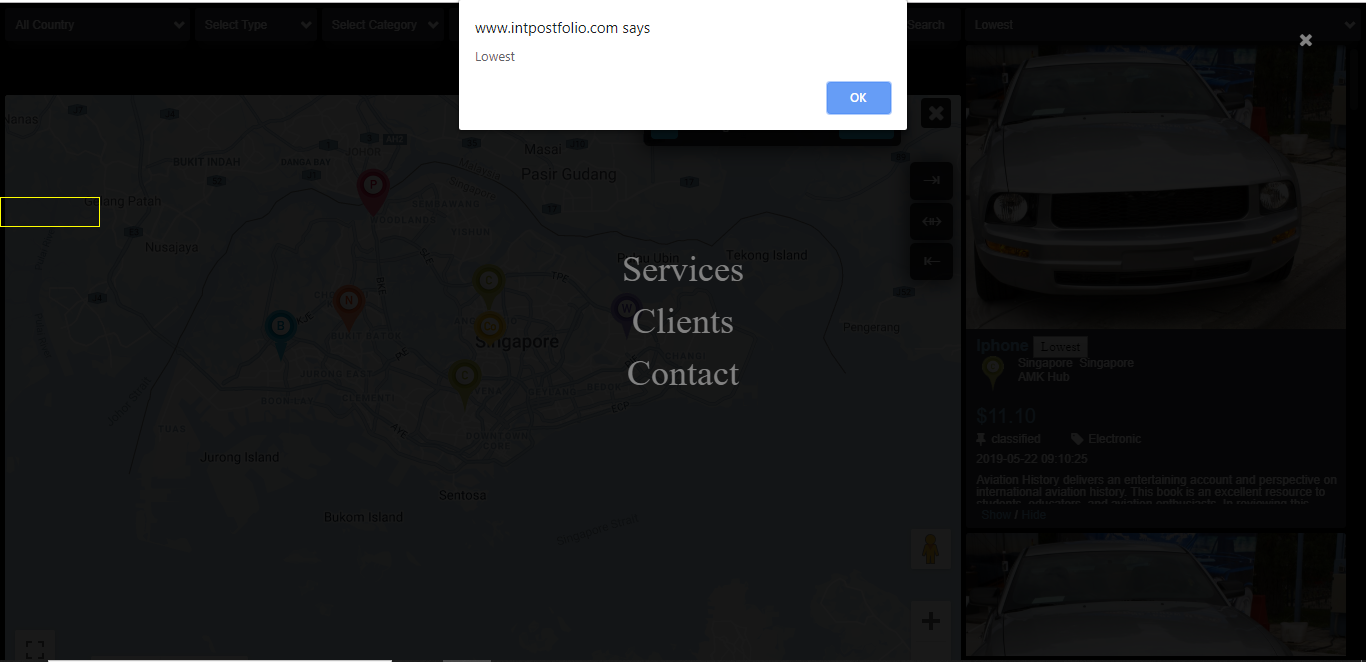
passvalue.png

index.php

<?php
if(isset($_POST['lprice']))
{
echo $lowest = $_POST['lprice'];
}
?>

<div id="myNav" class="overlay">
    <a href="javascript:void(0)" class="closebtn" onclick="closeoverlay()"><i class="fa fa-close"></i></a>
      <div class="overlay-content">
        <a href="#" style="color:#FFF; font-size:18px;"><?php echo $lowest ?></a>
        <a href="#">Services</a>
        <a href="#">Clients</a>
        <a href="#">Contact</a>
      </div>
</div>

Dani AI

Generated

Brief diagnosis: PHP runs on the server, so echoing $lowest inside index.php only affects the HTML returned by that specific request. Sending an AJAX POST to index.php will execute its PHP and return a response, but it will not magically change the HTML already rendered in the browser. The success callback must capture the server response and update the overlay DOM. Also avoid using a type="submit" button inside a form without preventing the default submit (use type="button" or call event.preventDefault()), otherwise the page may reload before the AJAX finishes.

Use the AJAX response to update the overlay and then show it. Example using Fetch (keeps it different from the code already posted):

fetch('index.php', {
  method: 'POST',
  headers: { 'Content-Type': 'application/x-www-form-urlencoded' },
  body: 'lprice=' + encodeURIComponent(lprice)
})
  .then(r => r.text())
  .then(text => {
    document.querySelector('#myNav .overlay-content a').textContent = text;
    document.getElementById('myNav').style.display = 'block';
  })
  .catch(console.error);

Checklist if it still fails: open DevTools Network tab to confirm the POST payload and the response body; verify the request URL is correct and same-origin; ensure jQuery (or your script) is loaded after DOM/jQuery; confirm the server is returning the expected plain text or JSON (and parse accordingly); watch for redirects (302) which change the response; and only then update the DOM from the AJAX response. Good starting points from and 's suggestion to send the data cleanly and use console.log is useful; combine that with inserting the server response into the overlay.

Try setting data as an array, as so:

    $.ajax({
        type: 'POST',
        url: 'index.php',
        data: { lprice: lprice },
        dataType: 'text',       
    });

Try using console.log(lprice) right efore the ajax request to print out the value of lprice and make sure that lprice is being accurately retrieved.

Be a part of the DaniWeb community

We're a friendly, industry-focused community of developers, IT pros, digital marketers, and technology enthusiasts meeting, networking, learning, and sharing knowledge.