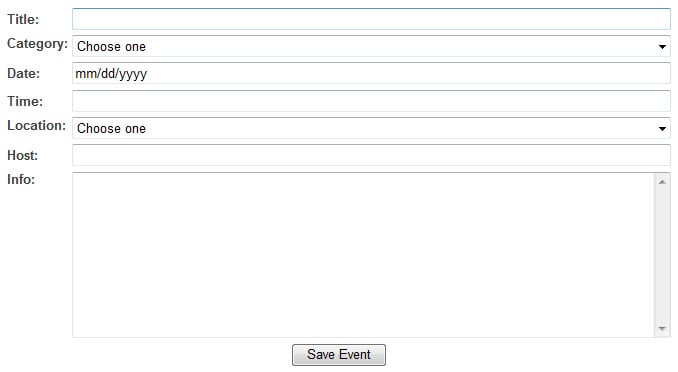
Basically this is what I have:

<div style="float:right; width:500px">
    <table width="100%">
        <tr>
            <td>Input Text:</td>
            <td><input name="textInput" type="text" value="<?=$phpVariable?>" style="width:100%" /></td>
        </tr>
    </table>
</div>

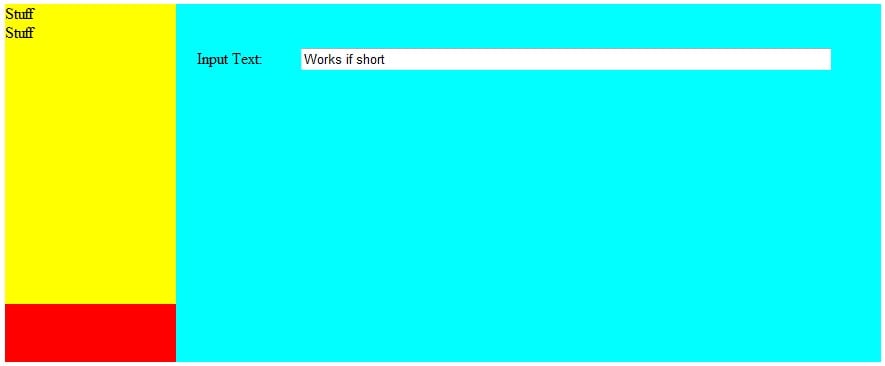
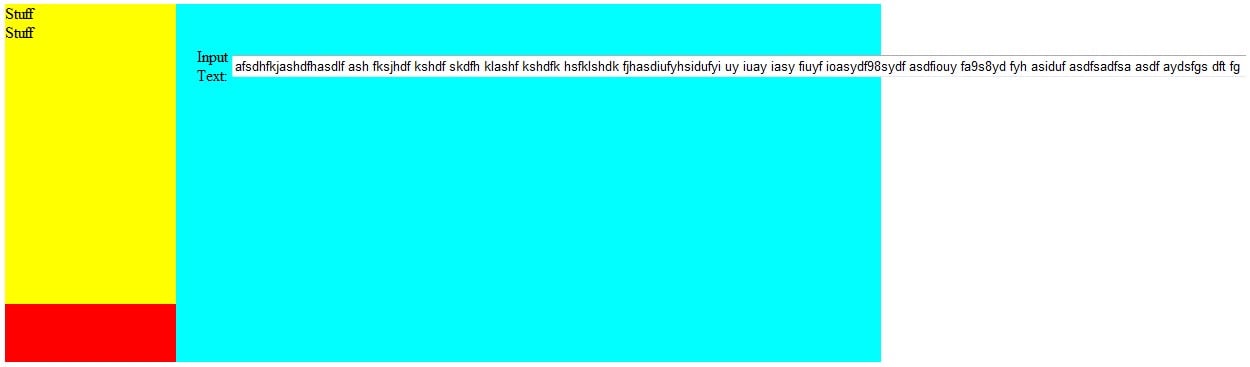
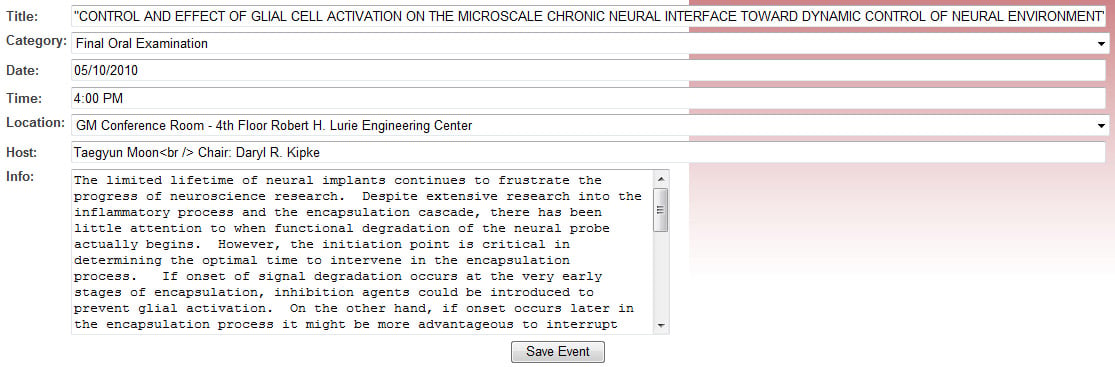
In every web browser besides IE what this does is make the width of the input field the full width of the column. However, in IE if the input value is longer than the width of the column the input field seems to then become 100% of the width of the value.

Check out my attachments to see what I'm talking about.

How do it fix this!?

Thanks,
David
Dani AI

Generated

Quick summary and root causes

The behaviour described by (an input sized to its table column growing to match a long value only in IE when the page is served remotely) usually comes from Internet Explorer rendering the page in a non‑standards mode (Compatibility/older document mode) or from the table using the automatic layout algorithm so cell size follows content rather than the declared widths. 's DOCTYPE check is the right direction, but DOCTYPE alone doesn't stop IE switching modes if headers, site zone, or compatibility settings force a different document mode. (learn.microsoft.com)

Practical fixes (non‑invasive)

Use a fixed table layout and constrain the input so it cannot grow past its cell. Example CSS (does not repeat the markup posted earlier):

table { table-layout: fixed; width: 100%; }

input[type="text"] {
  max-width: 100%;
  box-sizing: border-box;
  overflow: hidden;
}

The fixed table layout makes column widths independent of cell content, so long values won’t stretch the column. (developer.mozilla.org) max-width caps the rendered width, and box-sizing: border-box keeps padding/border inside that width so calculations are predictable. (developer.mozilla.org)

Troubleshooting / extra checks

Confirm the DOCTYPE is the very first bytes of the HTTP response (no BOM, whitespace, or server warnings before it), since anything before the DOCTYPE can trigger quirks mode in IE. (developer.mozilla.org) Use F12 developer tools to check the page’s Document Mode/Browser Mode and look for any server X-UA-Compatible header or enterprise Compatibility View settings that might force an older mode (a meta tag can help but enterprise policy can override it). (learn.microsoft.com)

If layout must support very old IE, prefer explicit column widths (or table-layout: fixed) and clipping (overflow) rather than relying on the input’s intrinsic size.

Recommended Answers

All 4 Replies

Do you have a doctype set in your html?

Bump.

Am I the only on with this problem? Should I post more detailed code?

Please help!
-David

Okay so I made a simplified page to see if I can get the same error.
This is my code:

<!DOCTYPE html PUBLIC "-//W3C//DTD XHTML 1.0 Strict//EN" "http://www.w3.org/TR/xhtml1/DTD/xhtml1-strict.dtd">
<html xmlns="http://www.w3.org/1999/xhtml">
<head>
<title>Untitled Document</title>
<style>
#container {
	padding: 0px;
	margin: 0px auto 0px auto;
	width: 876px;
	display: block;
	background: #F00;
}
#sidebar {
	margin: 0px;
	padding: 0px;
	float: left;
	width: 171px;
	min-height: 300px;
	background: #FF0;
}
#content {
	margin: 0 0 0 171px;
	padding: 40px 50px 18px 18px;
	min-height: 300px;
	background: #0FF;
	text-align: left;
}
</style>
</head>

<body>
<div id="container">
	<div id="sidebar">
		Stuff<br />
		Stuff
	</div>
	<div id="content">
		<table width="100%">
			<tr>
				<td width="100px">Input Text:</td>
				<td><input name="textInput" type="text" value="afsdhfkjashdfhasdlf ash fksjhdf kshdf skdfh klashf kshdfk hsfklshdk fjhasdiufyhsidufyi uy iuay iasy fiuyf ioasydf98sydf asdfiouy fa9s8yd fyh asiduf asdfsadfsa asdf aydsfgs dft fg" style="width:100%" /></td>
			</tr>
		</table>
	</div>
</div>
</body>
</html>

See the attached pictures for results...

Note: If I open the html file on my local machine it works perfectly even in internet explorer. However, it's when I upload the file to my web server and open it across the internet that it errors.

Thanks for any help!

Be a part of the DaniWeb community

We're a friendly, industry-focused community of developers, IT pros, digital marketers, and technology enthusiasts meeting, networking, learning, and sharing knowledge.