Hi I have 5 div tags in my html page and there is a print button. when i click on the print button it has to print only a particular div. for example it has to print the 2nd div which contains some personal information. It should not print the rest of the page. Only the content of the 2nd div should be printed. how to achieve this?

Dani AI

Generated

Short answer: yes — you can print just one div without opening a new window or permanently hiding other parts of the page. Instead of changing the live layout, temporarily create a print-only container, clone (or move) the target node into it, add a "printing" body class, call window.print(), then remove the container. This keeps the visible page unchanged outside the print action. (Related ideas from and are valid — this is a different, in-page approach.)

Example CSS (puts the cloned content into a print-only container):

@media screen {
  /* keep the print container hidden on screen */
  #printContainer { display: none; }
}

@media print {
  /* hide everything except the print container when body.printing is active */
  body.printing * { display: none !important; }
  body.printing #printContainer,
  body.printing #printContainer * { display: block !important; }
  body.printing { margin: 0; padding: 0; }
  @page { margin: 10mm; }
}

Example JavaScript (clone + print + cleanup):

function printDiv(id) {
  var target = document.getElementById(id);
  if (!target) return;
  var container = document.createElement('div');
  container.id = 'printContainer';
  document.body.appendChild(container);

  var clone = target.cloneNode(true);
  // If the target has form fields and you need current values, copy them:
  target.querySelectorAll('input,textarea,select').forEach(function(orig, i){
    var c = clone.querySelectorAll('input,textarea,select')[i];
    if (c) c.value = orig.value;
  });

  container.appendChild(clone);

  function cleanup(){
    document.body.classList.remove('printing');
    if (container.parentNode) container.parentNode.removeChild(container);
    window.onafterprint = null;
  }

  window.onafterprint = cleanup;
  document.body.classList.add('printing');
  // call print — must be a user gesture (onclick) to avoid being blocked
  setTimeout(function(){ window.print(); }, 50);
}

Troubleshooting and notes:

  • Call printDiv(...) directly from a user click to avoid blocked dialogs.
  • If styles still leak in, increase specificity or use !important in the print rules.
  • Ensure images/fonts are loaded before printing; if content is dynamic (forms, scripts), clone and copy state as shown.
  • If you want full isolation of styles, the separate-window approach shown by still works well; this in-page clone approach avoids popups and is easy to restore after printing.

Recommended Answers

All 6 Replies

Create a separate CSS for media print only.

This much of simple answer really does not help. I am not an expert. Can you elobarate how i can do this? if possible an example? becuase of printing i cannot hide the other div's. If so it changes the view in the browser. So can you please help me by explaining in little bit more.

ok you mean to say open another window with only the div that should be printed. is it? but is there a way to do without opening a seperate window with only the div that should be printed. Even when all other div's are present.

A print stylesheet is just an additional stylesheet used when printing the page. Here's a tutorial.

Really very very thanks for pointing to that tutorial. It is really great. Thank you so much.

Here's another approach that you can include with media queries..

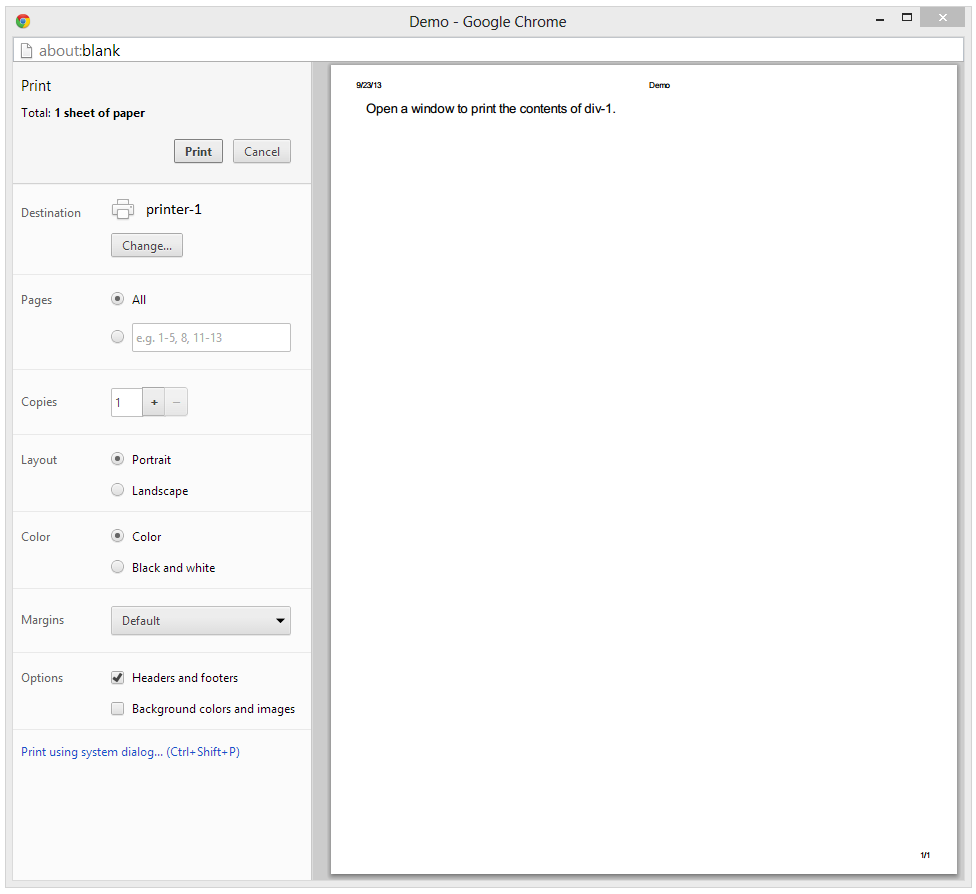
You can have multiple divs and only print the content of a specific div by having some event fire (probably an onclick event) which will open a new window and pass the contents of that div, and have the printer dialog box open so the user can print..

<!DOCTYPE html>
<html>
<head>
<script src="http://ajax.googleapis.com/ajax/libs/jquery/1.9.0/jquery.min.js"></script>
<script>

    function printDiv(data) {
        var printWindow = window.open('','','width=1024,height=768');
        printWindow.document.write('<html><head><title>Demo</title>');
        printWindow.document.write('<link rel="stylesheet" href="style.css" />');
        printWindow.document.write('</head><body>');
        printWindow.document.write($(data).html());
        printWindow.document.write('</body></html>');
        printWindow.print();
        printWindow.close();
        return true;
    }

</script>
</head>
<body>

<div id="div1">Open a window to print the contents of div-1.</div>
<div id="div2">This content will not be printed.</div>
<div id="div3">This content will not be printed.</div>

<input type="button" value="Print Div-1" onclick="printDiv('#div1')" />

</body>
</html>

Results...

21f09f19734cc282561ede00bcd86b2b

Be a part of the DaniWeb community

We're a friendly, industry-focused community of developers, IT pros, digital marketers, and technology enthusiasts meeting, networking, learning, and sharing knowledge.