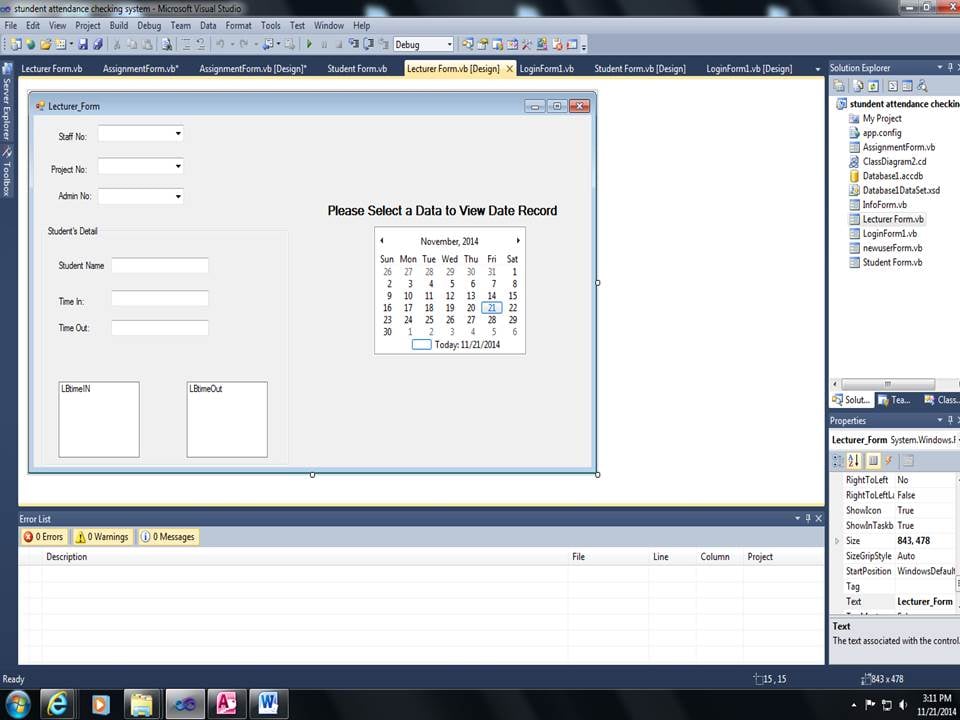
i trying to put this in the combobox why did not come out

Private Sub Lecturer_Form_Load(ByVal sender As System.Object, ByVal e As System.EventArgs) Handles MyBase.Load
    Dim conn As New System.Data.OleDb.OleDbConnection()
    conn.ConnectionString = "Provider=Microsoft.ACE.OLEDB.12.0;Data Source=C:\temp\Database1.accdb"


    If conn.State = ConnectionState.Open Then conn.Close()
    conn.Open()
    Dim sql As String = "Select [StaffNo] From tbl_lecturer " And "Select [ProjectNo] From tbl_assignment " And "Select [AdminNo] From tbl_info "
    Dim sqlCom As New System.Data.OleDb.OleDbCommand(sql, conn)
    sqlCom.Connection = conn
    Dim sqlReader As System.Data.OleDb.OleDbDataReader = sqlCom.ExecuteReader()

    If sqlReader.HasRows Then
        While (sqlReader.Read)

            ComboBoxstaff.Items.Add(sqlReader.Item("StaffNo").ToString)
            ComboBoxstaff.Items.Add(sqlReader.Item("ProjectNo").ToString)
            ComboBoxstaff.Items.Add(sqlReader.Item("AdminNo").ToString)
        End While
    End If

End Sub

End Class
Dani AI

Generated

— the problem is twofold: the SQL string in your original load code is invalid (as noted), and you were trying to stuff results from different tables into the same ComboBox (which produces confusing output). was right to recommend separate results for each control. A clear, maintainable approach is to load each ComboBox from its own query (or a single joined query only when you actually need related rows), then run targeted queries when the user makes a selection.

Use a safe data-binding pattern on form load (Using blocks, DataAdapter/DataTable) to populate each ComboBox, and set DisplayMember/ValueMember so SelectedValue is predictable. Then, when the user chooses items (or clicks a Load button), run parameterized queries to fill the textboxes and the ListBox with the specific info you need (do not concatenate user values into SQL). Example pattern:

' populate each combobox from its table (do this in Form_Load)
Using conn As New OleDbConnection(connString)
    conn.Open()
    Dim da As New OleDbDataAdapter("SELECT StaffNo FROM tbl_lecturer", conn)
    Dim dt As New DataTable()
    da.Fill(dt)
    ComboBoxStaff.DataSource = dt
    ComboBoxStaff.DisplayMember = "StaffNo"
    ComboBoxStaff.ValueMember = "StaffNo"
    ' repeat for ProjectNo and AdminNo with their own queries
End Using
' after user selects values (button click or SelectedIndexChanged)
Using conn As New OleDbConnection(connString)
    conn.Open()
    ' get the user's name from tbl_info (replace FullName with your actual column)
    Using cmd As New OleDbCommand("SELECT FullName FROM tbl_info WHERE AdminNo = ?", conn)
        cmd.Parameters.AddWithValue("?", ComboBoxAdmin.SelectedValue)
        TextBoxUserName.Text = If(cmd.ExecuteScalar() IsNot Nothing, cmd.ExecuteScalar().ToString(), "")
    End Using

    ' get time-in/time-out rows for the selected staff and populate the ListBox
    Using cmd As New OleDbCommand("SELECT TimeIn, TimeOut FROM tbl_lecturer WHERE StaffNo = ? ORDER BY TimeIn", conn)
        cmd.Parameters.AddWithValue("?", ComboBoxStaff.SelectedValue)
        Using rdr = cmd.ExecuteReader()
            ListBoxTimes.Items.Clear()
            While rdr.Read()
                Dim tin = If(IsDBNull(rdr("TimeIn")), "", rdr("TimeIn").ToString())
                Dim tout = If(IsDBNull(rdr("TimeOut")), "", rdr("TimeOut").ToString())
                ListBoxTimes.Items.Add(tin & " - " & tout)
            End While
        End Using
    End Using
End Using

Troubleshooting notes: confirm exact column names in your tables before coding; for OleDb use positional parameters (?) and add them in the same order; handle DBNull values; set ComboBox.DropDownStyle = DropDownList if you want only valid selections; always dispose connections/readers (Using). This pattern keeps loading, selection, and detail-fetching responsibilities separate and avoids the invalid SQL and mixed-results issues in the original post.

Recommended Answers

All 3 Replies

Line 8 is not a valid query.

Dim sql As String = "Select [StaffNo] From tbl_lecturer " And "Select [ProjectNo] From tbl_assignment " And "Select [AdminNo] From tbl_info "

This is not a valid SQL Statement.
It should be

 Dim sql As String = "Select A.StaffNo, B.ProjectNo, C.AdminNo From tbl_lecturer A, tbl_assignment B, tbl_info C"

And the part of your codes

If sqlReader.HasRows Then
While (sqlReader.Read)
ComboBoxstaff.Items.Add(sqlReader.Item("StaffNo").ToString)
ComboBoxstaff.Items.Add(sqlReader.Item("ProjectNo").ToString)
ComboBoxstaff.Items.Add(sqlReader.Item("AdminNo").ToString)
End While
End If

should be

If sqlReader.HasRows Then
        While (sqlReader.Read)
            ComboBoxstaff.Items.Add(sqlReader.Item("StaffNo").ToString)
            ComboBoxprojno.Items.Add(sqlReader.Item("ProjectNo").ToString)
            ComboBoxadmnno.Items.Add(sqlReader.Item("AdminNo").ToString)
        End While
    End If

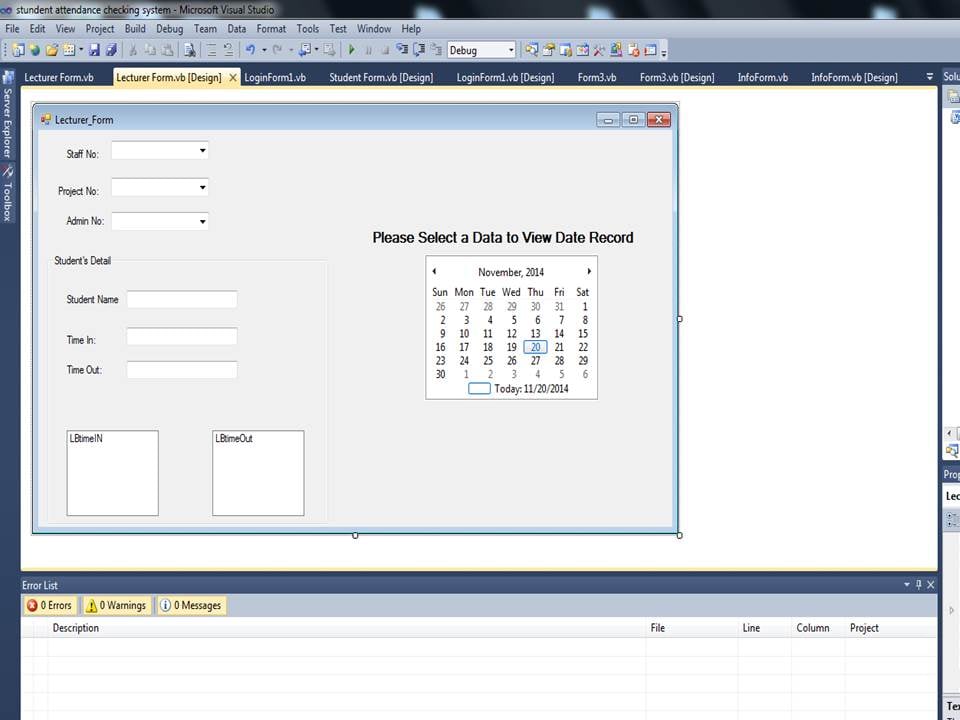
after i choose the 3 combobox how to get the tbl_info of the user name and tbl_lecturer time in and out in the textbox and the listbox time in and out..!

Be a part of the DaniWeb community

We're a friendly, industry-focused community of developers, IT pros, digital marketers, and technology enthusiasts meeting, networking, learning, and sharing knowledge.