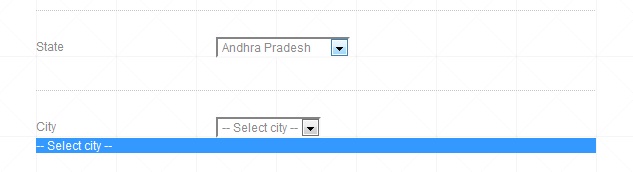
828915c19b3102a17ba1a5040e2a76ee828915c19b3102a17ba1a5040e2a76ee828915c19b3102a17ba1a5040e2a76ee I want to retrieve values from database to seleced box.I have three files ajax.js,getcitylist.php,securepage.php.In second select box values are not coming from data base.

    <li>
        <label for="State">State</label>
        <select id="state"  name="state" onChange="display(this.value)">
        <option value="" selected="selected">-- Select state --</option>
        <?php include("getstatelist.php");?>
        </select>
    </li>
    <li>
        <label for="City">City</label>
        <div id="city">
        <select id="city"  name="city" onChange="display(this.value)">
        <option value="" selected="selected">-- Select city --</option>
        <?php include("getcitylist.php");?>
        </select>
        </div>
    </li>

Dani AI

Generated

Two things are blocking your cities from loading. First, the GET string is malformed (as spotted). You want ?state_id=VALUE, not commas, and you should URL-encode the value with encodeURIComponent so spaces and symbols do not break the request (encodeURIComponent). Second, you have the same id on both the wrapping div and the select (id="city"). Give the wrapper a different id (e.g. city-wrap) and the select its own id (e.g. city-select). Only the state dropdown should trigger the AJAX; remove the onchange from the city select.

A minimal client script that replaces the city options only:

function loadCities(stateId){
  var city = document.getElementById('city-select');
  if(!stateId){ city.innerHTML = '<option value="">-- Select city --</option>'; return; }
  var xhr = new XMLHttpRequest();
  xhr.open('GET', 'getcitylist.php?state_id=' + encodeURIComponent(stateId), true);
  xhr.onload = function(){ if(xhr.status === 200) city.innerHTML = xhr.responseText; };
  xhr.send();
}

On the server, return only <option> rows and use prepared statements (do not use the old mysql_* API). Example with PDO:

// getcitylist.php
require 'config.php'; // set up $pdo (PDO)
$stateId = filter_input(INPUT_GET, 'state_id', FILTER_VALIDATE_INT);
header('Content-Type: text/html; charset=UTF-8');
if(!$stateId){ exit('<option value="">-- Select city --</option>'); }
$stmt = $pdo->prepare('SELECT id, city_name FROM tbl_city WHERE state_id = ? ORDER BY city_name');
$stmt->execute([$stateId]);
echo '<option value="">-- Select city --</option>';
foreach($stmt as $r){
  echo '<option value="'.(int)$r['id'].'">'.htmlspecialchars($r['city_name'], ENT_QUOTES, 'UTF-8').'</option>';
}

Finally, double-check your column names (id vs city_id) are consistent. If your dataset is small, @diafol’s idea to preload a JSON map on page load is simpler and avoids extra requests later. For modern PHP DB access, prefer PDO prepared statements (PDO::prepare).

Recommended Answers

All 6 Replies

ajax.js

var XMLHttpRequestObject=false;
function display(state_id)
{
if(window.XMLHttpRequest)
{
XMLHttpRequestObject=new XMLHttpRequest();
}
else if(window.ActiveXObject)
{
XMLHttpRequestObject=new ActiveXObject("Microsoft.XMLHTTP");
} 
XMLHttpRequestObject.onreadystatechange=function()
{
if (XMLHttpRequestObject.readyState==4 && XMLHttpRequestObject.status==200)
{
document.getElementById("city").innerHTML=XMLHttpRequestObject.responseText;
}
}
XMLHttpRequestObject.open("GET","getcitylist.php?state_id,city_id="+state_id,+city_id,true);
XMLHttpRequestObject.send();
}
<?php
include("config.php");
/*$con=mysql_connect('localhost','root','') or die('Mysql not connected');
mysql_select_db('location',$con) or die('DataBase not connected');*/

$state_id=$_REQUEST['state_id'];
$city_id=$_REQUEST['city_id'];

//$query="select * from tbl_city where state_id='$state_id'";
$query="select * from tbl_city where state_id='$state_id' and  city_id='$city_id'";

?>

 <select id="city"  name="city" onChange="display(this.value)">
 <option value="" selected="selected">-- Select city --</option>
<?php

$query_result=mysql_query($query)or mysql_error();
while($row=mysql_fetch_array($query_result))
{
?>
<option value="<?php echo $row['id']; ?>"><?php echo $row['city_name']; ?></option>
<?php
}
?>

first file is secure.php second file is ajax.js and third one is getcitylist.php

In getcitylist.php I feel there is wrong with query. what could be the query?

Your AJAX call is sending the request like this:

19. XMLHttpRequestObject.open("GET","getcitylist.php?state_id,city_id="+state_id,+city_id,true);

It looks like you're trying to separate the variables in the URL string with a comma and then add the values after, but you need to do them individually. When you are passing paramaters via the GET method, they should be attached to the URL string with ? and &, for example:

xmlhttp.open("GET","demo_get2.asp?fname=Henry&lname=Ford",true);

Try rewriting the URL section of line 19 to fit the example above.

Edit: Also I mentioned this in another thread you posted but in this part:

6.  $state_id=$_REQUEST['state_id'];
7.  $city_id=$_REQUEST['city_id'];
8.
9.  //$query="select * from tbl_city where state_id='$state_id'";
10. $query="select * from tbl_city where state_id='$state_id' and  city_id='$city_id'";

You must sanitize any data received from GET, POST, etc before putting it into an SQL query or else your site will be incredibly vulnerable to hacking via SQL injection.

Be a part of the DaniWeb community

We're a friendly, industry-focused community of developers, IT pros, digital marketers, and technology enthusiasts meeting, networking, learning, and sharing knowledge.