Menu DaniWeb
Log In Sign Up
  • Read
  • Contribute
  • Meet
  1. Forums
  2. Digital Media
  3. UI / UX Design
  4. Code Snippet Repository
  5. Reusable Code Snippet

Pure CSS Image Gallery with mouse-click swap

16 Years Ago Troy III 7 Tallied Votes 2K Views Share

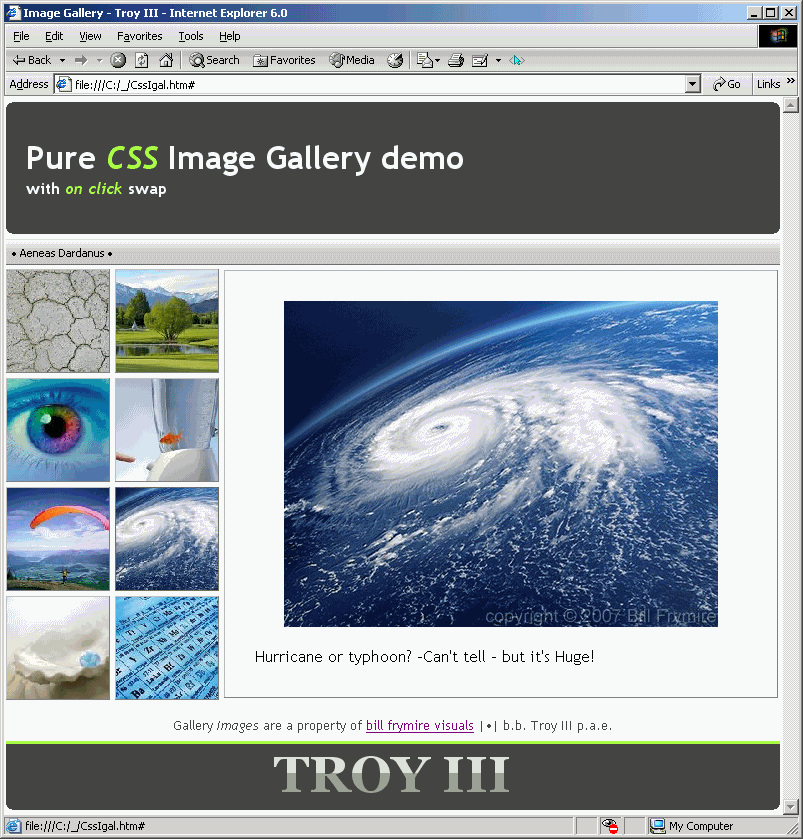
This code enables you to publish a CSS only with mouse click and keyboard tab image swap.

Attached is a Demo example of how it would look on IE6.

To ensure the greatest possible cross-browser compatibility/support this code uses CSS level 1 capabilities only.

One of extra benefits is that it will function even within browsers that doesn't support, and/or clients that have disabled javascript engine to.

Big images are asynchronous keeping the page as light and as fast as possible. The code itself will fall under 6KB if relative URLs are used. [here I'm using absolute paths to some real images available on the net for demonstration purposes only].

It's a copy-paste ready for preview demo.
It is HTML4.01 Strict and CSS2.1 validated.
graphics:image html-css web-design
n4xmjt.png 120.53 KB
peter_budo commented: Nice example +24
Dani commented: Making use of code snippet attachments I see +36
<!DOCTYPE html PUBLIC "-//W3C//DTD HTML 4.01//EN"
   "http://www.w3.org/TR/html4/strict.dtd">

<html>
<head>
<meta http-equiv="Content-Type" content="text/html;charset=utf-8">
<meta name="Author" content="b.b. Troy III p.a.e.">
<title>Image Gallery</title>
	<style type="text/css">
		*
		{ 
			margin: 0;
			padding:0;
			border: 0;
			font-family: 'Trebuchet MS', Helvetica, sans-serif;
		}
		body
		{
			background: white;
			width: 774px; 
			margin: 5px auto;
		}
		.gallery
		{
			position: relative;
			height: 100%;
			width: 100%; 
			margin: 4px 0 4px 0px;
			background: url('http://www.layoutstar.com/images/allbackgrounds/bgs/artistic/artistic_background_01.gif') no-repeat 73% 48%; 
		}
		.thumb span
		{
			position: absolute;
			top: 1px;
			left: 218px;
			border: outset 1px #f0f9ff; 
			visibility: hidden;
			text-decoration: none;
			color: black;
			padding: 30px; 
		}
		.n1:active span,.n1:focus span
		{
			background: url('http://www.billfrymire.com/gallery/webJpgs/dry-drought-arid-dirt.jpg')
		}
		.n2:active span,.n2:focus span
		{
			background: url('http://www.billfrymire.com/gallery/webJpgs/Sun-Valley-golf-course.jpg')
		}
		.n3:active span,.n3:focus span
		{
			background: url('http://www.billfrymire.com/gallery/webJpgs/close-up-colorful-iris.jpg')
		}
		.n4:active span,.n4:focus span
		{
			background: url('http://www.billfrymire.com/gallery/webJpgs/stress-fish-blender.jpg')
		}
		.n5:active span,.n5:focus span
		{
			background: url('http://www.billfrymire.com/gallery/webJpgs/paragliding-valley-sport.jpg')
		}
		.n6:active span,.n6:focus span
		{
			background: url('http://www.billfrymire.com/gallery/webJpgs/hurricane-space-earth-horizontal.jpg')
		}
		.n7:active span,.n7:focus span
		{
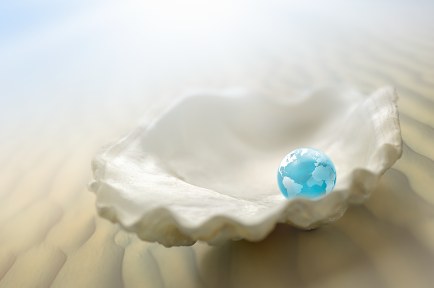
			background: url('http://www.billfrymire.com/gallery/webJpgs/world-globe-in-oyster-beach.jpg')
		}
		.n8:active span,.n8:focus span
		{
			background: url('http://www.billfrymire.com/gallery/webJpgs/periodic-table-chemistry-science.jpg')
		}
		.thumb:active span,.thumb:focus span
		{
			visibility: visible;
			background-repeat: no-repeat;
			background-position: center 30%;
			background-color: #f9f9fa;
		}  
            .thumb:active img,.thumb:focus img
		{
			border: 1px #666 solid
		}

		a img
		{
			height: 102px;
			width: 102px;
		}
		span img
		{
			visibility: hidden; 
			width: 490px; 
			height: 320px;
			display: block; 
		}
		h1
		{
			padding: 30px 20px 30px 15px; 
			background-color: #444;
			color: #f0f9ff;
			padding-left: 20px;
		}
		h1 i
		{
		color: #aaff44;
		}
		b.o,b.m,b.x,b.i
		{
			display: block; background: #444; padding-top: 1px;
		}
		b.o 
		{
			margin: 0px 6px
		}
		b.m 
		{
			margin: 0px 3px
		}
		b.x
		{
			margin: 0px 2px
		}
		b.i
		{
			margin: 0px 1px; padding-top:2px
		}
		h2, h2 span
		{
			overflow: hidden;
			font: bold 38pt/1.2em georgia, 'Trebuchet MS';
			position: relative;
			width: 100%;
			text-align: center;
			color: #999;
			background: #444
		}
		h2 span, h2 br
		{
			color: #ddd; 
			top: 0px; left:0px;
			position: absolute; 
			display: block;
			width: 100%;
			height: .575em;
		}
		h1 small
		{
			font-size: 0.5em;
			display: block;
		}
		#botm
		{
			text-align: center;
			width: 100%;
			color: #444;
			line-height: 2em;
			background: #fcfdfe;
		}

		.gallery img
		{
			border: 1px #fff outset
		}
            a
            {
			outline:none 0; 
		}
		#au
		{
			background:	url('http://i35.tinypic.com/xbkdg9.jpg') repeat-x;
			font: normal 11px Tahoma;
			color: #000;
			border-top: 1px solid #ddd; 
			height: 25px;
			line-height: 25px;
			margin-top: 5px
		}
	</style>
<!--[if IE]>
	<style>
	a {outline:expression(hideFocus='true')
	</style>
<![endif]-->
</head>

<body>
<div>
 <b class="o"></b>
 <b class="m"></b>
 <b class="x"></b>
 <b class="i"></b>
<h1>Pure <i>CSS</i> Image Gallery demo<br><small>with <i>on click</i> swap</small></h1> 
 <b class="i"></b>
 <b class="x"></b>
 <b class="m"></b>
 <b class="o"></b>
</div>

<div id="au">
  • Aeneas Dardanus •
</div>

<div class="gallery">
<a class="thumb n1" href="#">
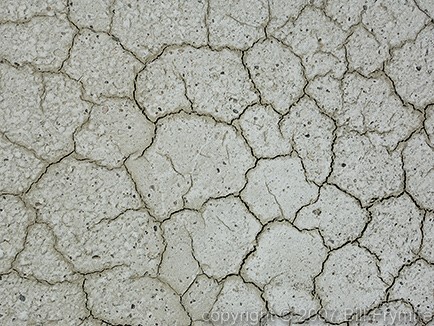
<img src="http://www.billfrymire.com/gallery/webthumbs/dry-drought-arid-dirt.jpg" alt=''><span>
<img src="" alt=''><br>Dried... (Bonneville Salt Flats)</span></a>
<a class="thumb n2" href="#">
<img src="http://www.billfrymire.com/gallery/webthumbs/Sun-Valley-golf-course.jpg" alt=''><span>
<img src="" alt=''><br>Sun Valley, -looks green... (Idaho USA golf course)</span></a>
<br>
<a class="thumb n3" href="#">
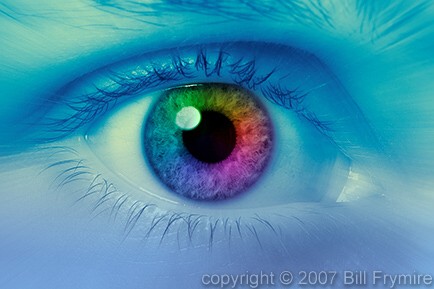
<img src="http://www.billfrymire.com/gallery/webthumbs/close-up-colorful-iris.jpg" alt=''><span>
<img src="" alt=''><br>Some Colorful surprise.</span></a> 
<a class="thumb n4" href="#">
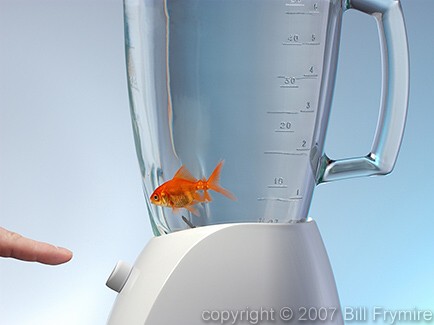
<img src="http://www.billfrymire.com/gallery/webthumbs/stress-fish-blender.jpg" alt=''><span>
<img src="" alt=''><br>Feeling safe?</span></a>
<br>
<a class="thumb n5" href="#">
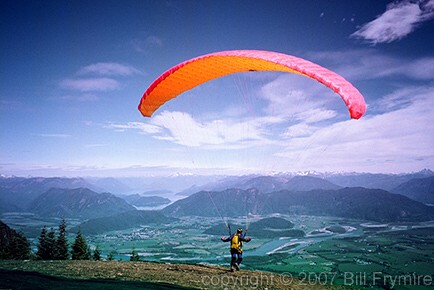
<img src="http://www.billfrymire.com/gallery/webthumbs/paragliding-valley-sport.jpg" alt=''><span>
<img src="" alt=''><br>Watch this...</span></a> 
<a class="thumb n6" href="#">
<img src="http://www.billfrymire.com/gallery/webthumbs/hurricane-space-earth-horizontal.jpg" alt=''><span>
<img src="" alt=''><br>Hurricane or typhoon? -Can't tell - but it's Huge!</span></a>
<br>
<a class="thumb n7" href="#">
<img src="http://www.billfrymire.com/gallery/webthumbs/world-globe-in-oyster-beach.jpg" alt=''><span>
<img src="" alt=''><br>...Some Nut in a shelve</span></a> 
<a class="thumb n8" href="#">
<img src="http://www.billfrymire.com/gallery/webthumbs/periodic-table-chemistry-science.jpg" alt=''><span>
<img src="" alt=''><br>Need some chemistry to start things over.</span></a>
</div>

<div id=botm>
<p><small> Gallery <i>Images</i> are a property of 
<a href='http://www.billfrymire.com' title="you can see more here">bill frymire visuals</a>
 |•|  b.b. Troy III p.a.e. </small></p>
</div>

<div style='border-top: solid 3px #af4; margin:0'>
<H2 title="TROY III"> TROY III <br><span> TROY III </span> </H2>
 <b class="i"></b>
 <b class="x"></b>
 <b class="m"></b>
 <b class="o"></b>
</div>

</body>
</html>
About the Author
Member Avatar for Troy III
Troy III 272 Posting Pro

Dani AI

Generated 11 Months Ago

Troy’s pattern swaps the hero image by moving focus to each thumb. That is keyboard-friendly and works without script. If Safari/Chrome drop focus on mouseup, the quick fix (set a zero tabindex on the thumb triggers) is fine, but keep a visible focus style so keyboard users do not lose their place. Prefer :focus-visible over removing outlines entirely. Also avoid large positive tabindex values; stick to 0 or -1 when you need to manage focus. ()

If you want numbered controls under the photo (hi ) and to avoid focus quirks entirely, consider the radio+label pattern. It is still CSS-only and survives mouse, touch, and keyboard. The radios hold state; labels act as the UI.

<div class="gallery">
  <input class="sr" type="radio" name="slide" id="s1" checked>
  <input class="sr" type="radio" name="slide" id="s2">
  <figure class="stage" aria-live="polite"></figure>
  <nav class="thumbs">
    <label for="s1" tabindex="0">1</label>
    <label for="s2" tabindex="0">2</label>
  </nav>
</div>

<style>
.stage { background: url(big1.jpg) center/cover no-repeat; }
#s2:checked ~ .stage { background-image: url(big2.jpg); }
.thumbs label:focus-visible { outline: 2px solid #0a7; outline-offset: 2px; }
</style>

The key is mapping :checked to the stage’s background; no JS needed. Keep the radios visually hidden but focusable (do not use display:none). ()

Troubleshooting: , if a default background collides with the focused image, confine all large images to a single .stage and never to the thumbs themselves; give the stage fixed dimensions and use background-size: cover or contain. Add explicit width/height to prevent layout shift, and lazy-load thumbs with loading="lazy" for faster first paint. , self-populating galleries and comments require backend or JS to generate the markup; CSS cannot create elements or store content. (developer.mozilla.org)

Member Avatar for karolmunoz
karolmunoz 0 Newbie Poster
16 Years Ago

Hi! I love this code and I am using it here: http://karolmunoz.com

However it wont work on Safari and when I add a background images as the defaults it messes everything up and the images start acting strange. I'd appreciate any help. The CSS is external, i'm not sure if that could be it. Thank you!

Member Avatar for Fibinacci85
Fibinacci85 -3 Newbie Poster
14 Years Ago

Hello troyIII i saw your code and its exactly what im looking for, for my gallery in my site i just have a few questions though
1 - is it possible to edit the CSS code to allow the gallery to be self populating as users upload their images?

2 - how can i edit the CSS code to allow for a text area where people can leave comments under the image once they have clicked on a image and also display all the previouse comments above the text area and below the image. see my example here - example of layout (i apolagise for the nudity but it was the only page i could find with a example of what i meant) this is not my site by any means but im looking to do something similar.

3 - where would i edit the CSS code to allow for my own navigation bar?

sorry for all the noob questions but im fairly new to CSS and to HTML.

unfortunetly i cant share a link to my site as i have not uploaded it yet and i havent got a domain for it yet.

thank you.

Member Avatar for Fibinacci85
Fibinacci85 -3 Newbie Poster
14 Years Ago

also whats important is that users must be able to upload their images themselfes and it must appear autamatically in the gallery

Member Avatar for virani08
virani08 0 Newbie Poster
14 Years Ago

Hi Troy III, is it ok to use your code on a business website ( )
please let me know. thank you -- virani08@gmail.com

Member Avatar for Troy III
Troy III 272 Posting Pro
14 Years Ago

yes, of course
you have my permission.

Member Avatar for mlm2gether
mlm2gether 0 Newbie Poster
14 Years Ago

This is an excellent piece of work and you really should put it on one of those sites like codecanyon.com and sell it for a small fee. You would undoubtedly get more exposure. I can't seem to get it to work in Chrome though. You have to manualyy hold down the mouse button. Any help appreciated. If the thumbs could be used to swap out video it would be even more awesome :)

Member Avatar for Troy III
Troy III 272 Posting Pro
14 Years Ago

yes, I've noticed that...
regretfully, webkit newcomers who happen to know nothing about web browser traditional behavior have introduced an unexpected bug.
the links are wrongly losing focus on the mouse-up fraction event, although the tabbing is still intact, there's nothing much I can do against wrong implementations on the browser side.
thank you

Member Avatar for Troy III
Troy III 272 Posting Pro
14 Years Ago

WebKit FIX-ED
...found a cure.:

       <div class="gallery">
       <a class="thumb n1" href="#" tabindex=0>
       ...
       </div>

add a tabindex=0 to all thumbs of the gallery

Member Avatar for Troy III
Troy III 272 Posting Pro
14 Years Ago

HTML5 update

<!DOCTYPE html>
<html>
<head>
<meta charset=utf-8>
<meta name=Author content="b.b. Troy III p.a.e.">
<title>Image Gallery</title>
    <style>
    *
            {
            margin: 0;
            padding:0;
            border: 0;
            font-family: 'Trebuchet MS', Helvetica, sans-serif;
            }

    body
            {   
            background: white;
            width: 774px;
            margin: 5px auto;
            }

    .gallery
            {
            position: relative;
            height: 100%;
            width: 100%;
            margin: 4px 0 4px 0px;
            left: 2px;
            background: url('') no-repeat 73% 48%;
            }

    .thumb span
            {
            position: absolute;
            top: 1px;
            left: 218px;
            border: outset 1px #f0f9ff;
            visibility: hidden;
            text-decoration: none;
            color: black;
            padding: 30px;
            }

    .n1:focus span
            {
            background: url('http://www.billfrymire.com/gallery/webJpgs/dry-drought-arid-dirt.jpg')
            }

    .n2:focus span
            {
            background: url('http://www.billfrymire.com/gallery/webJpgs/Sun-Valley-golf-course.jpg')
            }

    .n3:focus span
            {
            background: url('http://www.billfrymire.com/gallery/webJpgs/close-up-colorful-iris.jpg')
            }

    .n4:focus span
            {
            background: url('http://www.billfrymire.com/gallery/webJpgs/stress-fish-blender.jpg')
            }

    .n5:focus span
            {
            background: url('http://www.billfrymire.com/gallery/webJpgs/paragliding-valley-sport.jpg')
            }

    .n6:focus span
            {
            background: url('http://www.billfrymire.com/gallery/webJpgs/hurricane-space-earth-horizontal.jpg')
            }

    .n7:focus span
            {
            background: url('http://www.billfrymire.com/gallery/webJpgs/world-globe-in-oyster-beach.jpg')
            }

    .n8:focus span
            {
            background: url('http://www.billfrymire.com/gallery/webJpgs/periodic-table-chemistry-science.jpg')
            }

    .thumb:focus span
            {
            visibility: visible;
            background-repeat: no-repeat;
            background-position: center 30%;
            background-color: #f9f9fa;
            }
    .thumb:focus img
            {
            border: 1px #666 solid
            }

    a,a img
            {
            height: 102px;
            width: 102px;
            }

    span img
            {
            visibility: hidden;
            width: 490px;
            height: 320px;
            display: block;
            }

    h1
            {
            padding: 30px 20px 30px 15px;
            background-color: #444;
            color: #f0f9ff;
            padding-left: 20px;
            }

    h1 i
            {
            color: #aaff44;
            }

    b.o,b.m,b.x,b.i
            {
            display: block; background: #444; padding-top: 1px;
            }

    b.o
            {
        margin: 0px 5px;
            }

    b.m
            {
            margin: 0px 3px;
            }

    b.x
            {
            margin: 0px 2px;
            }

    b.i
            {
            margin: 0px 1px; padding-top:2px;
            }

    h2, h2 span
            {
            overflow: hidden;
            font: bold 38pt/1.2em georgia, 'Trebuchet MS';
            position: relative;
            width: 100%;
            text-align: center;
            color: #999;
            background: #444
            }

    h2 span, h2 br
            {
            color: #ddd;
            top: 0px; left: 0px;
            position: absolute;
            height: .575em;
            }

    h1 small
            {
            font-size: 0.5em;
            display: block;
            }

    #botm
            {
            text-align: center;
            width: 100%;
            color: #444;
            line-height: 2em;
            background: #fcfdfe;
            }

    .gallery img
            {
            border: 1px #fff outset
            }

    .thumb
            {
            outline:none 0;
            text-decoration: none;
            }

    #au
            {
            background: url('') repeat-x;
            font: normal 11px Tahoma;
            color: #000;
            border-top: 1px solid #ddd;
            height: 25px;
            line-height: 25px;
            margin-top: 5px
            }
    </style>
    <!--[if IE]><style>a{outline:expression(hideFocus='true')
}</style><![endif]-->
</head>

<body>

<div>
 <b class=o></b>
<b class=m></b>
<b class=x></b>
<b class=i></b>
 <h1>Pure <i>CSS</i> Image Gallery demo<br><small>with <i>on click</i> swap</small></h1>
 <b class=i></b><b class=x></b><b class=m></b><b class=o></b>
</div>

<div id=au>&nbsp
 • Aeneas Dardanus •
</div>

<div class=gallery>
<a class="thumb n1" href=# tabindex=1>
<img src=http://www.billfrymire.com/gallery/webthumbs/dry-drought-arid-dirt.jpg><span>
<img src=""><br>Dried... (Bonneville Salt Flats)</span></a>

<a class="thumb n2" href=# tabindex=2>
<img src=http://www.billfrymire.com/gallery/webthumbs/Sun-Valley-golf-course.jpg><span>
<img src=""><br>Sun Valley, -looks green... (Idaho USA golf course)</span></a>
<br>

<a class="thumb n3" href=# tabindex=3>
<img src=http://www.billfrymire.com/gallery/webthumbs/close-up-colorful-iris.jpg><span>
<img src=""><br>Some Colorful surprise.</span></a>

<a class="thumb n4" href=# tabindex=4>
<img src=http://www.billfrymire.com/gallery/webthumbs/stress-fish-blender.jpg><span>
<img src=""><br>Feeling safe?</span></a>
<br>

<a class="thumb n5" href=# tabindex=5>
<img src=http://www.billfrymire.com/gallery/webthumbs/paragliding-valley-sport.jpg><span>
<img src=""><br>Watch this...</span></a>

<a class="thumb n6" href=# tabindex=6>
<img src=http://www.billfrymire.com/gallery/webthumbs/hurricane-space-earth-horizontal.jpg><span>
<img src=""><br>Hurricane or typhoon? -Can't tell - but it's Huge!</span></a>
<br>

<a class="thumb n7" href=# tabindex=7>
<img src=http://www.billfrymire.com/gallery/webthumbs/world-globe-in-oyster-beach.jpg><span>
<img src=""><br>...Some Nut in a shelve</span></a> 

<a class="thumb n8" href=# tabindex=8>
<img src=http://www.billfrymire.com/gallery/webthumbs/periodic-table-chemistry-science.jpg><span>
<img src=""><br>Need some chemistry to start things over.</span></a>
</div>


<div id=botm>
<p><small> Gallery <i>Images</i> are a property of 
<a href=http://www.billfrymire.com title="you can see more here">bill frymire visuals</a>
 |•|  b.b. Troy III p.a.e. </small></p>
</div>

<div style='border-top: solid 3px #af4; margin:0'>
<H2 title="TROY III"> TROY III <span> TROY III </span> </H2>
 <b class=i></b><b class=x></b><b class=m></b>
 <b class=o></b>
</div>

 </body>
</html>
Member Avatar for bobfromca
bobfromca 0 Newbie Poster
13 Years Ago

Troy, this is very nice. Close to what I've been looking for. I'm fairly novice when it comes to coding... Is it possible to move the thumbs to bottom under the photo? What I'm trying to do is have numbers 1-6 under the image so when visitor clicks on a number a different image shows. Your code is what I need except for moving thumbs (which I would change to numbers) under the image.

Member Avatar for Troy III
Troy III 272 Posting Pro
13 Years Ago

http://jsfiddle.net/LgHcN/

Member Avatar for pol.bala
pol.bala 0 Newbie Poster
13 Years Ago

Nice post

Reply to this topic
Be a part of the DaniWeb community

We're a friendly, industry-focused community of developers, IT pros, digital marketers, and technology enthusiasts meeting, networking, learning, and sharing knowledge.

Sign Up — It's Free!
Recommended Topics
  • Member Avatar Web Design Standards 2
  • Member Avatar Responsive Web Design - CSS Image Slideshow not rendering 1
  • Member Avatar Help needed! 3
  • Member Avatar CSS image rollover style vs. IE 11
  • Member Avatar Page layout format 5
  • Member Avatar css background image don't show up 10
  • Member Avatar Hotdog anyone? 2
  • Member Avatar Image overlaps table below 3
  • Member Avatar a nother question 16
  • Member Avatar CSS image horizontal align problem 8
  • Member Avatar its possible to puplish animation on the web!! 11
  • Member Avatar css or html, to add an image 6
  • Member Avatar CSS/ Div Positioning problem 2
  • Member Avatar Image Position Moves on Resize of Window 6
  • Member Avatar Page looks different in Firefox for Mac than Firefox for Windows 3
  • Member Avatar CSS background image only displays with content 4
  • Member Avatar Page Display messed up in FF 2
  • Member Avatar CSS images path problem 5
  • Member Avatar image scrolling behind images 7
  • Member Avatar Problem with full screen image margins on my site 1
Not what you need?

Reach out to all the awesome people in our ui / ux design community by starting your own topic. We equally welcome both specific questions as well as open-ended discussions.

Start New Topic
Topics Feed
Reply to this Topic
Edit Preview

Share Post

Insert Code Block

  • Forums
  • Forum Index
  • Hardware & Software
  • Programming
  • Digital Media
  • Community Center
  • Recent
  • Recommended Topics
  • Newest Topics
  • Latest Topics
  • Latest Posts
  • Latest Comments
  • Top Tags
  • Tools
  • Writing
    • Start New Topic
    • Markdown Syntax
    • Newsletter Archive
  • Social
    • Top Members
    • Meet People
  • APIs
    • Connect API
    • Forum API Docs
    • Topics Feed
  • Resources
  • Community Rules
  • DaniWeb Premium
  • FAQ
  • About Us
  • Advertise
  • Contact Us
  • Legal
  • Terms of Service
  • Privacy Policy
© 2026 DaniWeb® LLC
© 2026 DaniWeb® LLC
  • FAQ
  • About Us
  • Advertise
  • Contact Us
  • Terms of Service
  • Privacy Policy