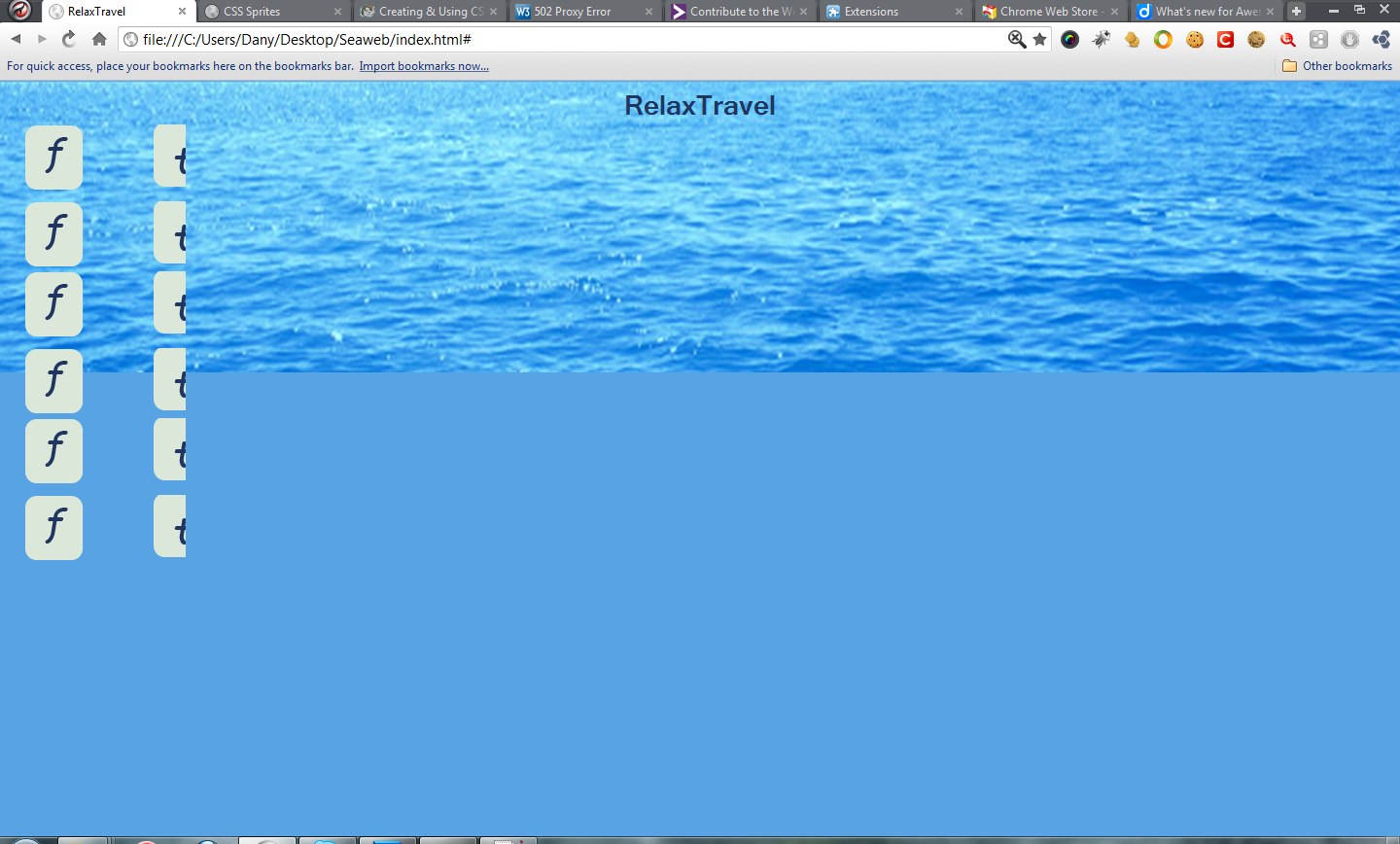
I just strated working with sprites and end up with a diffrent result
My code
css

.icon a{
  width:191px;
  height:151px;
  text-decoration:none;
  text-indent:-9990px;
  display:block;
  background-image:url(../images/socialsprite.png);
  background-position:0 0;
}

html

<span class="icon">
    <a href="#">f</a>
    <a href="#">t</a>
    <a href="#">g</a>
    </span>

any help would be welomed Thank you
Dani AI

Generated

A note that pulls the thread together and a pragmatic checklist.

The symptom of seeing six copies instead of three usually means each anchor box is larger than a single sprite frame and the sprite image is tiling to fill that box. applied a single sprite to every link with no per-link offset; as explained, each link needs its own offset, and as pointed out the image must not be allowed to repeat. The fix is threefold: give each anchor the exact width/height of one icon, prevent background tiling, and set a distinct background-position for each link (either with classes or with selectors like :nth-child).

A minimal, different-example implementation (adjust the numbers to the actual icon size in the sprite):

.icon a {
  display: inline-block;
  width: 48px;   /* width of a single icon frame */
  height: 48px;  /* height of a single icon frame */
  background-image: url('../images/socialsprite.png');
  background-repeat: no-repeat;
  text-indent: -9999px;
  overflow: hidden;
}

.icon a:nth-child(1) { background-position: 0 0; }
.icon a:nth-child(2) { background-position: -48px 0; }
.icon a:nth-child(3) { background-position: -96px 0; }

Troubleshooting notes and cautions: confirm whether the sprite is laid out horizontally or vertically and apply negative X or Y offsets accordingly. Use browser DevTools to inspect the computed width, height, background-position and whether background-size is scaling the sprite (retina/double-size sprites often require background-size adjustments). Also verify the image path is correct and that no other CSS (padding, border, line-height) is increasing the link box. For production, prefer semantic per-icon classes (e.g. .facebook, .twitter) instead of fragile positional selectors.

Checklist: match frame size, set no-repeat, apply correct offsets, verify no scaling, and inspect computed styles in DevTools. This resolves the repeated-image symptom described by and follows the offsets advice from and the repeat fix from .

Recommended Answers

All 8 Replies

When I used sprites for the first time in my web projects, I just followed the instructions from W3Schools. http://www.w3schools.com/css/css_image_sprites.asp

To build the sprites, i use an online generator...there are a few and they all produce the same result, usually providing the necessary CSS code.

OK but why is my code wrong?

If you want for each anchor link to display a different image using one sprite, you have to target each element separately and when setting the background image use top, left to offset the position within the sprite image.

From the link I posted, they have a pretty good example to show how to show different parts of the sprite.

I had already seen the w3school idea my question is why I get 6 images when I have just 3?
I have uploaded my sprite

Ok, so you are applying one sprite image to all of the links with no offset. In addition, you set a large value for the height and width. If you take a look at the example that the w3schools has on their site, you'll notice that they apply a different style to each link, then add an offset so that each link has a portion of the sprite's background.

In your example, you get six images due to the height of 151. Your image repeats itself within that height.

ok, I shall have a wild guess in this case. It maybe cause as the image have repeat itself as the width of the link is set wider than the image.
First solution is reduce the width of the link and another is to set the background-repeat: no-repeat;

background-image:url(../images/socialsprite.png);
background-position:0 0;

normally, I'll do something like this:
background: url(../images/socialsprite.png) no-repeat 0 0;
And, I think in your case,the first method I suggest above is a better solution.

yes your wright I got it now thanls for the help

Be a part of the DaniWeb community

We're a friendly, industry-focused community of developers, IT pros, digital marketers, and technology enthusiasts meeting, networking, learning, and sharing knowledge.