HTML Code

Dani AI

Generated

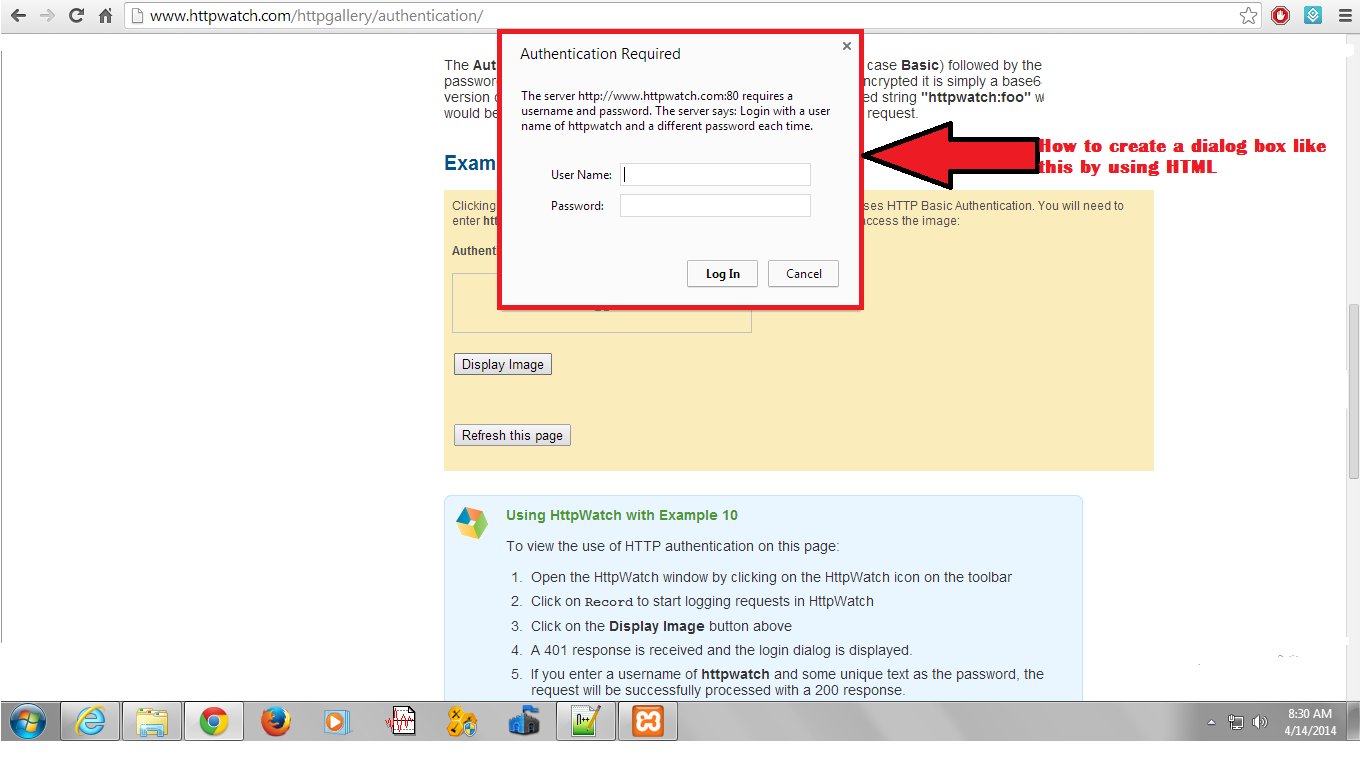
The thread is missing the distinction that raised: there are two different problems and two different solutions.

If the goal is to get the browser's native authentication dialog (the one you cannot style), you must use HTTP authentication on the server so the server responds with a 401 and a WWW-Authenticate header. On Apache this is typically done with an .htaccess file (make sure AllowOverride permits auth). Example .htaccess:

AuthType Basic
AuthName "Restricted Area"
AuthUserFile /full/path/to/.htpasswd
Require valid-user

Create the .htpasswd entries with the htpasswd utility (or a trusted generator, as suggested). Use the absolute filesystem path for AuthUserFile and set file permissions so the web server can read it but others cannot.

If you need to trigger the same dialog from a script (PHP), send a 401 and WWW-Authenticate:

<?php
header('HTTP/1.0 401 Unauthorized');
header('WWW-Authenticate: Basic realm="Restricted Area"');
echo 'Authentication required';
exit;
?>

Important cautions and tradeoffs: the browser dialog is not styleable. Basic auth transmits credentials Base64-encoded (not encrypted), so always use HTTPS. Browsers cache credentials and “logout” is awkward (often requires closing the browser or changing the realm). For full control (custom UI, logout, CSRF protection, account flows) use a form-based login with server-side session management instead.

For background reading, see MDN on HTTP authentication and the Apache authentication how-to for concrete server details:
MDN: HTTP authentication
Apache: Authentication howto

Recommended Answers

All 2 Replies

Be a part of the DaniWeb community

We're a friendly, industry-focused community of developers, IT pros, digital marketers, and technology enthusiasts meeting, networking, learning, and sharing knowledge.