At the risk of being somewhat obsessed by hitmen after one recent news story here at DaniWeb, I'm running another. This time though, it's cybercriminals and hackers who would hold your computer and data to ransom that are the target of a contract killer. The killer in question being the latest version of HitmanPro, and in the cloud 'second opinion' anti-malware file scanner that's been around for many years now. The HitmanPro.Kickstart feature, however, is brand new and really rather clever.
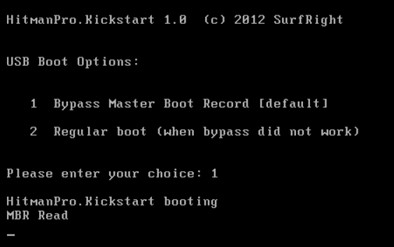 What it does is enable users to create a bootable USB flash drive which can then be used to start up an infected computer which has been 'locked down' by a ransomware infection. Sure, there are plenty of well documented ways of getting access to your data under such circumstances, but none that I can think of off hand are what you might call easy to use for the average computer user. And sorry folks, but for your average Windows-using Jo(e) who has got caught out by the ransomware hackers then booting with an unfamiliar Linux-based desktop environment does not count as 'easy to use' by any measure. HitmanPro.Kickstart, might be accused of not being exactly straightforward either, what with needing to create that bootable USB drive in the first place, but actually it's very step-by-step driven stuff and once booted the ransomware is removed from within a familiar Windows environment and fully automatically without a bunch of confusing manual tasks being required.
OK, so let's assume you have fallen victim to a typical ransomware scam which pops up a window on your PC demanding payment of money in order to unlock your files, for whatever unlikely sounding reason this may be from law enforcement levying a fine for visiting 'illegal sites' through to requiring a license fee to be paid in order to rather ironically clean your computer of malware. Way too many people panic their way into paying the $50 or $100 demanded, and some may even get access to their data back. But, to be honest, why should the bad guys worry about releasing your data from being held hostage once they have their cash? It's a lose lose situation for the victim, unless you or a friend can call on the Hitman to tip the balance in your favour.
Unlike the rescue solutions that boot into a Linux environment and require numerous complicated, for the average user at any rate, manual interventions to do to the job, aiming the Hitman at the target is easy and effective. SurfRight designed HitmanPro.Kickstart from the ground up to be used by any computer user, and to easily remove ransomware. The process does not disappoint, involving following some simple steps to create the bootable USB flash drive from within the HitmanPro application itself and then letting it scan for and remove the ransomware. HitmanPro.Kickstart re-starts the ransomed computer within the familiar Microsoft Windows environment, by bypassing the ransomware and then guiding the user through the automated removal process.
It can do this because a 'live' ransomed Windows environment provides lots of forensic information, like which processes have started and which processes run full screen (blocking access to the desktop). This information gives HitmanPro a solid lead on which files and registry keys belong to the ransomware. An obvious advantage over rescue CDs that boot into a different environment and rely on virus signatures.
HitmanPro 3 supports Windows XP/2003/Vista/2008, Windows 7 and Windows 8 platforms, the HitmanPro.Kickstart application requires a USB flash drive with a capacity of at least 32Mb and can be downloaded from www.surfright.com/kickstart with a 30 day free trial, after which a license for one PC costs $19.95 per year. Because it's the HitmanPro application that is licensed, and HitmanPro.Kickstart is actually free for license holders, the ransomware freeing tool can be used to clean as many infected computers as you wish.
Setting up HitmanPro.Kickstart on USB stick: video here
Removing ransomware using a bootable HitmanPro.Kickstart USB flash drive: video here
