Help, I wanna play a windows game (max payne 2 and half life 2) on opensuse, what should I do to get it to work.
I don't know where to start. Do I need wine or crossover linux?:'(
Help, I wanna play a windows game (max payne 2 and half life 2) on opensuse, what should I do to get it to work.
I don't know where to start. Do I need wine or crossover linux?:'(
Short diagnosis and quick plan: the error about creating something like .../dosdevices/d: means Wine failed while creating the drive-mapping symlink inside the new WINEPREFIX. Wine keeps drive mappings under the prefix .../dosdevices (examples: c: -> drive_c, d: -> /media/cdrom), so a failure there prevents the prefix from finishing. On some filesystems or mount options (for example NTFS with the windows_names option or FAT/VFAT) creating names with a colon or creating the required symlink can fail, which produces that exact kind of error. (manpages.org)
A safe fix sequence (non-destructive first):
df -T ~ or stat -f -c %T ~) to confirm whether $HOME is on a native Linux FS; mv ~/.wine ~/.wine.bak; dosdevices entries if the prefix directory does not already contain broken files. This approach is recommended rather than pre-creating the prefix yourself. (askubuntu.com)Example commands (adapt paths as needed):
mv ~/.wine ~/.wine.bak
mkdir -p ~/.local/share/wineprefixes/maxpayne
export WINEPREFIX="$HOME/.local/share/wineprefixes/maxpayne"
export WINEARCH=win32 # set when a 32-bit prefix is desired
wineboot # or run winecfg If the installer still needs the CD to be mapped, either create the d: symlink inside the fresh prefix or run the installer directly via Wine’s unix launcher. Example:
ln -s /media/cdrom "$WINEPREFIX/dosdevices/d:"
wine start /unix /media/cdrom/setup.exe The ln -s method is exactly how drive letters are normally mapped when manual control is needed. ()
About Half‑Life 2: historically people recommended Cedega, but modern Linux gaming commonly uses Proton (Steam Play), Lutris, or Wine with DXVK for best DirectX performance. Proton / Lutris entries and community reports (ProtonDB/Lutris) are the best places to find current, game-specific steps and which Proton/DXVK combos work best. DXVK is the Direct3D→Vulkan layer widely used to improve performance. (wiki.archlinux.org)
Useful reminders: don’t run Wine as root; keep GPU drivers and 32-bit compatibility libraries installed when using a 64‑bit system; prefer a clean new prefix when troubleshooting installer errors.
Jump to Post— John A 1,896Wine would be the place to start. You'll probably need Cedega to be able to run Half Life 2, however.
http://frankscorner.org/index.php?p=maxpayne2
Jump to Post— John A 1,896Make sure you get Wine working with something simple before attempting to run the latest and greatest game! It should come with something like Notepad.exe, see if that works first. I also recommend reading Wine's documentation; it's very helpful, and I'd also try out other tools like
winecfg, which …
Jump to Post— jbennet 1,618use Cedega. Costs money but rocks for games - it uses a custom directx wrapper so you get good games performance
Wine would be the place to start. You'll probably need Cedega to be able to run Half Life 2, however.
http://frankscorner.org/index.php?p=maxpayne2
http://games.slashdot.org/article.pl?sid=04/12/09/1555228
Ok, cedega isn't an option, I don't wanna buy anything.
that max payne link looks kool but it is so vague.
I've installed wine through the yast installer.
When I type in wine and the konsole I get:
Usage: wine PROGRAM [ARGUMENTS...] Run the specified program
wine --help Display this help and exit
wine --version Output version information and exit when I type in wine - version I get:-
thwee@linux-25al:~> wine --version
Wine 0.9.24 But the link to the cd and setup.exe isn't working.
This is what I typed.
thwee@linux-25al:/> wine /media/hdd/setup.exe
wine: creating configuration directory '/home/thwee/.wine'...
ln: target `/home/thwee/.wine-e9SqqH/dosdevices/d:' is not a directory
wine: wineprefixcreate failed while creating '/home/thwee/.wine'. Make sure you get Wine working with something simple before attempting to run the latest and greatest game! It should come with something like Notepad.exe, see if that works first. I also recommend reading Wine's documentation; it's very helpful, and I'd also try out other tools like winecfg , which is a configuration program for Wine.
Ok, notepad.exe is working and so is winecfg.
But how do I get the setup.exe cd to work. Thanx
OMG joeprogrammer you are a freakin genius.
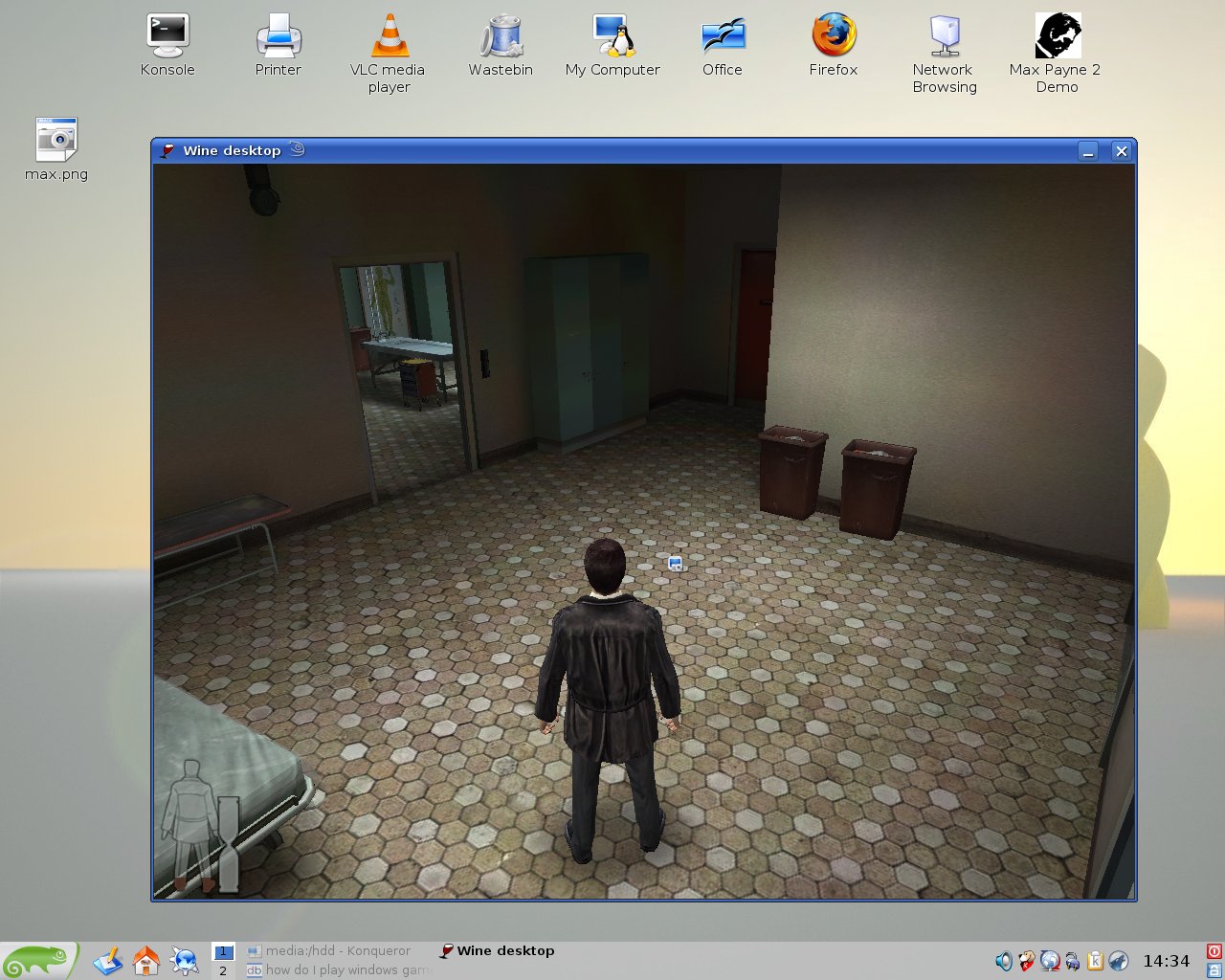
The game is a bit sluggish but it works and I didn't even have to install directx
Hey do ya think I can get Half life 2 working with just wine?
use Cedega. Costs money but rocks for games - it uses a custom directx wrapper so you get good games performance
I know I won't be using that. No monie :(
And I heard there are still issues with some software, but it is worth buying if only because some of the knowledge accrued goes back into the wine project.
Yay!
OMG joeprogrammer you are a freakin genius.
Every once and a while I say the right thing.
Hey do ya think I can get Half life 2 working with just wine?
Well, I did mention using Cedega in the first post, but after looking in the Wine AppDB, it appears that the demo at least will run with a bronze rating, while the retail version runs at a silver rating:
http://appdb.winehq.org/appview.php?iAppId=2095
It's worth a try if you haven't already.
We're a friendly, industry-focused community of developers, IT pros, digital marketers, and technology enthusiasts meeting, networking, learning, and sharing knowledge.