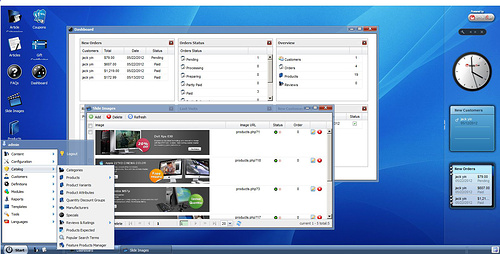
Is there anyone know how to install this shipping cart named tomatocart?

Demo: http://www.tomatocart.com/products/store-demo.html

Thanks in advance.

Dani AI

Generated

A short, practical supplement to ’s question and ’s pointer to the official install guide: a concise checklist for running TomatoCart locally (desktop-like) and options for packaging it as a desktop app.

Run locally with an AMP stack

  • Install a local AMP stack (XAMPP/WampServer/MAMP/AMPPS) to provide Apache (or Nginx), PHP and MySQL.
  • Put the TomatoCart code into the webroot (for example, htdocs/tomatocart).
  • Create a database and user, then import the SQL dump (phpMyAdmin or CLI). Example CLI steps:
    mysql -u root -p
    CREATE DATABASE tomatocart_db;
    CREATE USER 'tomuser'@'localhost' IDENTIFIED BY 'P@ssw0rd';
    GRANT ALL PRIVILEGES ON tomatocart_db.* TO 'tomuser'@'localhost';
    FLUSH PRIVILEGES;
    mysql -u tomuser -p tomatocart_db < /path/to/tomatocart/sql/dump.sql
  • Run the web installer through the browser (localhost URL) or, if the installer is not present, update the application config with DB credentials and base URL. Ensure writable permissions for cache/logs/image upload folders.

Create a desktop-like experience or package as an executable

  • For a simple app-like window, launch the local store in Chrome/Edge with the --app flag:
    "C:\Program Files\Google\Chrome\Application\chrome.exe" --app=http://localhost/tomatocart/
  • For a single distributable, consider packaging tools: open-source projects that embed PHP+Chromium (e.g., PHP Desktop) or commercial products that compile PHP apps to EXE. These approaches require bundling a server and database or switching to a local DB supported by the packager. Expect extra work for updates, security, and licensing.

Troubleshooting notes

  • Check Apache/PHP and MySQL logs, enable display_errors for development:
    display_errors = On
    error_reporting = E_ALL
  • Common issues: missing PHP extensions (mysqli/PDO, GD, cURL, mbstring), wrong DB credentials, file permission errors, and port conflicts. Include OS, AMP stack and PHP versions when comparing environments.

Recommended Answers

All 2 Replies

Hi,

Try their installation guide :

Hi akmozo,

Many thanks. I will read it and try to install it.

Be a part of the DaniWeb community

We're a friendly, industry-focused community of developers, IT pros, digital marketers, and technology enthusiasts meeting, networking, learning, and sharing knowledge.