<?php
  header("Content-Type: image/jpeg");

  $im = imagecreatefromjpeg('000.jpg');
  // get the image size
  $w = imagesx($im);
  $h = imagesy($im);

  // place some text (top, left)
  imagettftext($im, 60, 0, 300, 100, 0xFFFFFF, 'vani.ttf', 'వాసి');

  imageJpeg($im, "001.jpg", 85);
  imagepng($im, $save);
  imagedestroy($im);
  ?>

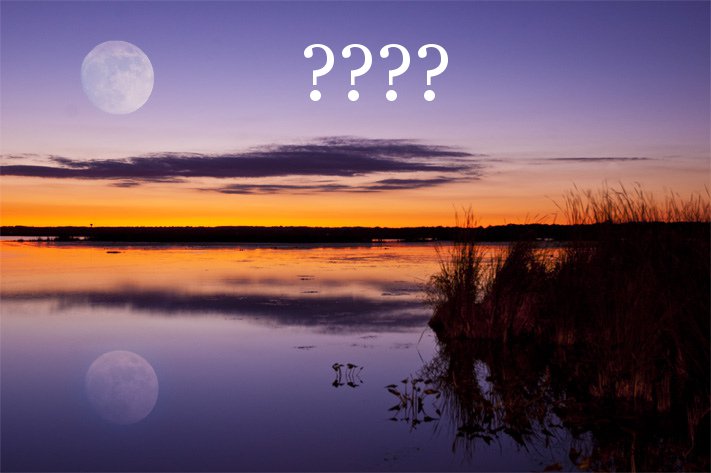
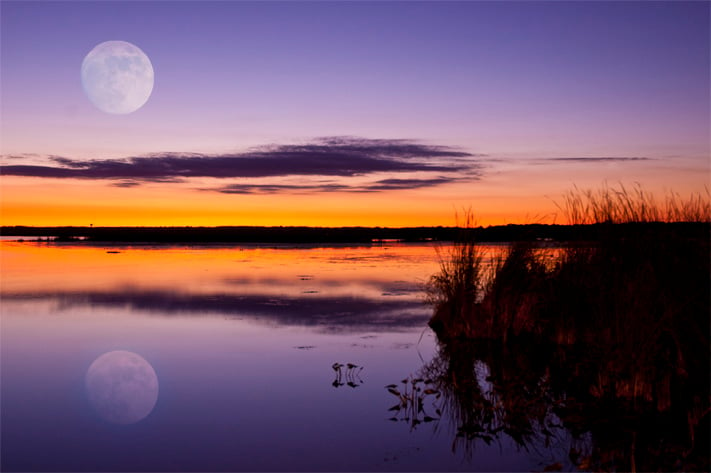
 Above i the code what i did? But its not giving proper solution.
 Am giving input image as first image


 and am getting out put as 2nd image

Dani AI

Generated

Quick summary and likely cause: this is usually two separate problems — encoding/glyph availability and text shaping. imagettftext expects a UTF-8 string and the font must actually contain the Telugu glyphs; a stray UTF‑8 BOM or any output before the image bytes will corrupt the image. Save your PHP file as UTF‑8 without BOM and pass a true UTF‑8 string (numeric HTML entities are an HTML-level trick and are not required for imagettftext). (php.net)

Why the characters look wrong even when the file encoding and font seem OK: GD/imagettftext (FreeType) will draw glyph outlines but it does not perform OpenType shaping for complex Indic scripts (reordering, conjunct formation, mark placement). That means Telugu vowel signs and ligatures can render incorrectly unless a shaping engine is used. For reliable Telugu rendering you need a shaping/layout layer such as HarfBuzz/Pango (ImageMagick can use Pango). (stackoverflow.com)

Practical fixes you can apply now:

  • Quick checks: confirm your PHP file and any included files are UTF‑8 without BOM, confirm GD was compiled with FreeType if you keep using imagettftext, and confirm the TTF supports Telugu (eg. Noto / Lohit families). (php.net)
  • Best option: render text with ImageMagick/Pango (or PHP Imagick calling a pango pseudo-image) and composite that onto your JPEG. That gives correct shaping on Indic scripts. Example outline (replace the placeholder with your UTF‑8 text saved without BOM):
<?php
// requires ImageMagick built with Pango + the Imagick PHP extension
$img = new Imagick();
$img->setImageFormat('png');
$img->newPseudoImage(800,200,'pango:YOUR_UTF8_TEXT_HERE');
$img->writeImage('out.png');
?>

See ImageMagick/Pango and the Imagick pango usage notes for details and deployment caveats (ImageMagick must be compiled with pango). (imagemagick.org)

Notes tied to earlier replies: ’s numeric-entity idea is useful for HTML but not necessary here; imagettftext accepts UTF‑8 directly. ’s setlocale tip helps some locale-aware PHP functions but will not produce OpenType shaping — shaping is done by HarfBuzz/Pango, not by setlocale. (harfbuzz.github.io)

Recommended Answers

All 2 Replies

enter the utf8 code in the form &#8364; codes for Telugu as outlined in this link
actual characters wont work
the interpreter cant read them, its in English
vani shoud(?) suppport Telugu

Be a part of the DaniWeb community

We're a friendly, industry-focused community of developers, IT pros, digital marketers, and technology enthusiasts meeting, networking, learning, and sharing knowledge.