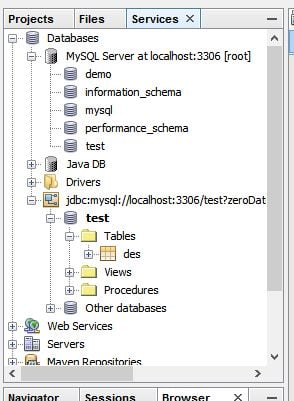
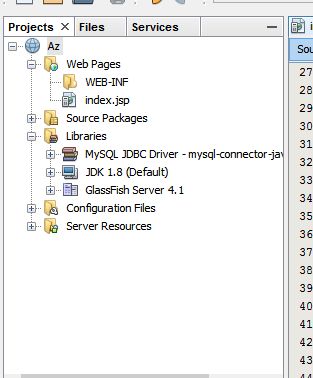
i am new to JSP and this is my first trial on JSP
i have a table "des"
1. id - auto increment
2. desn - varchar(50)

and i wanted to access the table data on my JSP(index.jsp) file:

<%@ page import="java.sql.*" %> <html> <head> <meta http-equiv="Content-Type" content="text/html; charset=UTF-8"> <title>Add Employee</title> <script>
            function set_val(spn,vl){
                if(vl){
                    document.getElementById(spn).style.color="Green";
                    document.getElementById(spn).innerHTML="Valid!";
                }
                else{
                    document.getElementById(spn).style.color="Red";
                    document.getElementById(spn).innerHTML="Invalid Entry!!";
                }
            }
            function validate_name(x){
                var patt = /^[a-zA-Z]{4,30}$/;
                if(patt.test(x.value)){
                    set_val("val_name",true);
                }
                else{
                    set_val("val_name",false);
                }
            }
            function validate_addr(x){
                var patt = /^[-a-zA-Z\s\,\.]{5,50}$/;
                if(patt.test(x.value)){
                    set_val("val_addr",true);
                }
                else{
                    set_val("val_addr",false);
                }
            }
        </script> </head> <body> <form action="addnverify.jsp" method="post" name="empp"> <table width="80%" align="center" border="1px" cellpadding="1px" cellspacing="1px"> <tr><TH colspan="3">Employee Registration</TH></tr> <tr> <th align="left">Name</th> <td><input type="textbox" onblur="validate_name(this);" name="empname"></td> <td><span id="val_name" style="text-align: right;"></span> </tr> <tr> <th align="left">Address</th> <td><textarea rows="5" cols="50" onblur="validate_addr(this);" name="empaddr"> 
Dani AI

Generated

Short summary tied to this thread: the page posted by shows the HTML/JS form but no DB setup. The usual cause when a JSP/NetBeans app can’t read a MySQL table is a missing or mismatched MySQL JDBC driver or a server-level resource not configured in GlassFish. ’s example pages are useful for SQL syntax, but GlassFish must be able to load the connector JAR (and the right driver class name differs between Connector/J versions). (glassfish.org)

Practical steps to fix (fast checklist):

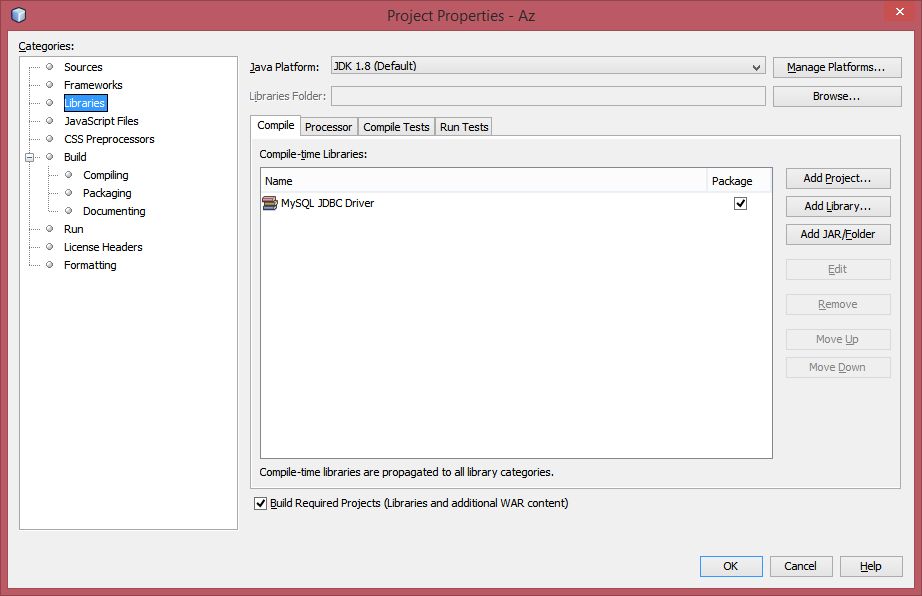
  1. Download the matching MySQL Connector/J for the JVM/DB version.
  2. If using a GlassFish JDBC connection pool / DataSource, copy the connector JAR into the domain-dir/lib (or add via asadmin) and restart GlassFish — GlassFish detects installed drivers when creating a pool. If using simple DriverManager code inside the webapp, putting the JAR in WEB-INF/lib will make it available to that web module. (glassfish.org)

Recommended code pattern (avoid putting JDBC logic in JSP — use a servlet/DAO + forward to JSP). Example JNDI/DataSource lookup in a servlet:

InitialContext ic = new InitialContext();
DataSource ds = (DataSource) ic.lookup("java:comp/env/jdbc/myPool");
try (Connection c = ds.getConnection();
     PreparedStatement ps = c.prepareStatement("SELECT id, desn FROM des");
     ResultSet rs = ps.executeQuery()) {
    List<String> list = new ArrayList<>();
    while (rs.next()) list.add(rs.getString("desn"));
    request.setAttribute("desList", list);
    request.getRequestDispatcher("/show.jsp").forward(request, response);
}

Create the pool/resource in GlassFish (or define it via glassfish-resources.xml if deploying from NetBeans). (netbeans.apache.org)

Troubleshooting notes: check GlassFish server.log for ClassNotFoundException (driver class) or pool errors; use the Admin Console “Ping” on the pool; if Connector/J complains about time zones add serverTimezone=UTC or the appropriate connectionTimeZone to the JDBC URL. Also prefer PreparedStatement and connection pooling for safety and performance. (glassfish.org)

Here is an example for JSP.

Be a part of the DaniWeb community

We're a friendly, industry-focused community of developers, IT pros, digital marketers, and technology enthusiasts meeting, networking, learning, and sharing knowledge.