Bitly breached! Shortened security instructions follow...

happygeek 0 Tallied Votes 396 Views Share

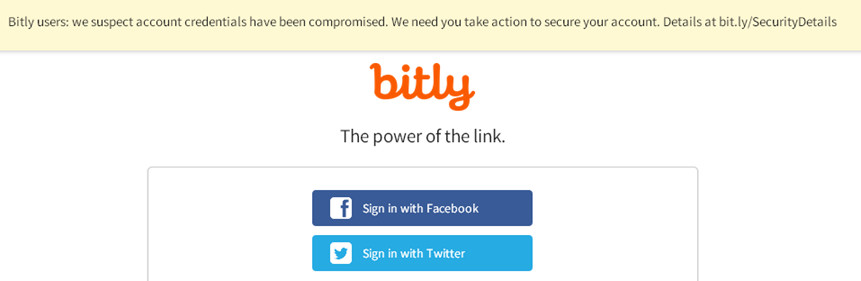
The latest major online outfit to suffer from a breach is Bitly, the url shortening service beloved by users of Twitter and Facebook. According to a statement from Bitly CEO Mark Josephson, the company has "reason to believe that Bitly account credentials have been compromised."
c385df134b645f20b10410443c05d835

Although Josephson insists that there is no indication at the current time that any Bitly accounts have actually been accessed by the hackers, he has quite wisely taken the proactive step of disconnecting all users' Facebook and Twitter accounts which means they will be required to reconnect these when they next login once their API key and OAuth tokens have been changed, and password reset.

"We invalidated all credentials within Facebook and Twitter. Although users may see their Facebook and Twitter accounts connected to their Bitly account, it is not possible to publish to these accounts until users reconnect their Facebook and Twitter profiles" Josephson states.

So how do you do that? Well, in true Bitly style, here's the short of it:

  1. Log in, navigate to Your Settings|Advanced
  2. Hit the reset button next to Legacy API key
  3. Copy new key, change in all apps
  4. Reset password from profile tab
  5. Disconnect and reconnect all Bitly using apps

Meanwhile, Josephson insists that Bitly has "already taken proactive measures to secure all paths that led to the compromise and ensure the security of all account credentials going forward."

Dani AI

Generated

Good summary from — invalidating exposed credentials is the correct immediate move. A couple of clarifying points and follow‑ups are useful because the initial remediation is only the start: API keys and OAuth tokens are bearer credentials (possession = access), so any system, job, or third‑party that used those values must be treated as potentially compromised until its credentials are rotated and verified.

Key follow‑ups to carry out now:

  • Inventory all places where Bitly credentials live: server env vars, build/CI pipelines, cron jobs, config files and any third‑party dashboards. Move secrets into a vault and replace hard‑coded values.
  • Search public code/paste sites and internal repos for leaked tokens; remove exposed keys and rotate immediately.
  • Audit external integrations (marketing tools, automation services, analytics platforms) and reauthorize or revoke access where necessary; confirm scopes and remove unused apps.
  • Export recent link activity and click logs; look for unauthorized shortenings, redirects or unusual spikes and preserve timestamps and logs for incident response.
  • Where supported, enable stronger account protections (two‑factor auth) and request audit logs or session lists from the provider.

Phishing risk rises whenever a breach is public. ’s caution is valid: genuine alerts are often imitated. Confirm any email by checking sender domains/headers, avoid clicking embedded links, and access accounts using a known bookmark or by typing the official domain. Forward suspicious notices to the vendor’s official support channel and keep copies for investigation.

Longer term, adopt automated key rotation, prefer short‑lived OAuth tokens over long static keys, apply least‑privilege scopes, and add monitoring/alerts for anomalous API behavior or link creation. For organizations with active campaigns using short links, consider replacing links if malicious redirects are suspected and include exported logs when engaging support or investigators.

happygeek 2,411 Most Valuable Poster Team Colleague Featured Poster

Oh, and I should add, of course:

  1. If same password was used at other services, change it there as well...
dramos 0 Newbie Poster

yah i got the same message , didnt click on it caused it seemed suspicious. i think as more people are using the interent criminals are also focusing on exploiting the weaknbesses on the intenet security

happygeek 2,411 Most Valuable Poster Team Colleague Featured Poster

Actually, that highlights another problem that people face: email phishing scams have become so commonplace that genuine security alerts are often seen as suspicious and ignored. The only way to deal with a breach of this nature is for the service to reset logins and force a password change when users try to connect next.

Be a part of the DaniWeb community

We're a friendly, industry-focused community of developers, IT pros, digital marketers, and technology enthusiasts meeting, networking, learning, and sharing knowledge.