Dear All

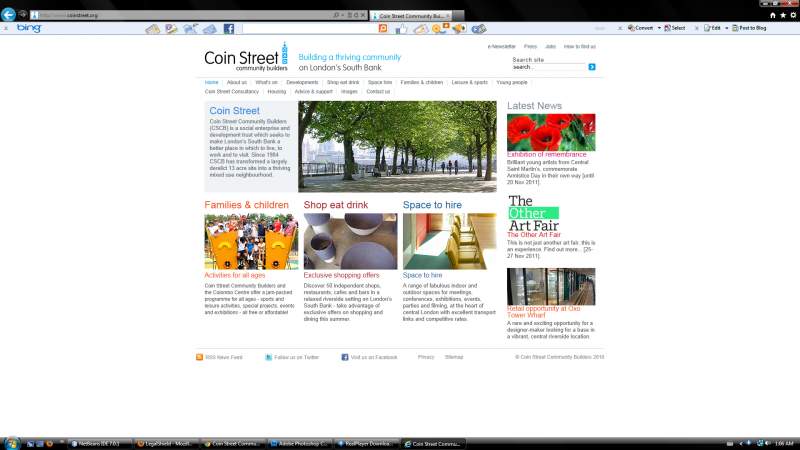
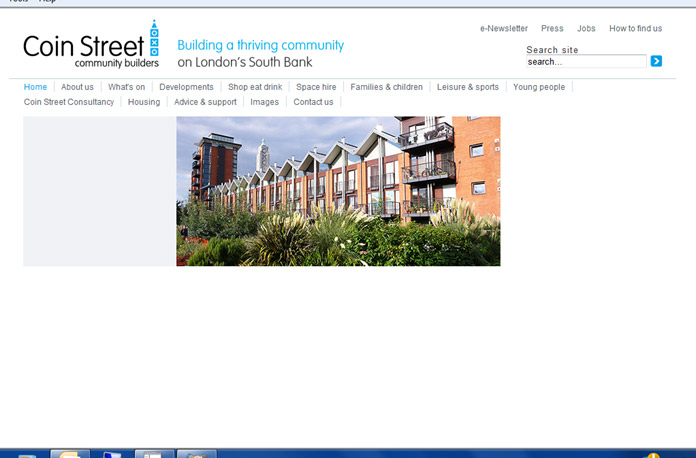
We have had a site running for the best part of 2 years without any real issues. Recently there have been questions raised with IE9/win7 - the clients says that only part of the page is loading - see screen shot attached.

I have tried on 4 different computers with IE9 to duplicate this problem and as far as I can see everything is fine. (and I have also tried chrome, FF, Saf, Opera IE7,8 and compatability - all fine)

Please could some of you be so kind as to look at the SS and check the link in IE9 obviously to see if the home page is loading. Just to say, the top image is a rotator.

the site is at http://www.coinstreet.org

I'd really appreciate any comments you might have

Thanks
Dani AI

Generated

Mixed reports from and make this look like an environment-specific rendering problem in IE9 rather than a straight server failure. Typical causes are a JavaScript error that aborts dynamic markup, a timing/race condition (carousel/slider starting before images load), IE running in a legacy document mode, or a blocked/slow resource. The fastest path to a root cause is collecting client-side diagnostics from the machine that fails.

Useful diagnostics to collect and interpret:

  • Use IE9 F12 Developer Tools: check the Console for JS errors and the Network tab for any non-200 responses or long waits. Note the Browser Mode and Document Mode values shown by F12.
  • Record the value of document.documentMode in the console; many compatibility problems trace back to an unexpected document mode.
  • Test with "No Add-ons" (IE start-up switch) and clear the browser cache to rule out extensions or stale cached files.
  • Check Compatibility View and local intranet settings (these can force older document modes via group policy).
  • Capture a screenshot of the DOM/Elements panel when the page appears “partial” so missing nodes and visibility styles are visible.

Practical mitigations (apply progressively and re-test):

<meta http-equiv="X-UA-Compatible" content="IE=edge">
console.log('documentMode =', document.documentMode);

Delay slider initialization until all images are loaded and use a hidden-to-visible class so the UI doesn’t blink:

#slider { visibility: hidden; }
#slider.ready { visibility: visible; }

$(window).on('load', function() {
  $('#slider').addClass('ready');
  // initialize slider plugin here
});

Additional notes: give images explicit width/height to prevent layout shifts; provide a static fallback image while assets load; be aware that an X-UA-Compatible meta tag can be overridden by an HTTP header or enterprise policy. Collecting the F12 console output and the Network tab export from the affected machine will usually reveal whether the issue is a missing/blocked resource, a JS exception, or a compatibility/document-mode mismatch.

Recommended Answers

All 2 Replies

This page is working for me.

I tried to view the page in IE8 / win7 and also in FF.
The contents of the page are visible to me.

Please have a look at the attachment

Looking good, Internet Explorer 9, Windows Vista Ultimate SP2, but I have a really slow connection and the slider blinks until all the images are completely loaded, you might considered to show an alternate static image then when the page is completely loaded then start the slider.

Be a part of the DaniWeb community

We're a friendly, industry-focused community of developers, IT pros, digital marketers, and technology enthusiasts meeting, networking, learning, and sharing knowledge.