No More Need For the <SARCASM> Tag

Updated CatRambo 1 Tallied Votes 707 Views Share

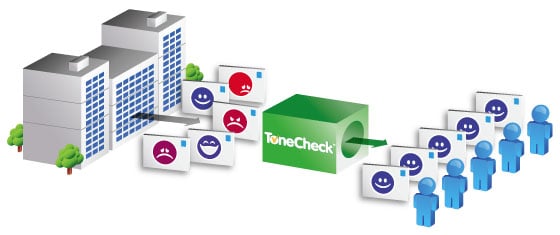
If you've ever had an e-mail's tone misinterpreted, rest easy. New software allows you check your e-mail messages before you send them and flags sentences and phrases that might lead its reader astray. ToneCheck is the brain child of Matt Eldridge. After losing a deal due to appearing too pushy in e-mails to a client, he founded Canadian-based company Lymbix Inc . ToneCheck says studies show that e-mails are misinterpreted a whopping 50% of the time.

The software plugs into Microsoft Outlook and allows users to set their "tone tolerance," a measure of how much emotion they want to evoke in their writing. After scanning an e-mail, it cross-references the content with its database, which includes words, phrases, punctuation, and even emoticons, checking for signs of eight kinds of emotion: friendliness, enjoyment, amusement, contentment, sadness, anger, fear, and humiliation.

ToneCheck is built on the research of connotative intelligence researcher Wayne Chase. Connotative intelligence studies the unspoken meanings associated with various words and phrases. The software, which is available as a free download, is compatible with Microsoft Outlook 2003, 2007, and 2010. Support for additional desktop and web-based e-mail clients is promised for the future.
Dani AI

Generated

Brief update to the archived thread by : tools that flag email tone have moved out of niche Outlook add‑ins and into mainstream writing assistants and enterprise AI. An early startup around this idea attracted press and funding, and today both consumer tools and platform‑level features can suggest or rewrite tone for you. (venturebeat.com)

Practical options now:

  • Microsoft’s AI in Microsoft 365 (Copilot / Editor) can draft or rewrite messages in a chosen tone inside Outlook and other apps. See Microsoft’s Copilot service description for feature and security notes. (Microsoft 365 Copilot). (learn.microsoft.com)
  • Grammarly offers a tone detector and sentence‑level tone suggestions across browsers, desktop apps, and an Outlook integration. (Grammarly — Tone Detector). (support.grammarly.com)
  • There are still Outlook add‑ins on AppSource that aim at “tone” checks (for example, advaisor); these operate as third‑party add‑ins and show how the same idea has been productized in multiple ways. (advaisor on AppSource). (appsource.microsoft.com)

Reality check and vetting checklist:

  • Privacy / data flow: confirm whether processing is local or sent to vendor servers; add‑ins commonly require access to the active message and may call cloud services. (appsource.microsoft.com)
  • Enterprise controls: prefer solutions that integrate with your org’s security and compliance (Microsoft Copilot ties into tenant controls). (learn.microsoft.com)
  • Language, culture and false positives: automated tone detection still misreads context; use suggestions as a safety net, not an oracle.

Simple habits that still work: write one clear ask per message, use plain short sentences, include brief context, read the draft aloud, and add a polite closing. Automated tone tools help, but clear, context‑aware phrasing is the best prevention for being misunderstood.

Be a part of the DaniWeb community

We're a friendly, industry-focused community of developers, IT pros, digital marketers, and technology enthusiasts meeting, networking, learning, and sharing knowledge.