Hello Daniweb members,

I am having issues when attempting to go to a domain name I own. When I type it in, the page shall load up a login for a 'goahead Web Server' and 'MW3520 Multi WAN Router'.

Here is a run down of what I've got setup:

  • The domain is registered with 123-Reg.co.uk and is pointed to a web server I manage
  • The web server hosts the site, and that is running Ubuntu 12.04 Server Edition

When going through a proxy the site shall work fine, which leads me to suspect it is somewhere along the lines of my ISP or the DNS I go through.

Any ideas what could be causing this problem?
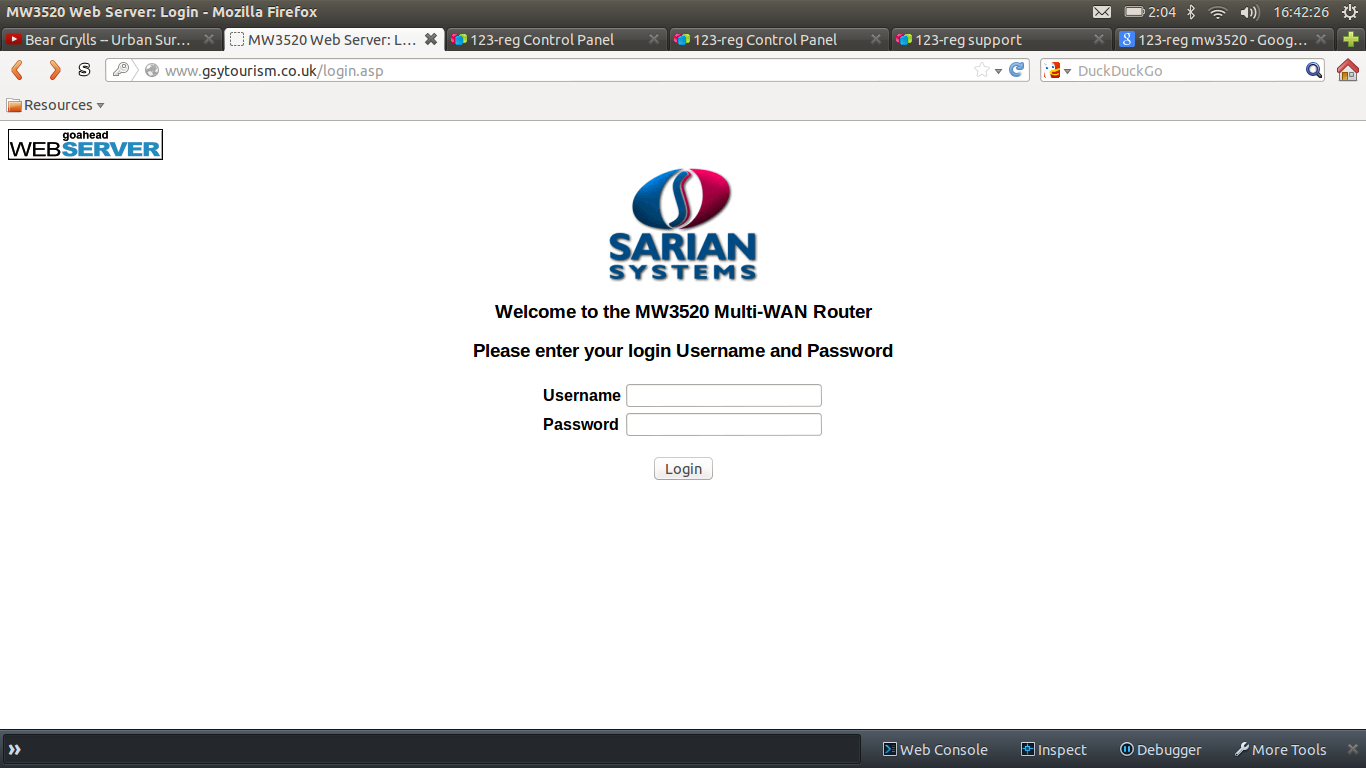
Screenshot_from_2013-01-12_16:42:27

Dani AI

Generated

A concise diagnosis and checklist based on the thread: eventually found that the bare domain and the www subdomain were resolving to different IPs, which explains why the browser showed a router/admin page from the old host when www. was added. ’s suggestion to check name resolution and local hosts entries was on point — confirming both the apex and www records is the key step.

Useful checks (run from a terminal to compare what different names resolve to and how the server responds):

dig +short example.com
dig +short www.example.com
dig @8.8.8.8 example.com
dig +trace example.com
curl -I http://<IP-of-old-or-new-server>
curl -I -H "Host: example.com" http://<IP-of-old-or-new-server>
whois <IP-of-old-or-new-server>

Actionable fixes and notes: ensure an A record exists for both the apex and www (or make www an A record, not a stale CNAME). Lowering TTL well before a planned migration shortens propagation time; after switching, verify both records at several public resolvers (for example 8.8.8.8 and 1.1.1.1). Confirm the webserver virtual host/server_name settings include both example.com and www.example.com so the correct site is served when the DNS does point to the new IP. Clear local DNS/browser caches or query specific resolvers to rule out an ISP cache.

Security and follow-up: a visible router admin page just means the old IP answered HTTP with its default UI — if that IP still belongs to a third party, no credentials are implied. If the admin UI belongs to infrastructure still under control, restrict access or disable the web UI. If propagation looks stuck beyond 48 hours, contacting the registrar/hosting provider for the relevant record owner is the next step.

Recommended Answers

All 4 Replies

Did you recently register the domain name and/or update DNS records? If recently registered, it would explain a delay in replication. Use NSLOOKUP to check the IP address that is resolving to the hdost name.

Hello, thanks for the reply JorgeM.

The DNS record was changed approximately 24 hours ago so I was expecting it to have a delay. I recently switched to 123-Reg's hosting so that I could make some modification to my server and then switched back.

I updated the DNS records from the control panel and I expected a wait of 24-48 hours for the TTLs to expire. About 3 hours ago everything was fine, it still hadn't swapped over to my server but then it started showing this login.

NSLookup shows that it is pointing to the correct IP although I have no idea where this control panel has come from, the changes I made to my server have nothing to do with it and I can access the server using the IP.

Not sure what you mean by the switching back and forth. So from your computer, nslookup resolves correctly? By any chance have you entered some static entries in a local Hosts file? When you use ping does the name to ip resolution equal to the response you get from nslookup?

Thanks for the help JorgeM, realised I was going completely and utterly mad...

The 'gsytourism.co.uk' record had refreshed and so it was displaying correctly but FireFox adds www. infront which hasn't updated yet so that is still pointing to the old IP, shall need to wait till the ISP record expires.

Not sure who's server I've accessed then...

Be a part of the DaniWeb community

We're a friendly, industry-focused community of developers, IT pros, digital marketers, and technology enthusiasts meeting, networking, learning, and sharing knowledge.