Here's my code >>
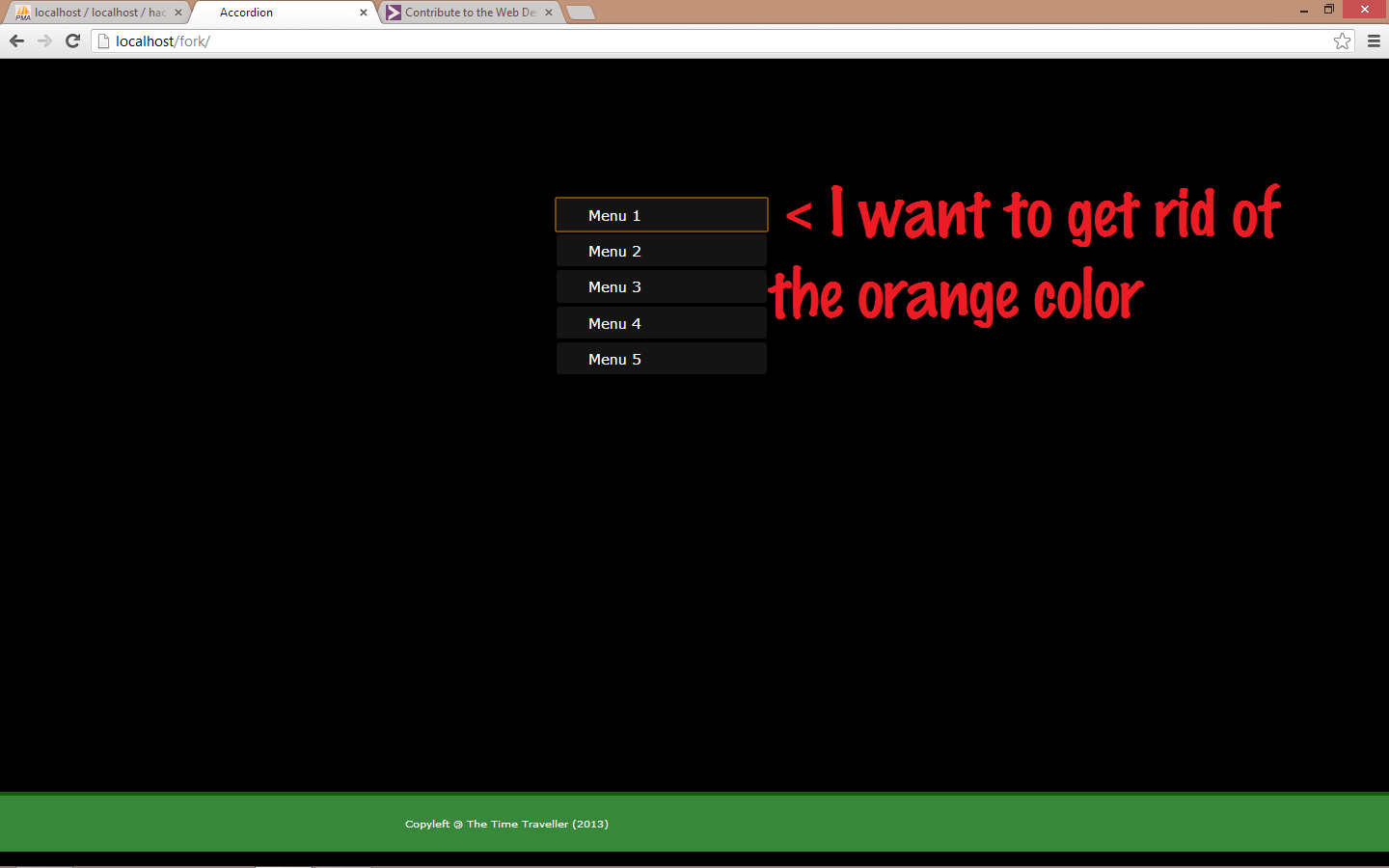
And here's an image showing the problem! >>

Rest is self explainatory. I used the same code in IE and the problem didn't occur. I haven't tried Firefox. The problem is most people seem to use Chrome these days and thats why I need a fix!
Dani AI

Generated

Nice catch by and good nudge from — the orange outline in Chrome was caused by using a universal * rule that bluntly reset borders/margins and therefore interfered with browser default focus/appearance on interactive controls. Replacing that blanket reset with a more targeted approach or a well-scoped reset fixes the visual artifact and avoids collateral changes to form controls and pseudo-elements.

Practical takeaways and a safe pattern to use instead of * { border:0; margin:0 }:

/* keep box-sizing global, but avoid nuking element defaults */
*,
*::before,
*::after { box-sizing: border-box; }

/* reset structural spacing only where needed */
html, body, h1, h2, p, ul, li, figure, figcaption, main, nav {
  margin: 0;
  padding: 0;
}

/* preserve keyboard focus — style it instead of removing it */
:focus-visible {
  outline: 3px solid #ff9800;
  outline-offset: 2px;
}

Troubleshooting notes: use Chrome DevTools to inspect the computed outline and border on the element when it appears; temporarily disable the suspect * rule to verify; test in an incognito window (extensions can change styles). Important accessibility caution: never remove focus outlines without providing an equivalent, visible focus style (use :focus-visible so mouse users aren’t shown keyboard focus rings). This approach keeps layouts consistent across browsers while avoiding the unexpected side effects you ran into.

Recommended Answers

All 2 Replies

Member Avatar for Member #671080

Hi,

The orange border may be a default style that is applied by Chrome. Are you using a CSS reset style sheet?

No I wasn't using one. But I added it now and it still gives the same problem. Thanks for the info though!

Ah got it! I was using an asterisk to do a universal reset on the borders and margins. So that was the problem!! I solved it by adding the comprehensive version shown here

Thanks a lot Zagga! Thanks to you I digged about CSS Reset and solved it!

Be a part of the DaniWeb community

We're a friendly, industry-focused community of developers, IT pros, digital marketers, and technology enthusiasts meeting, networking, learning, and sharing knowledge.