Hello.

A section of what I am developing for my site requires the User to select an avatar for their account.

1)Instead of using visible radio buttons I have decided to allow the actual avatar image to act as the radio button for selection.

I am receiving various results based upon the browser being used, different renderings and functionalities. (Please see attached screenshot for each browser)
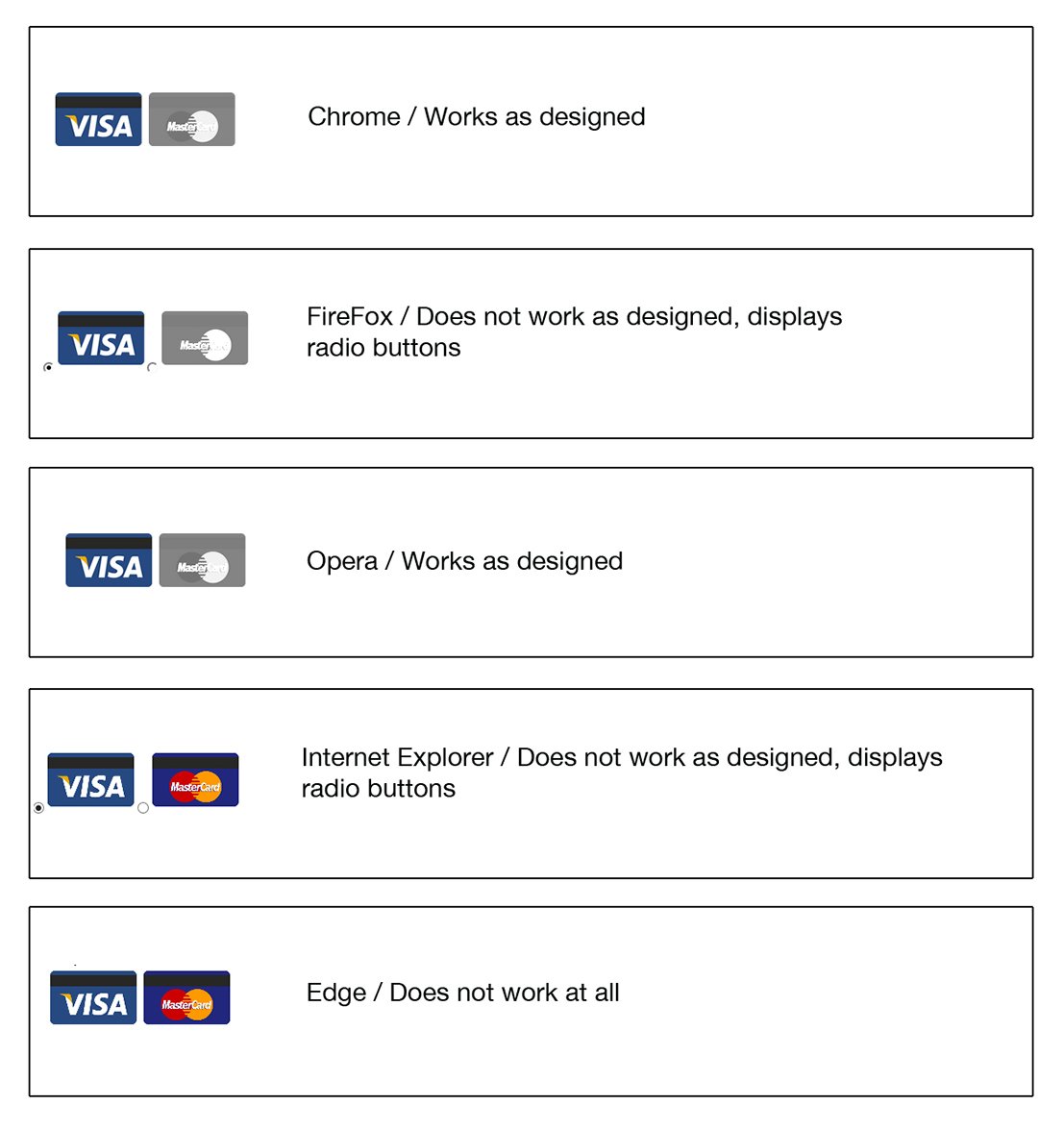
radioButtons.jpg

I need to learn how to fix this and make it consistent across all browsers.

Also, This link is to a JSFIDDLE example which I have been using to learn how to proceed with the radio buttons as images. This is the exact HTML/CSS I am using in the example images, above. http://jsfiddle.net/La8wQ/10/

2)After a User chooses an avatar for their account and selects the "Submit" button on the same page, a new page needs to load displaying the avatar; I am confused as to what method to use to do this and also - Should I be storing the avatar images in a folder on the server to have the images selected from or should I be storing them in a database on my hosting site and use PHP/MySQLi to implement this?

Thank you in advance for any help!
Matty

Dani AI

Generated

Quick summary for : cross‑browser oddities here almost always come from two things — relying on nonstandard properties like appearance and hiding native radios in a way that breaks keyboard/ARIA behavior. is correct to flag the appearance approach. A reliable pattern is to keep the real input[type=radio] in the DOM (for keyboard and screen readers), visually hide it (not display:none), place the input immediately before its label, and style the label (or the image inside it) when input:checked is active. Setting images to display:block and giving explicit width/height removes baseline/spacing differences between browsers.

Example markup + CSS (input before label; uses sibling selector so the checked state can style the image):

<input type="radio" id="av1" name="avatar" value="av1.png">
<label for="av1"><img src="/images/avatars/av1.png" alt="Avatar 1"></label>

<input type="radio" id="av2" name="avatar" value="av2.png">
<label for="av2"><img src="/images/avatars/av2.png" alt="Avatar 2"></label>
input[type="radio"] {
  position: absolute;
  opacity: 0;
  width: 1px; height: 1px;
  clip: rect(0 0 0 0);
  margin: -1px; overflow: hidden;
}
label img { display: block; width: 80px; height: 80px; object-fit: cover; border: 2px solid transparent; }
input[type="radio"]:checked + label img { border-color: #06c; box-shadow: 0 0 0 4px rgba(0,102,204,0.12); }
input[type="radio"]:focus + label img { outline: 2px dashed #999; outline-offset: 4px; }

Storage guidance (server side): store avatar files on disk or in object storage (S3) and save the filename/URL in MySQL. This is faster to serve, easier to CDN/cache, and simpler for backups than BLOBs. For pre-defined avatars, always validate the posted value against a server-side whitelist. For user uploads, validate MIME with finfo or getimagesize, resize server-side, generate unique filenames, limit size/types, and store outside executable paths.

Example PHP whitelist check:

if (!empty($_POST['avatar'])) {
  $avatar = basename($_POST['avatar']);
  $allowed = ['av1.png','av2.png','av3.png'];
  if (in_array($avatar, $allowed, true)) {
    // update DB with $avatar
  }
}

Troubleshooting tips: inspect DOM and computed styles in DevTools to ensure input precedes label; test keyboard focus and mobile taps; use a CSS reset/normalize to reduce default-browser differences; avoid -webkit-appearance unless fully reimplementing focus/keyboard visuals. This pattern preserves accessibility and gives consistent rendering across modern browsers.

Member Avatar for Member #120589

Have a look at caniuse, e.g: http://caniuse.com/#feat=css-appearance

You have some CSS3 props here that are not in any specs e.g. appearance. This is risky.

commented: Thank you +8
Be a part of the DaniWeb community

We're a friendly, industry-focused community of developers, IT pros, digital marketers, and technology enthusiasts meeting, networking, learning, and sharing knowledge.