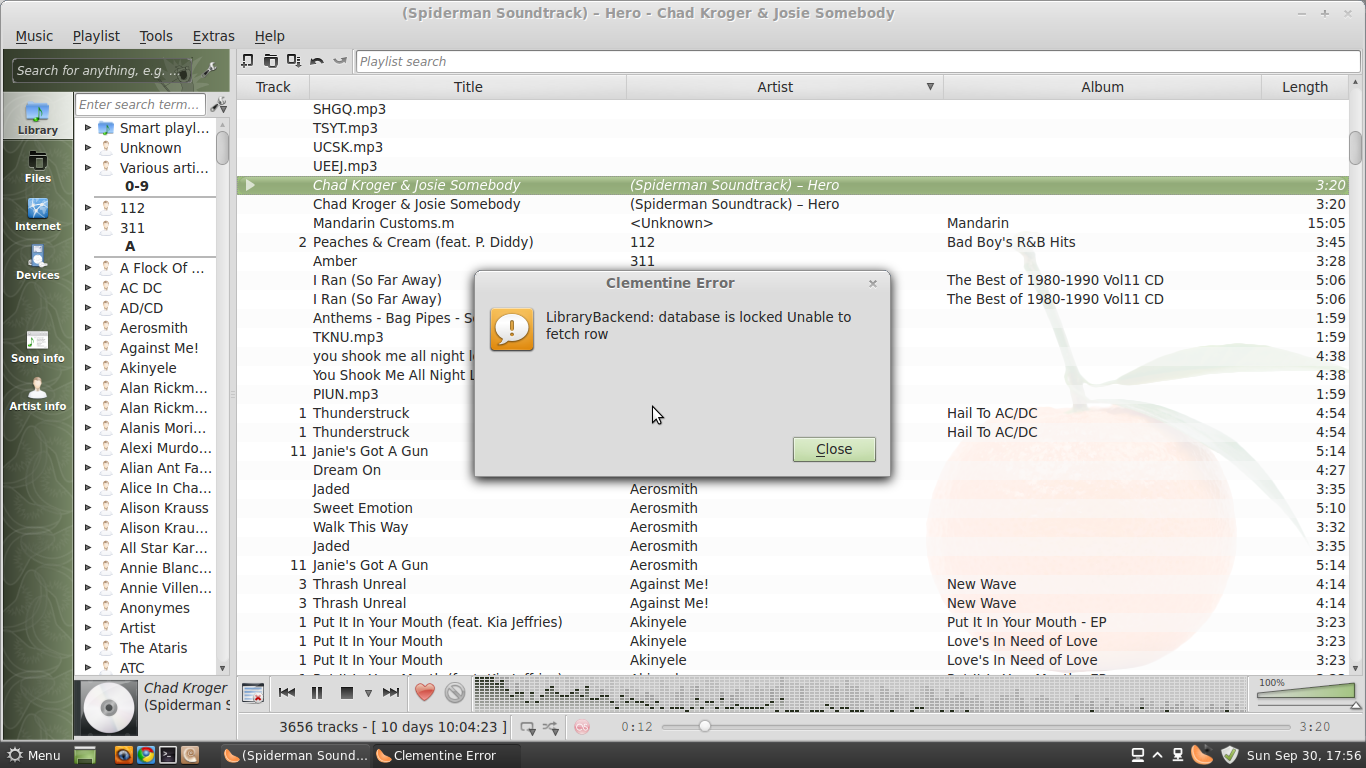
I've got an iPod classic and I'M having the worst luck moving it to my Linux. I was hoping to use Clementine or Rockbox to run the ipod but when I try rockbox I'M getting a permission denied error, even though I've added +rwx to the permissions of the devices for my user. Also, take a look at the picture I've posted for clementine, any ideas?

Dani AI

Generated

— two separate but related things are happening: the Rockbox installer is being blocked by how the iPod is mounted/owned, and Clementine is failing because its SQLite library file is locked by another process or a stale journal. Fix each with the focused steps below.

For Rockbox permission errors

  • Do not rely on a one‑off chmod on device nodes; udev or the automounter will recreate ownership on reconnect. Unmount/eject the iPod from your file manager (do not disconnect the cable), then run the Rockbox installer so it can access the device directly. If the installer still reports permission problems, run it with elevated privileges or give your user persistent access by adding them to the system group used for removable devices (often plugdev on Debian/Ubuntu) or by creating a udev rule that matches your iPod’s vendor/product and sets MODE or OWNER.
  • Always put the iPod in disk mode (if applicable) and verify the installer supports your exact iPod model. Back up the iPod contents first.

For the Clementine "database locked" symptom

  • That message normally means the SQLite file is in use or a stale journal/wal file is preventing open. Close all Clementine instances and any other program that might touch the same library.
  • Find the database and journal files (look under your home config/data dirs for Clementine), stop the app, then remove or move any *.db-journal or *-wal files. If corruption persists, move the database file aside to let Clementine recreate it and then reimport your library.
  • If your music library points at the iPod, don’t let Clementine scan it while installing or writing to the device; that concurrency causes locks.

Quick diagnostics you can run before making changes:

ps aux | grep -i clementine
lsof | grep -i clementine
find ~/.config ~/.local -iname '*clementine*' -print
mount

Caution: back up the iPod and any database files before deleting/moving things.

Screenshot_from_2012-09-30_17:56:03

This post has no text-based content.

Librarybackend: Database is locked unable to fetch row.

Any ideas?

Be a part of the DaniWeb community

We're a friendly, industry-focused community of developers, IT pros, digital marketers, and technology enthusiasts meeting, networking, learning, and sharing knowledge.