Linux Mint

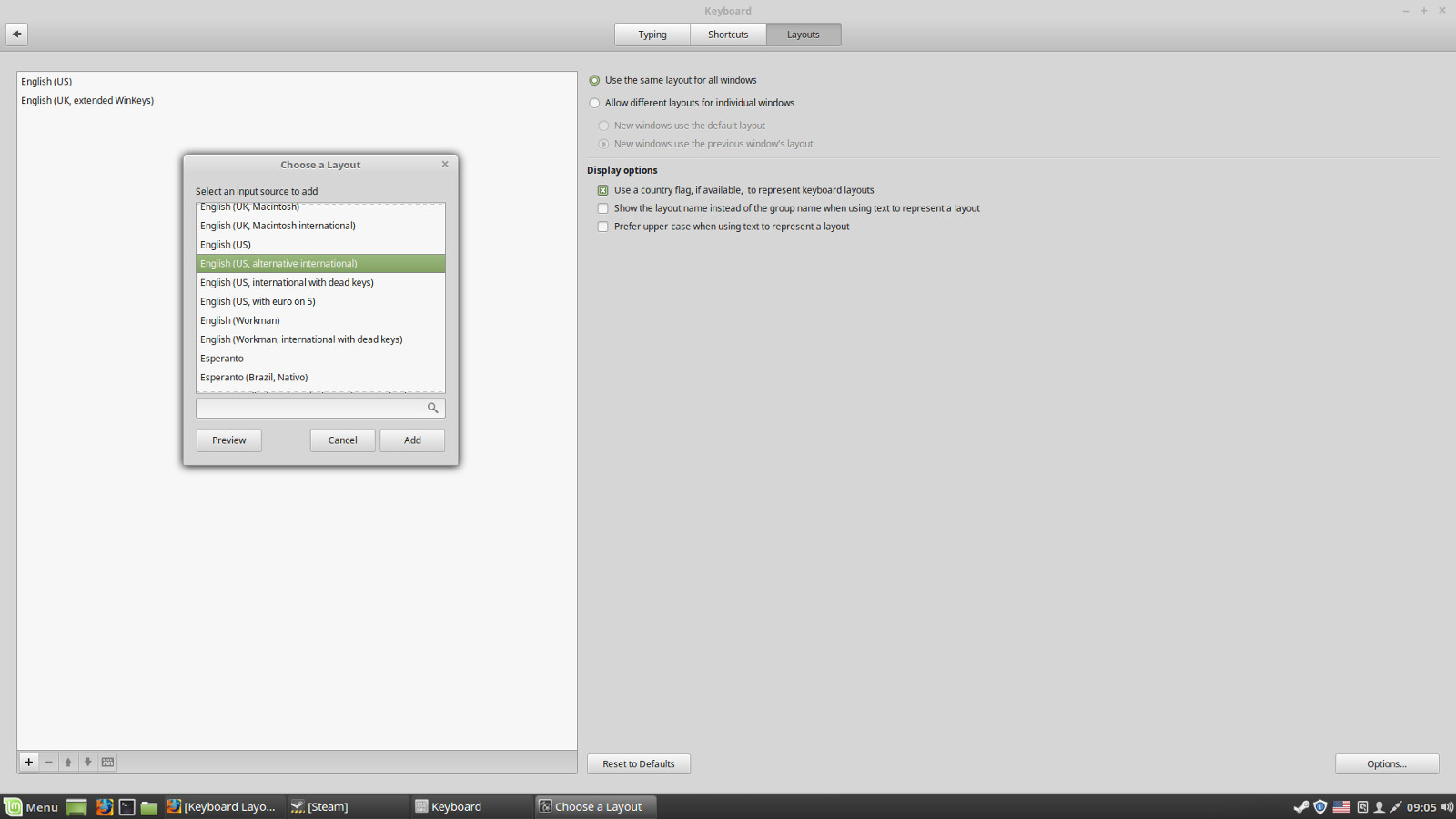
So I'm trying to learn French but I'm running into some complications when it comes to finding a good keyboard layout. Here are the layouts that I've tried so far:

English (US)
English (international Alt Gr dead keys)
English (UK, international with dead keys)
English (UK, extended WinKeys)

So far all have fallen short of what I need. I think only one of these listed above will allow me to type in the French c with a tail character ç. Most of the rest allow áéíóú, the problem here is that most of these accents are going the wrong way. Spanish uses these more, they're going from bottom left to top right where as most French accents go from bottom right to top left. Also, some the the keyboard layouts that allow these vowel accents that are going the wrong way will also not always contain the ç character. I'm really not interested in any solution that would force me to copy/past, drag/drop, or select these special character from a menu, I need to be able to type them on the fly. Does anyone know if there's a way to create a custom keyboard layout? Is they something that can be downloaded and installed online? And choosing a French keyboard layout is going way to far as it completely messes up my keys unusably. Thanks.

Dani AI

Generated

A compact, practical route for and others who want French characters while keeping a US physical keyboard: edit XKB (the X keyboard system) rather than swapping hardware. XKB is the right layer for small, per‑key changes and supports a user/local tree so system files are not overwritten by updates. (wiki.archlinux.org)

Create a tiny custom symbol file that includes the US layout and then adds French characters on a third level (AltGr). Example structure (put this in ~/.config/xkb/symbols/custom or /usr/share/X11/xkb/symbols/custom for system scope):

# ~/.config/xkb/symbols/custom
partial alphanumeric_keys
xkb_symbols "fr_quick" {
    include "us(basic)"
    name[Group1]="US with quick French accents";
    key <AB02> { [ c, C, ccedilla, Ccedilla ] };   # AltGr+c => ç
    key <AC08> { [ e, E, egrave, Egrave ] };      # AltGr+e => è
    include "level3(ralt_switch)"
};

The xkeyboard‑config package recognises a custom symbols file so GUI tools will often list it; saving a variant like the above makes the layout selectable. (manpages.ubuntu.com)

Load and test without rebooting:

setxkbmap -layout custom -variant fr_quick -print | xkbcomp -I$HOME/.config/xkb - $DISPLAY

Use xev to verify key names (e.g. <AB02>, <AC08>) before editing. To make changes persistent use the desktop startup scripts, or localectl set-x11-keymap / an Xorg snippet for system‑wide defaults. (wiki.archlinux.org)

If a desktop tool does not show the new layout, install the file to the system symbols directory and refresh XKB cache (remove /var/lib/xkb/*.xkm or run the distro xkb reconfigure helper), then re‑login. As an alternative for a few characters, a Compose file (~/.XCompose) can map simple two‑keystroke sequences to accented letters. (askubuntu.com)

Notes: start small (add only the few keys that are painful), test with xev, and iterate. This keeps the US keylabels while giving one‑stroke access (via AltGr) to ç, à, é, è, etc., and avoids constant copy/paste or switching physical keyboards.

Recommended Answers

All 7 Replies

Is this Mint or Windows? Also, if you want the real deal, go get a French keyboard. It is different.
https://www.amazon.com/French-European-Language-Keyboard-Windows/dp/B0002JP05Y for example shows the AZERTY keyboard.

Doing this with just layouts would be annoying to most French. Look at that keyboard. It has the characters you were asking about.
There are also stickers for those that have a laptop.

There are also a lot of priors about adding and switching layouts. Example: https://stackoverflow.com/questions/22384513/how-does-one-add-keyboard-languages-and-switch-between-them-in-linux-mint-16

This request is bizarre. You want to type French characters, but you don't want a French keyboard? So you want o create your own custom keyboard that... what? has a US layout for alphabetics but puts accented characters?... where?
I really don't understand why you can't simply install a standard French keyboard to type in French. And what do you mean by "completely messes up my keys unusably". I switch between UK and French all the time and my keys aren't messed up.

JamesCherrill
No, I'm not wanting to create my own custom hardware keyboard. I use a standard keyboard but I can change the layout from the keyboard menu, there are some pretty simple ways of allowing you to type other romance language characters (mostly the same letters but with accents) with just a few extra key presses. I found one that's working 'English (UK, extended WinKeys), I'm able to type in all the French characters I need. It's working but some of the accents are a little easier to get to than others, some are a pain.

rproffitt
Don't want to go that far. I use my keyboard for a lot more than typing in French and going as far as plugging up a French keyboard would be overkill and a pain to work with. I would either have to make it work and leave it plugged up, change the keyboard everytime I wanted to do something different, or get a KVM, and I want less not more wire under my desk.

Anyway, I did find one that works it would just be nice if there was a way I could create my own custom keyboard layout. keyboardLayout.jpg

Hi Lewashby, I was pleasantly surprised a while back that I could plug in two keyboards via USB and both worked. Sitll had to select a keyboard layout but hey, progress.

To edit the existing keyboard layout I think we'll have to get into the exact OS in use. But I'm sure folk have written much on editing layouts or creating one from new (which I think would be a pain.)

Maybe you could use some old fashioned idea like a macro for the hard to get to characters?

My OS is Linux Mint.

My number 1 choice would be to create my own layout but start by coping that from a current layout and then just make the changes I want. Have no idea where to start with this but it would be great if I could figure that out. In the meantime, the current layout I have selected is working it's just a little bit of a pain. And I looked at that keyboard you posted, I am actually considering it. I tend to do a lot of the usualy on my computer like facebook, emails, etc... and I like to play around with coding so French is a minority of what I need on my computer, I might be able to use that keyboard as long as it doesn't interfer and make everything else I do on the computer harder.

The best layout for french is the BÉPO layout. Install it and switch the layout everytime you want to type in French.

Be a part of the DaniWeb community

We're a friendly, industry-focused community of developers, IT pros, digital marketers, and technology enthusiasts meeting, networking, learning, and sharing knowledge.