I am on a brand new VISTA computer now. I am doing ASP.NET development.
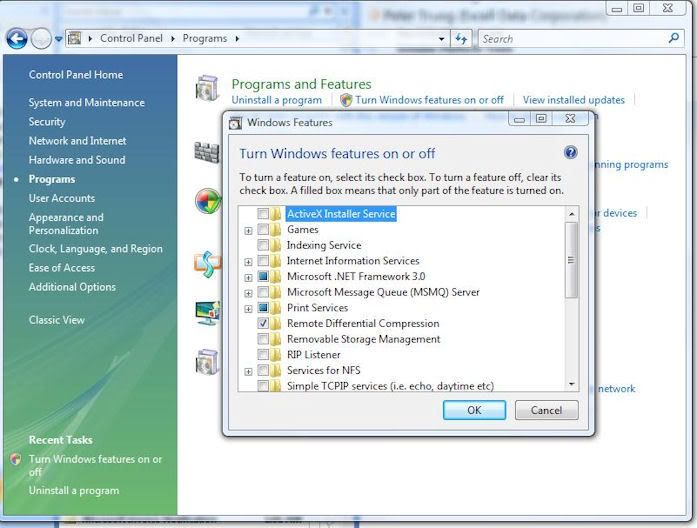
So I need to turn on IIS. When I do, I notice that the IIS feature is
not checked.

[IMG]http://i67.photobucket.com/albums/h292/Athono/_001_March_13_2008.jpg[/IMG]

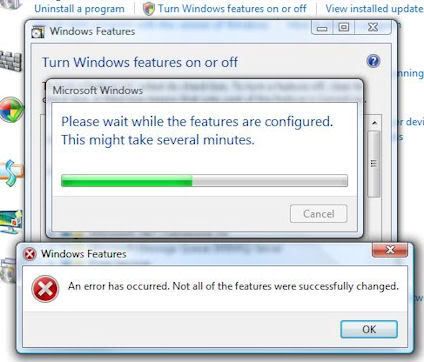
When I check it, it says that there is an error during the set-up
process.

[IMG]http://i67.photobucket.com/albums/h292/Athono/_003_March_13_2008.jpg[/IMG]

But it seems to continue.

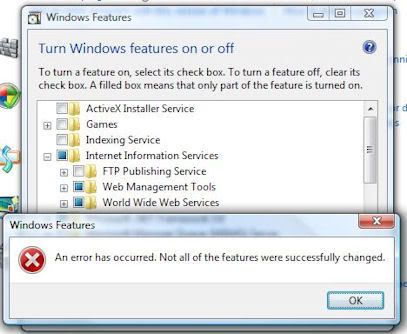
Then, at the end of its process, it give me another error

[IMG]http://i67.photobucket.com/albums/h292/Athono/_004_March_13_2008.jpg[/IMG]

But it seemed that it worked because behind the error message, the items
appeared to be checked.

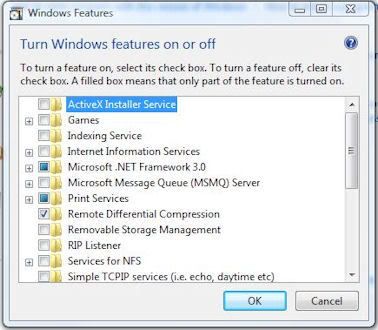
But it did not work. When I go back and look at the settings, I see that IIS
is not installed.

[IMG]http://i67.photobucket.com/albums/h292/Athono/_005_March_13_2008.jpg[/IMG]

Any suggestions?

Dani AI

Generated

Short answer for : UAC = User Account Control. It prevents silent elevation of administrative tasks by prompting for permission. To check or change it: Start → Control Panel → User Accounts → Turn User Account Control on or off. You can temporarily turn UAC off while troubleshooting, but re-enable it when finished because it protects the system. (support.microsoft.com)

To install IIS correctly, make sure you run the Windows Features dialog with elevated rights (being a member of Administrators still produces a UAC prompt). Control Panel → Programs → Turn Windows features on or off → expand Internet Information Services → pick the subfeatures you need and click OK. After a successful installation verify with http://localhost or open the IIS Manager with inetmgr. (learn.microsoft.com)

If the wizard reports errors or the boxes revert (as in your screenshots), try these troubleshooting steps (in order): insert the Vista DVD if the installer asks for files from the installation source; open services.msc and ensure the Windows Modules Installer (TrustedInstaller) is running; run an elevated command prompt and execute sfc /scannow; temporarily disable third‑party antivirus; and check Event Viewer (System/Application) and the CBS log at C:\Windows\Logs\CBS\CBS.log for the exact error lines to post here. You can also provide the installation media as a source if Windows reports missing payload files. These steps are the standard Microsoft troubleshooting flow for failed feature installs. (learn.microsoft.com)

For ASP.NET development select Application Development Features (.NET Extensibility, ASP.NET, ISAPI Extensions/Filters) and IIS Management Console during the feature selection. If the GUI still fails, an unattended/command‑line install (pkgmgr/ocsetup) or installing just the core IIS bits first, then adding ASP.NET, often helps. Re-enable UAC when done. If you still hit the error, copy the exact Event Viewer/CBS log error lines into a reply and include whether the installer asked for the DVD — that detail usually pins the cause quickly. (learn.microsoft.com)

Recommended Answers

All 4 Replies

what version of vista

what version of vista

Enterprise

do you have admin priviliges
is uac on?

try it again with a vista cd in the drive

What is the UAC and how do I see if it is on?

Be a part of the DaniWeb community

We're a friendly, industry-focused community of developers, IT pros, digital marketers, and technology enthusiasts meeting, networking, learning, and sharing knowledge.