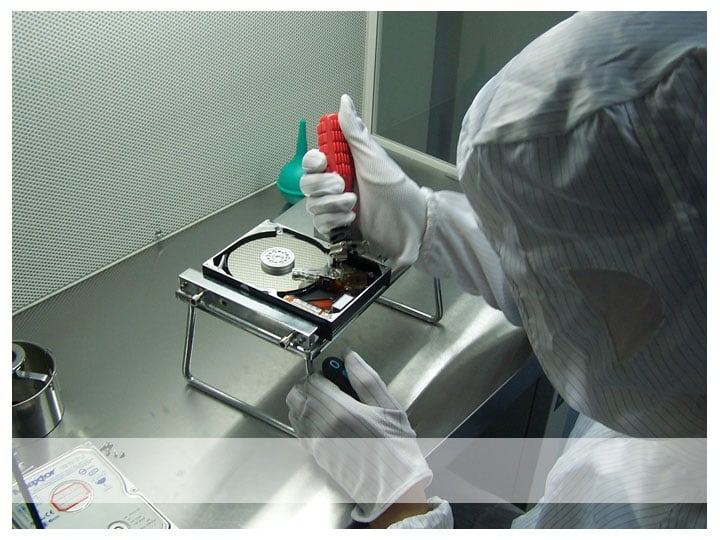
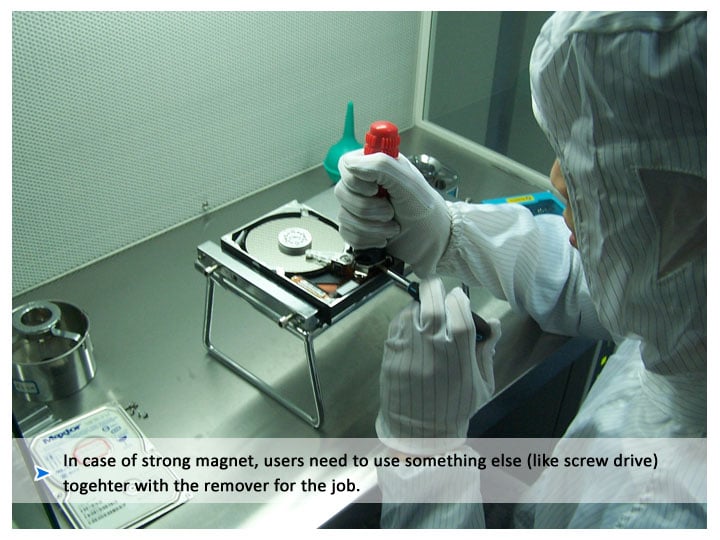
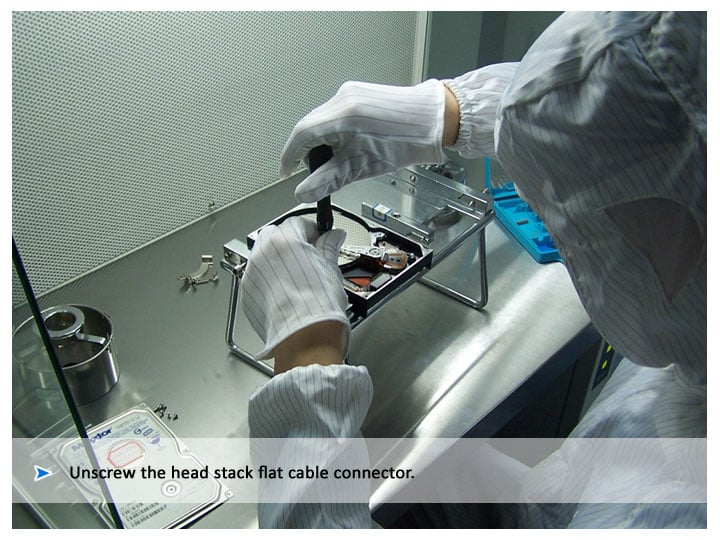
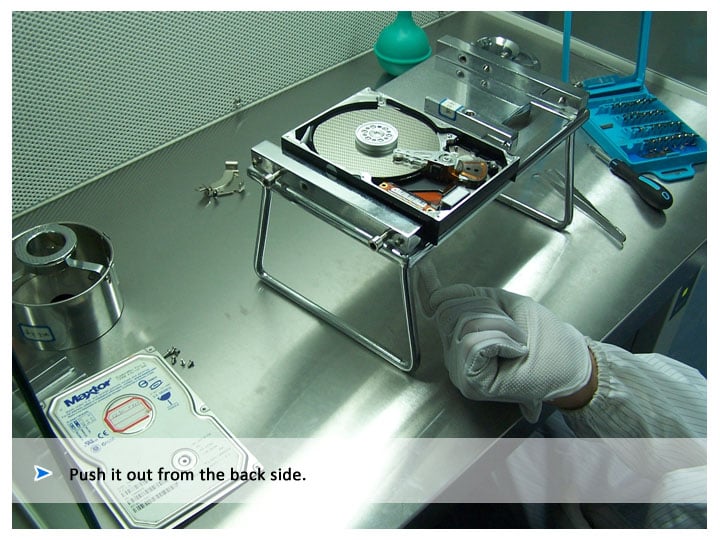
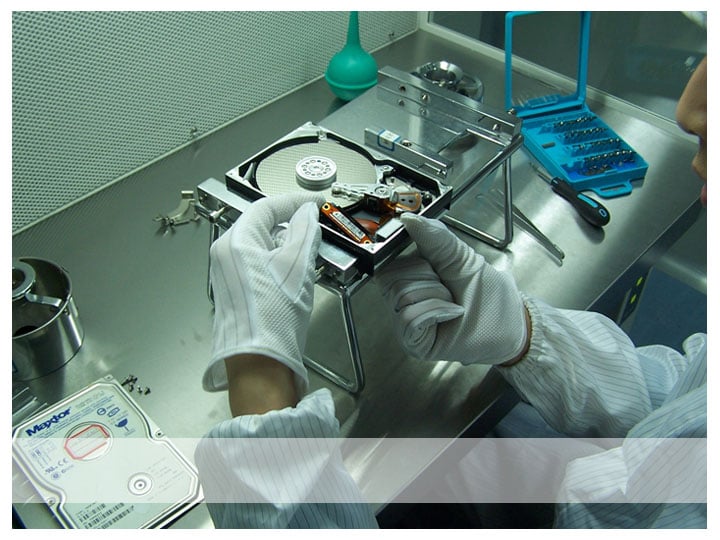
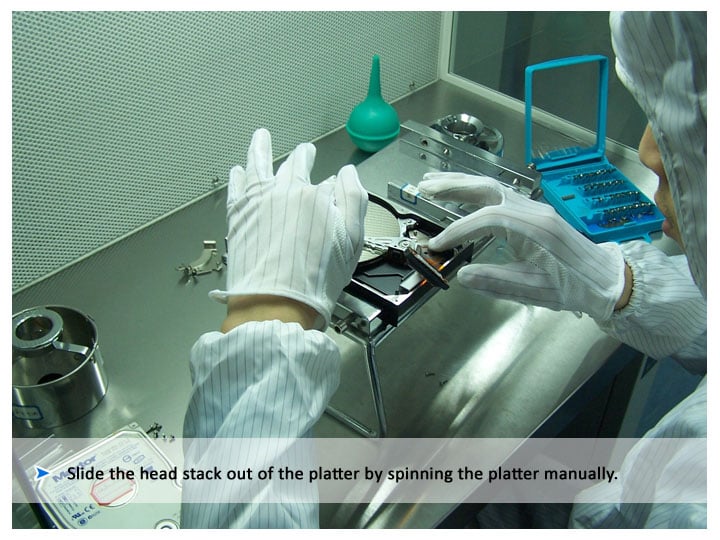
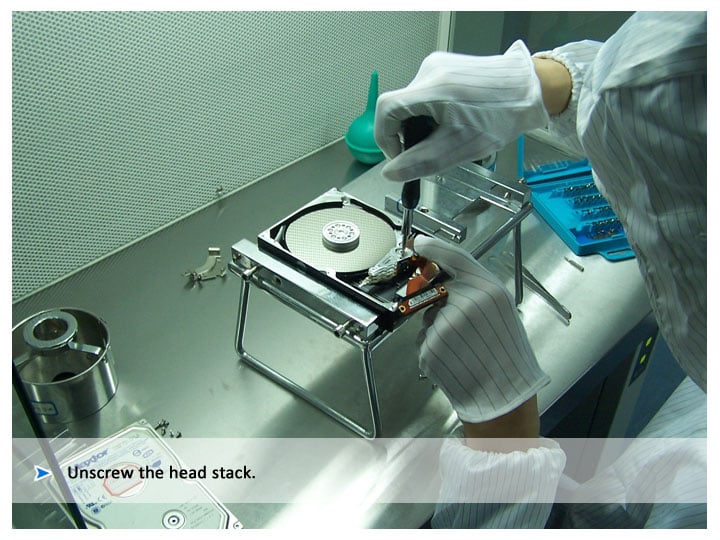
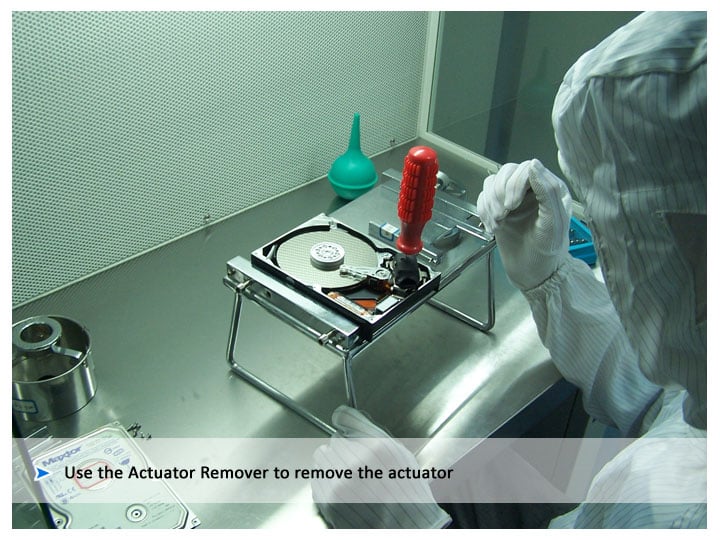
The following is one typical handling process of head replacement and platter swap. Here in my data recovery clean room, I use one of the -HD HPE PRO. HDD repair suite includes HD Doctor suite and HD HPE PRO which integrates solutions of head swap, platter swap and firmware repair including password removal.

Please check the attachment for the detailed process images.
Dani AI

Generated

As ’s step‑by‑step photos show, head replacement and platter swaps are real lab procedures — not DIY fixes. The images are useful, but a few critical points are often missing from photo walkthroughs: contamination control, donor compatibility, and when to stop and hand the job to a certified recovery lab.

Triage checklist (do these first)

  • Power off the drive immediately if it shows mechanical failure (clicking, grinding, repeated spin/park cycles).
  • Photograph and record model, firmware, serial, PCB markings and any stickered info before touching anything.
  • Try only noninvasive checks first: different cable/port or another machine. Do not run chkdsk or other repair tools that write metadata.
  • If attempting an image, use a read‑only approach (hardware write‑blocker or safe imager) and a tool that tolerates bad sectors such as ddrescue. Stop imaging at the first sign of mechanical distress.
  • If you hear mechanical noises or the drive won’t spin, stop and consult a clean‑room lab.

Notes for anyone considering a head or platter transplant

  • Donor selection matters: match model, firmware family and, if possible, the manufacturing lot. Mismatched heads or PCBs can prevent reading servo information.
  • Heads must be handled in a clean environment; tiny particulates will ruin platters and make recovery impossible. Platter swaps require exact servo alignment and specialized spin‑stand equipment — alignment is not something that can be done reliably by eye.
  • Keep removed parts organized, anti‑static, and photographed so originals can be returned for lab evaluation or reassembly.

To : for many users replacing the drive makes sense. For irreplaceable data, however, the time, tools and risk control shown by are why professional recovery is often the only safe route.

Recommended Answers

All 4 Replies

Hello, it seems nobody is interested in head/platter swap? Sofa first for myself

the avarage joe just throws away bad hdd and buys a new one .

throws away bad hdd? Throw away the data as well?

throws away bad hdd? Throw away the data as well?

the average joe's data is just downloaded music and movies !

Be a part of the DaniWeb community

We're a friendly, industry-focused community of developers, IT pros, digital marketers, and technology enthusiasts meeting, networking, learning, and sharing knowledge.