Hullo Daniwebbers.
OK I'm following this tutorial.
http://sourceforge.net/projects/mac4lin
I have the latest version of ubuntu with gnome and I'm trying to get the os x dock to work. I need help please. Do I need beryl or compiz?
Hullo Daniwebbers.
OK I'm following this tutorial.
http://sourceforge.net/projects/mac4lin
I have the latest version of ubuntu with gnome and I'm trying to get the os x dock to work. I need help please. Do I need beryl or compiz?
For : when you deleted the bottom GNOME panel you didn’t actually lose your windows — the Window List (taskbar) that shows minimized windows lives on that panel, so they appear to “disappear.” Quick fixes, in order of least-to-most-invasive:
gnome-panel) or run it from a terminal.mv ~/.gconf/apps/panel ~/.gconf/apps/panel.backup
gconftool-2 --recursive-unset /apps/panel
killall gnome-panel That will restore the default panels and taskbar items; you’ll need to re-add any custom launchers/docklets afterward. (askubuntu.com)
About the window-control buttons (replying to ): you don’t have to install a theme to move them — change Metacity’s button_layout (via gconf-editor) or with one command. Put everything on the left with:
gconftool-2 --set /apps/metacity/general/button_layout --type string "close,minimize,maximize:" Or set a different order by changing the comma-separated list left/of/right of the colon. Changes are immediate in Metacity but may be affected by other decorators. (blogs.gnome.org)
About AWN and the “dock” behavior: AWN generally needs a compositing manager (Compiz, Metacity compositing, xcompmgr, etc.) to run and show effects; if compositing isn’t enabled AWN will warn. Use AWN’s applets (Launcher/Taskmanager or the Task/Window applet) to display running apps on the dock and enable AWN at session startup if you want it every login. Be cautious on low-RAM machines — compositing can be heavier. (launchpad.net)
If a change doesn’t stick (Compiz in use, or the decorator not picking up gconf changes), try restarting the window decorator or log out/in; some older Compiz setups need the decorator replaced to pick up Metacity keys. Back up your ~/.gconf before mass deletes and reboot if things get odd. (bugs.launchpad.net)
Jump to Post— Sturm 270The minimize, close, and maximize butttons are on the wrong side btw.
Jump to Post— Sturm 270Maybe you should use this instead?
Jump to Post— Sturm 270Use gtk theme instead. It places the control buttons on the left.
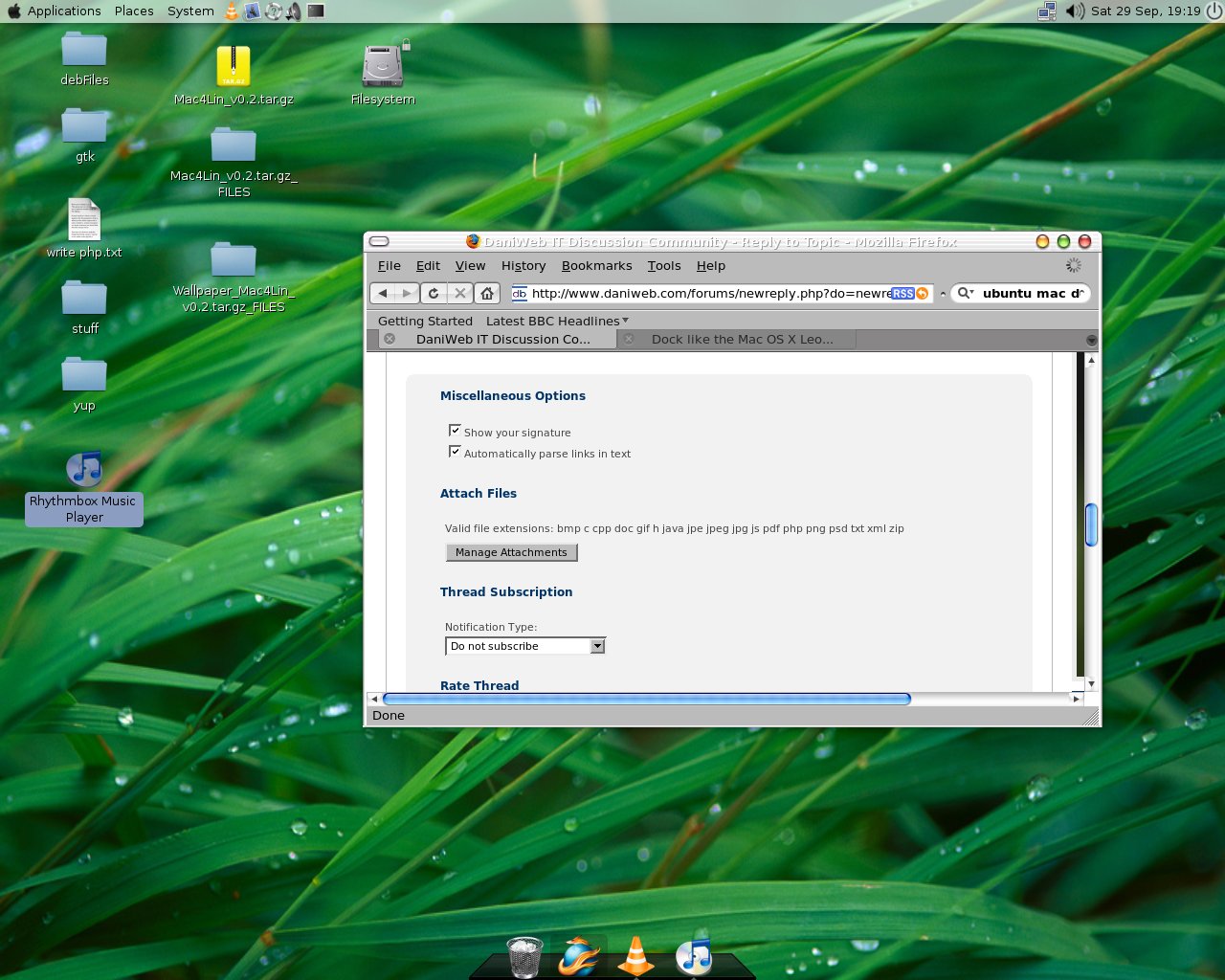
Ok I got it.
The easiest way to get compiz working is to follow this:
I had to make sure my graphics card was configured. System > preferences >desktop effects >enable effects (followed instructions from there as it automatically configured it)
Then I went to applications > avant window. (install the osx dock theme system > awn manager).Then you can just drag the programs onto the startup bar.
By accident I deleted the panel at the bottom. Now every time when I minimize something it just disappears. How can I get this back :(
btw This theme is freaking awesome!
The minimize, close, and maximize butttons are on the wrong side btw.
Well I followed all the stuff, apart from the fonts and beryl set-up. I don't mind it being on the r-h-s anyway.
My old system has a new lease of life, I might even go out at get another 512DDR MB ram module so the responsiveness of the wobbly windows etc is better.
Please explain the difference between that and the one I am using?
Use gtk theme instead. It places the control buttons on the left.
We're a friendly, industry-focused community of developers, IT pros, digital marketers, and technology enthusiasts meeting, networking, learning, and sharing knowledge.
