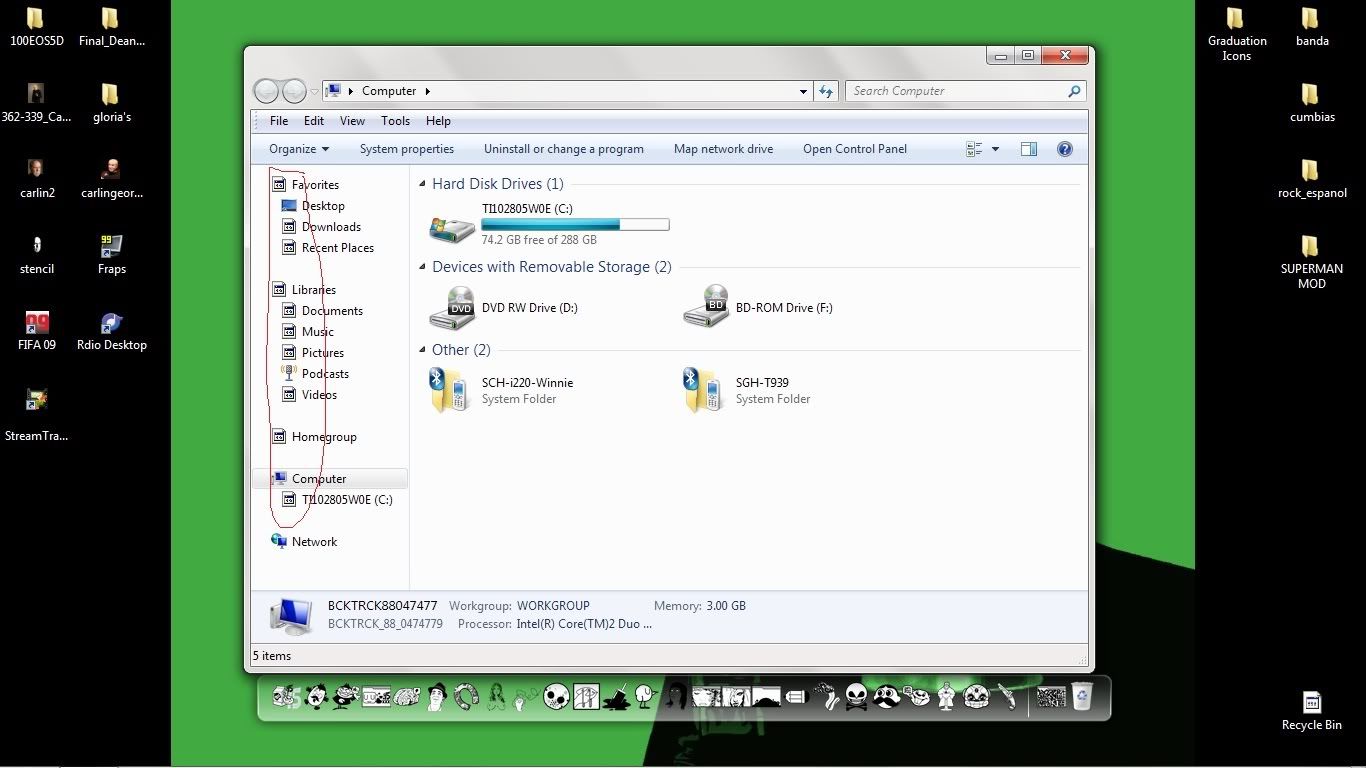
the shortcut it self shows and is still click-able but the icon image doesn't show up and its annoying because sometimes i click on the wrong icon sometimes.. also the recycle bin icon wont show..
here is a image of my desktop

http://i35.photobucket.com/albums/d181/toto_mimi_89/wontshow.jpg

Dani AI

Generated

The screenshot posted by shows generic/blank placeholders for several desktop icons and the Recycle Bin, which usually points to a corrupt user icon cache or a per-user shell setting rather than a hardware fault. was right that a bad display driver can cause rendering oddities, but start with the cheaper, safer checks first.

A reliable sequence for Windows 7 to rebuild the icon cache (no third-party tools needed) is to stop Explorer, remove the cache file, then restart Explorer. From an elevated Command Prompt run:

taskkill /f /im explorer.exe
cd /d %userprofile%\AppData\Local
del IconCache.db /a
start explorer.exe

After that, run sfc /scannow from an elevated prompt to catch any corrupted system files. If Explorer immediately recreates the file, a reboot after deletion is fine.

If icons are still missing, verify a few user/profile and setting items: ensure desktop icons are enabled (Personalize -> Change desktop icons), right-click a problematic shortcut -> Properties -> Change Icon to confirm the target still contains an icon, and create a new local user to see if the issue is profile-specific. If only the Recycle Bin is affected, reassign its icon in the Desktop Icon settings. If icons render as distorted graphics or flicker, then update the graphics driver as suggested.

Recommended diagnostic order: rebuild icon cache -> run System File Checker -> test a new user profile -> update display drivers -> consider a system restore or repair install if the problem persists. Keep a backup or restore point before deleting system files or performing repairs. The icon-cache rebuild that mentioned is the most common fix and should be attempted before hardware-level troubleshooting.

Your using windows 7 yes?. It would be an image driver for your computer i think, just look up your computer on the net and get the drivers for it. If you already have all the drivers and that, its very unlikely but perhaps a problem with your RAM. there would be more obvious things to install such as a codec but i'm not familiar with windows 7 sorry.

Hm. I remember a long time ago having this issue. Try searching google for "Clear Icon Cache" or check out this link: The member "Brink" provides a batch file that you can download for you to use. I advise you read up this link. So could you get back to me once you try that? I'm hoping that this will solve your problem.

Be a part of the DaniWeb community

We're a friendly, industry-focused community of developers, IT pros, digital marketers, and technology enthusiasts meeting, networking, learning, and sharing knowledge.