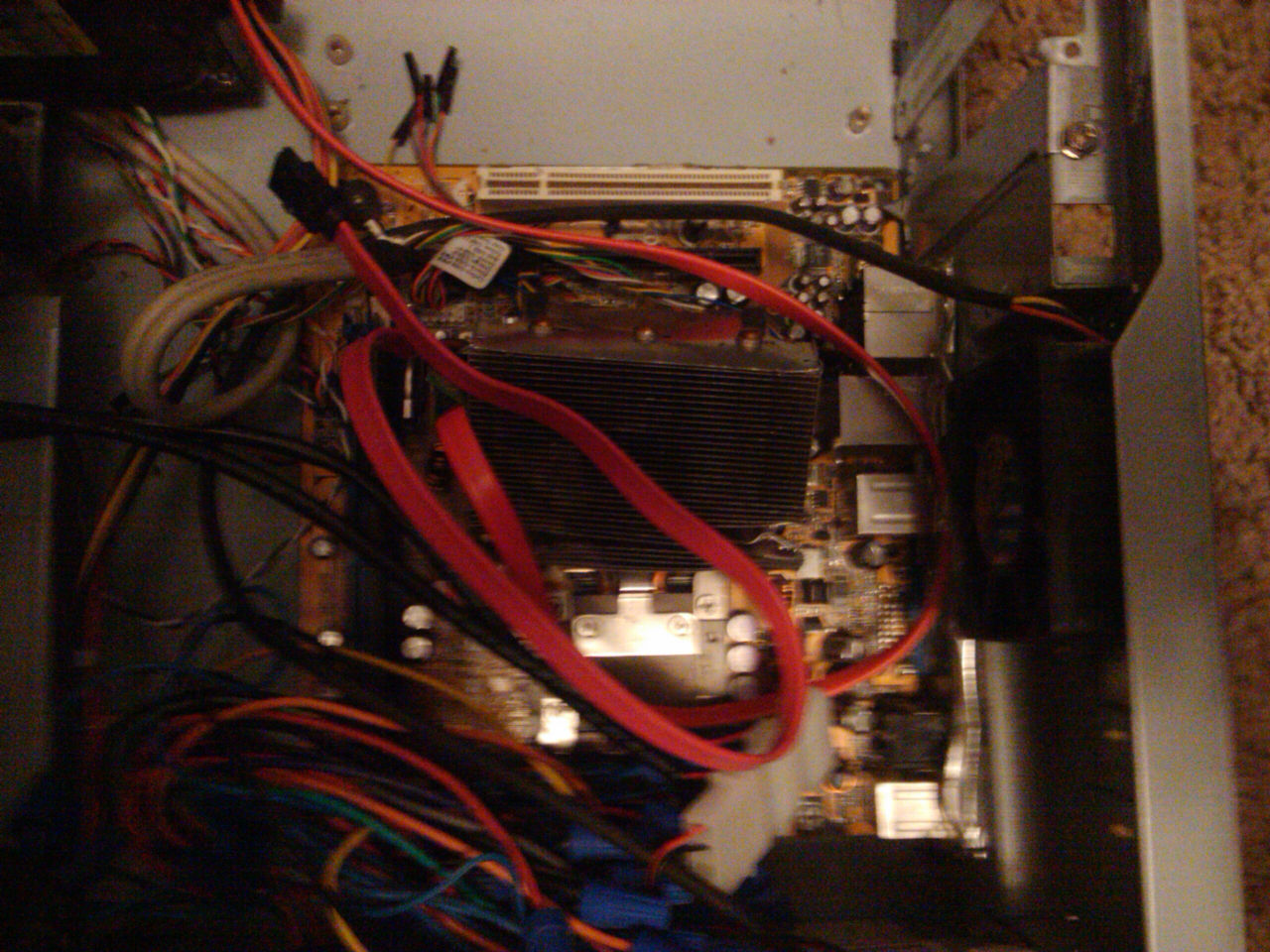
Just want to know what the white socket in this picture is for! I think its a PCIe slot but im not sure, thanks!

Dani AI

Generated

Most likely identification: a legacy 32-bit PCI slot (the long white/beige connectors common on older boards) rather than a PCI Express socket. That matches ’s guess and is consistent with many boards from the era, though color alone is not a reliable indicator. As observed, cable clutter can hide critical details; the board silkscreen or manual is the quickest way to be certain. ’s sample images are useful for comparison.

Quick visual checklist to tell PCI vs PCIe without measurements:

  • Slot length: a very short slot (only a couple of cm) is almost certainly PCIe x1. A long slot the same length as a VGA card connector is either legacy PCI or a PCIe x16.
  • Board labeling: look for text printed beside the slot such as “PCI”, “PCI1”, “PCI_E1” or “PCIEX16” — those labels are definitive.
  • Positioning: the primary graphics (PCIe x16) slot is normally the one closest to the CPU/CPU socket; other long slots further down are often legacy PCI.
  • Physical clues: PCI is a single long parallel connector; PCIe is a serial, lane-based interface (visually the keying and the tiny pin groups differ). Some motherboards have retention clips on the end of PCIe x16 slots.

Important technical notes and cautions:

  • A physically long slot can be electrically limited (a full-length slot wired as x4 or x8), so appearance doesn’t always equal capability — the manual/spec sheet gives the true lane count.
  • Common uses differ: old network/sound/TV-tuner cards used PCI; modern GPUs and NVMe/fast NICs use PCIe.
  • Handle boards with ESD precautions and only inspect manuals or labels when powered down.

For a definitive ID, consult the motherboard model/manual or the silkscreen near the slot; those give a permanent, authoritative answer.

Recommended Answers

All 7 Replies

Cannot see it because of the snake pit above it :).
What board is it?
Check below for cable management. Will greatly increase airflow through your case if you clean them up :).

my guess is its a regular pci slot ,not pci-e ,and the darker slot next to it is a avg video card slot .

Hey Jack. Your post count has finally gone above mine :). Get a life :P

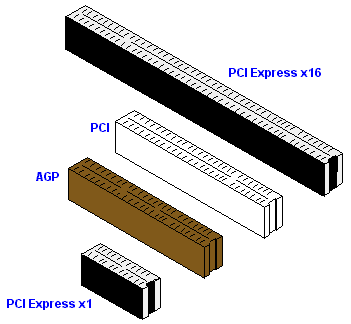
Here's some samples

Hey Jack. Your post count has finally gone above mine :). Get a life :P

yeah ,but yours are far more worthy of being posted than a lot mine have become.lol

lol. Don't be so hard on yourself. You've probably forgotten more than I already know :).

lol. Don't be so hard on yourself. You've probably forgotten more than I already know :).

lol,starting to forget a lot lately ,like not to use this thread as a place to chat

Be a part of the DaniWeb community

We're a friendly, industry-focused community of developers, IT pros, digital marketers, and technology enthusiasts meeting, networking, learning, and sharing knowledge.