I have tried to reinstall the newest ATI drivers, and I reinstalled DirectX9
My games worked before but they dont know so it has to be some that wasnt installed right.
Now I have tired games liek Halo, and Need for speed under ground, they worked before now they dont, but games like savage, and Star wars, kight of the old republic that are also 3D do work.
I reinstalled Halo, and Need For Speed, but they still dont work
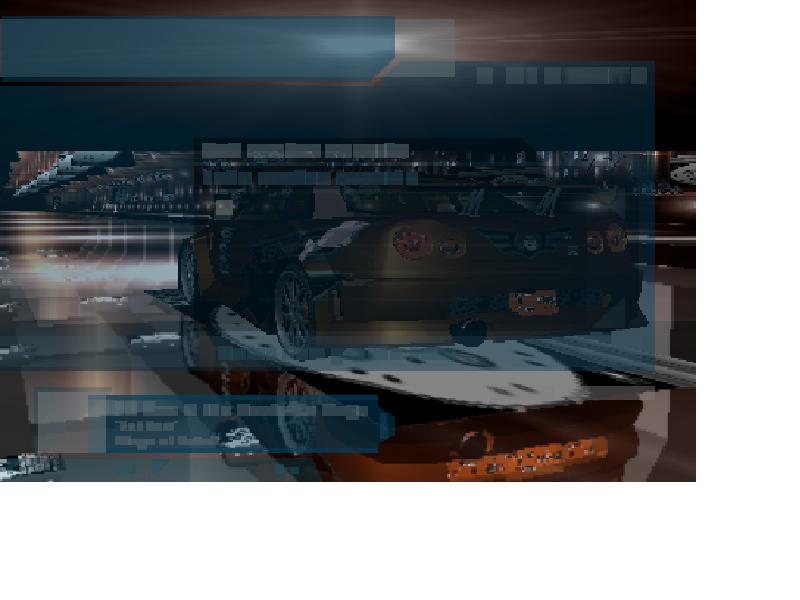
Heres what Need for speed underground looks like

Dani AI

Generated

The key datapoint is that some 3D titles run (Savage, KOTOR) while others crash (Halo, NFSU). That pattern — noted by and — strongly suggests the problem sits in the Direct3D/driver/runtime path rather than a total GPU failure. ’s hint about leftover driver artifacts is relevant, but the next steps should be diagnostic and targeted before a full Windows reinstall.

Practical diagnostic order to follow before reinstalling Windows:

  1. Run the DirectX Diagnostic Tool (Start -> Run -> dxdiag). On the Display tab confirm DirectDraw/Direct3D acceleration are listed as Enabled, run the Direct3D test, and save the DxDiag report; check the adapter name, driver date and DDI version.
  2. Inspect Device Manager -> Display adapters for the exact driver name/version and any warning icons.
  3. Check game-side renderer settings or safe/low-res launch options (many older games have a config or ini entry to select Direct3D vs OpenGL).
  4. Look in Windows Event Viewer for display/driver errors at the time of the crash and try temporarily lowering the hardware acceleration slider (Display Properties -> Settings -> Advanced -> Troubleshoot on XP) to see if behavior changes.

If diagnostics point to Direct3D or the driver:

  • Perform a clean driver replacement using the card vendor’s uninstall path (Device Manager/Add-Remove Programs) and then install the ATI package that exactly matches the card and OS; if a newer driver is suspected, test the last known-good driver.
  • Update motherboard chipset/AGP drivers and verify BIOS AGP settings (use defaults; update BIOS only with caution and backups).
  • Ensure the correct D3DX runtime DLLs are present (many games ship specific D3DX builds) and apply official game patches. Disable overlays/background utilities while testing and run a clean boot if needed.

If the above still fails, swap in a known-good card or test the card in another machine to isolate hardware. These steps generally identify whether the fault is a Direct3D/runtime/driver mismatch (software) or a hardware/AGP issue, and they avoid the time cost of a full OS reinstall unless it is clearly necessary.

Recommended Answers

All 6 Replies

Have you tried switching between openGL and Direct3D rendering for the games that don't work? Also, some games require that DX8.1b be installed, I've never understood why this is, but I've had similar problems with some games because of that.

I have tried to reinstall the newest ATI drivers, and I reinstalled DirectX9
My games worked before but they dont know so it has to be some that wasn't installed right.
Now I have tired games liek Halo, and Need for speed under ground, they worked before now they dont, but games like savage, and Star wars, kight of the old republic that are also 3D do work.
I reinstalled Halo, and Need For Speed, but they still dont work.

I agree with ajax--it would appear that OpenGL is working OK, DX9 is not, for whatever reason. I think it's an ATI driver issue.

What I dont get I had DirectX9 and these same drivers before I reinstalled Windows and they worked fine. Now all of a sudden they dont.

I would suggest carefully running through the DX settings and checking that everything is in order. There is the possibilty that things were changed quite a bit when you reinstalled and the settings have to be set up again.

Also, I had a problem with Diablo 2 once that really stumped me about DX. I assumed it was either my drivers or my DX settings, but after trying everything I could think of, I changed the frequency my monitor was running at off a whim and it did the trick.

Try toying with the video settings in both Windows and the software you are running. Even when something seems like it wouldn't matter much, it may very well be the cause. As we all know, hardware problems are often times only solved by trial-and-error after all traditional methods have failed.

Member Avatar for Member #2466

Try cleaning all drivers from your system. If you have ran Nvidia in the past this is important because they like to hang around. Go download drivercleaner 2.7 on driverheaven.net and follow its directions. It will allow you to make a clean install of your ATI drivers and apply the AGP patch for nforce chipsets. Most corruption I've seen is due to old drivers that like to hang around and not cleaning them out for a fresh install.

nope no nvidia, never have never will :), but Im goning to try reinstalling windoes maybe it was a problem there.

Be a part of the DaniWeb community

We're a friendly, industry-focused community of developers, IT pros, digital marketers, and technology enthusiasts meeting, networking, learning, and sharing knowledge.