[IMAGE][/IMAGE]


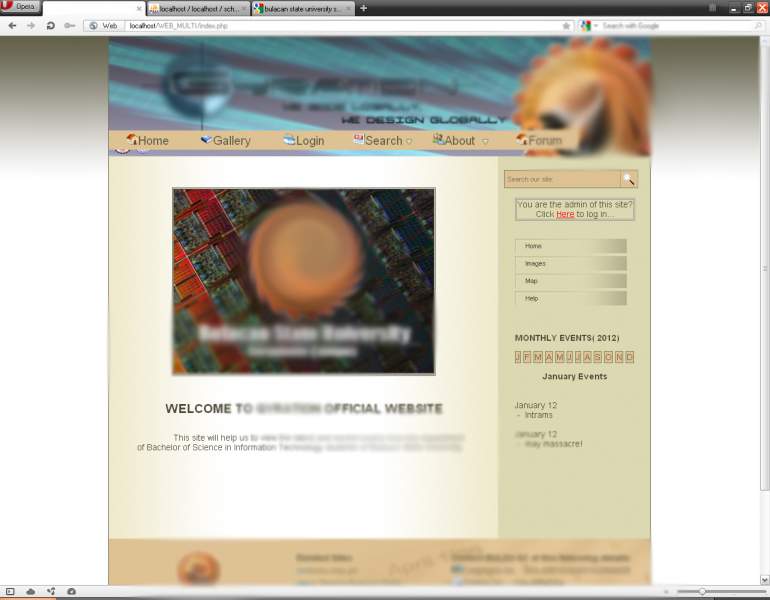
how can i put the main menu tab under the blue banner? help me pls.? :)

Dani AI

Generated

As recommended, the simplest, most robust fix is structural: place the banner in its own block-level element and put the menu in a separate element immediately after it in the document flow. Let the browser stack those blocks vertically rather than using absolute positioning that removes the menu from normal flow.

A minimal example (HTML then CSS):

<header class="site-banner">
  <img src="banner.jpg" alt="Site banner">
</header>

<nav class="main-nav">
  <ul>
    <li><a href="#">Home</a></li>
    <!-- menu items -->
  </ul>
</nav>
.site-banner { width:100%; display:block; }
.main-nav  { display:block; clear:both; margin-top:0; position:static; }

If the menu still sits on top of the banner, common culprits are floats, position:absolute on the menu (or a parent), negative margins, or z-index rules. Use the browser inspector to find which rule is forcing overlap. A quick fix is to remove absolute positioning on the nav, add clear:both to the nav (or clear the floated banner with a clearfix), and adjust margins for spacing. For a fixed/sticky menu, calculate the banner height and set the nav's top accordingly rather than overlaying it with absolute positioning.

Recommended Answers

All 2 Replies

this is the snapshot of my website

You didn't say how you have it set up currently but if you put the banner in one div and the menu in another div then one should line up below the other. If you set up a class for each in CSS then you and further fine tune the positioning.

Be a part of the DaniWeb community

We're a friendly, industry-focused community of developers, IT pros, digital marketers, and technology enthusiasts meeting, networking, learning, and sharing knowledge.