I have hp DV6000 that I have abandoned for more than two years and now it has issues coming up. when i power on for the first time, i will have to press and hold the power button for like 10 secs after which i will have to wait for another 10 minutes for the wireless LED indicator to come up while in off state, that gives the signal that i can now power on. then i will press power button and it will come on once. after booting, mouse not working and keypads problem too. i will appreciate any help on this!

Dani AI

Generated

Short expert summary and a compact plan: the delayed wireless LED, the need to hold the power button, the fact Linux LiveCD mostly works, and the device “warming up” before it will boot all point to intermittent hardware — not (only) Windows drivers. Do the basic power reset first (remove battery and AC, hold power ~15 seconds, then try AC-only and battery-only boots). That step clears stored charge and often reveals whether the problem is a flaky power rail or BIOS/power-state hang. ()

Because already suggested cleaning, and correctly suggested the Live CD test, expand that work in order: (1) remove the bottom cover and visually inspect and photograph the board before touching anything, (2) reseat RAM, the HDD, the mini‑PCI wireless card and its antenna leads, and (3) unplug and reseat the keyboard/touchpad ribbon — a loose/oxidised ribbon will explain intermittent keys/touchpad while an external keyboard works. iFixit’s dv6000 teardown shows the access points and ribbon/clips to check. Use ESD precautions and remove power/battery before doing this. (ifixit.com)

If the machine still needs “warm‑up” to boot, suspect board‑level faults: failing electrolytic capacitors or cold/cracked solder (BGA) joints. Bulging or brown crust around caps is a clear visual tell; electrolytic caps can produce intermittent power rail problems and boot failures. Also, many notebooks of this era experienced heat‑sensitive GPU/package faults where a reflow can be a temporary fix but the long‑term solution is board replacement. Those causes explain why the Live CD can appear to work while Windows (and the on‑board input devices) behave oddly. ()

Practical next steps (priority): power‑reset and AC/battery isolation; test with only AC; inspect for bulging/leaking caps and corrosion; reseat cables and RAM per the teardown guide; if you find bad caps or obvious board damage, either replace the board or get a shop to do professional diagnosis (reflow is temporary). If uncomfortable opening the chassis, stop and get a local repair shop — battery and mains safety matter. (ifixit.com)

Recommended Answers

All 5 Replies

what version of windows are you using, how much ram?.. and approx how long does windows take to boot from off state.. ? :).. mousepad problem could be due to drivers, have you tried plugging in an external USB Mouse?...
As for keypad problems.. it has been sitting for two years, i would advise blowing the keyboard, and the rest of the laptop out with an airgun/air compressor to blowout any dust and crap etc.

Hello,

Do the problems present themselves once windows has started or as soon as you turn the computer on?

I would suggest you try using a Linux live CD to see if the hardware is working. If the live CD works then it could be you windows installation.

- Let us know how it goes.

the processor is AMD Turion 64 bit, OS is windows7 Ultimate, 1G Ram and 80G hard disk. have use external keyboard with it and works fine, haven't try external mouse but through device manager, the drivers are fully installed.

the major problem here is booting, as it turns out that it seems the board warms up first b4 it start booting. while booting, it boot normally under 10 to 15 seconds. but if it hasn't 'warm up', it abruptly goes off while booting.

i have tried linux live cd and it works properly, i mean the mouse while booting and the Keyboard still have some issues. I will try and blow the board as suggested but mean while i'll appreciate any suggestion too. thanks. one love!

in my experience i am unfamiliar with motherboards having to 'warm up' before booting, then there is the abrubtly going off while booting.. to me sounds almost like some sort of loose connection, or short somewhere. was this stored in a dry area? possible it could of got damp, bit of corrosion somewhere.. ?. board shouldnt get hot/warm before booting, maybe after running for a bit, but generally not straight away. And usually around CPU/chipset/ram etc, is where the main heat would be generated. if there is corrosion somewhere due to dampness, that could also explain keyboard and mousepad problems.
if it was me i would probably open this up and inspect the mainboard, especially around the powerswitch circuitry; for corrosion

Perfect 4 Blu-ray Ripper
Blu-ray Disc is the next generation DVD disc format for storing high-definition video and high-capacity data storage. Its application is very wide. Blu-ray to AVI, Blu –ray to iPad, Blu-ray to iPod, etc. If you want to complete all of these application, what you need is only one software, it is Blu-ray Ripper. With a popular and professional Blu-ray Ripper tool, you can easily rip your Blu-ray to AVI, iPad, iPod and other video and audio files. Now the question is, which one should I choose to use? The Next Blu-ray Ripper Reviews will help you to show all the perfect four Blu-ray Ripper and their features and functions.

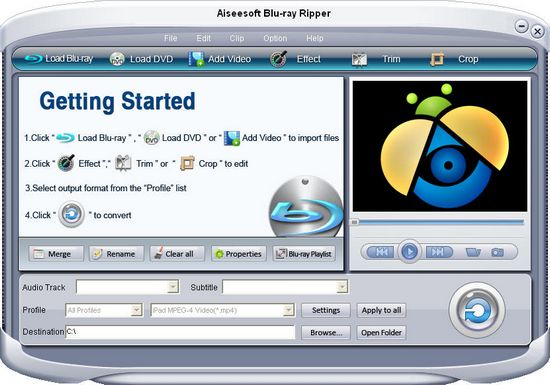
Aiseesoft Blu-ray Ripper
[img]http://www.topsevenreviews.com/images/reviews/aiseesoft-blu-ray-ripper.jpg[/img]
Designed for users to rip Blu-ray to SD and HD video format, Aiseesoft Blu-ray Ripper also can rip both M2TS and DVDs to your required SD or HD media formats such as AVI, WMV, MP4, MKV, FLV…. Even HD video including HD AVI, HD XviD/DivX, HD MP4, MOV, HD WMV files with unmatchable ripping-converting speed while preserving excellent quality. You can also extract audio and convert into MP3, AAC, and M4A and so on. This Blu-ray Ripper supporting cut video segments, crop movie screen, adjust video effect, or add watermark, etc.

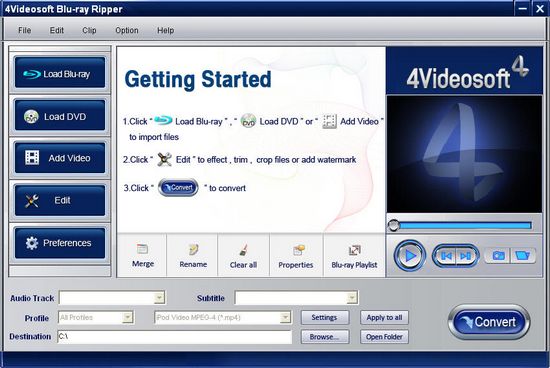
4Videosoft Blu-ray Ripper
[img]http://www.topsevenreviews.com/images/reviews/4videosoft-blu-ray-ripper.jpg[/img]
4Videosoft Blu-ray Ripper will be your best choice to rip Blu-ray to DVD format. With this Blu-ray Ripper, you can easily rip your Blu-ray files to the common three DVD formats (NTSC, PAL, SECAM). Also, this perfect Blu-ripper helper can provides you an effective way to change your video and DVD files to other SD video and high-definition video files as you like. With this powerful tool, you can merge several files into a new one or cut one files into several segments for yourself.

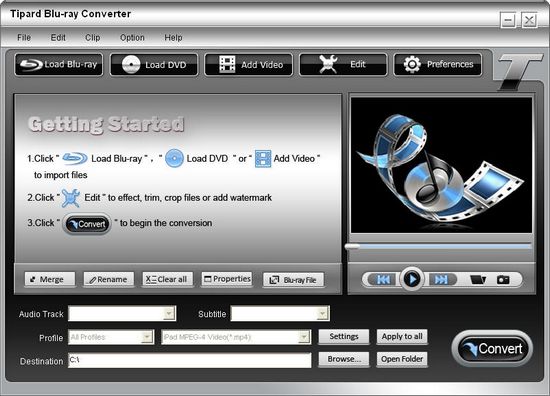
Tipard Blu-ray Ripper
[img]http://www.topsevenreviews.com/images/reviews/tipard-blu-ray-ripper.jpg[/img]
Tipard Blu-ray Ripper is an all-in-one Blu-ray Ripper software, this software can not only help you to rip your Blu-ray, video and DVD to other SD video and HD video files, but also support you to import HD video format including HD TS, HD MTS, HD M2TS, HD MPG, HD MPEG, HD MP4, HD WMV, QuickTime HD MOV, HD H.264, HD RM, so it can be replace as a HD Video Converter. This popular Blu-ray Ripper aids you to drag the crop frame to set the top, left, right and bottom, merge several Blu-ray files into one and add watermark with the favorite word or picture.

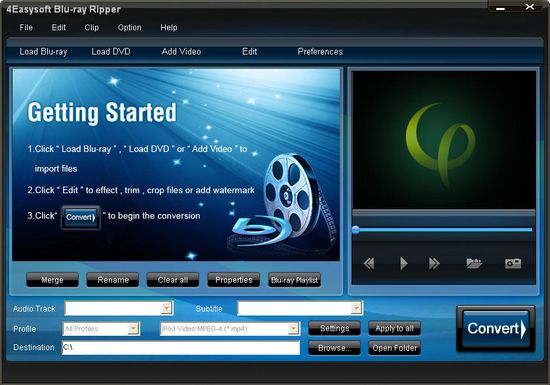
4Easysoft Blu-ray Ripper
[img]http://www.topsevenreviews.com/images/reviews/4easysoft-blu-ray-ripper.jpg[/img]
4Easysoft Blu-ray Ripper can help you to view your Blu-ray disc on different devices with other format, what you need do is ripping it. 4Easysoft Blu-ray Ripper is such software which can rip BD/DVD to abundant popular video or audio format like MOV, M4V, AVI, MKV, FLV, AAC, AC3, MP3, OGG, WAV, etc and HD videos with better conversion speed. This Blu-ray Ripper has a special function to support accessible file transfer between PC and iPhone. So using this as a transfer tool, you can easily transfer your common video and HD video files between your PC and iPhone without need a professional iPhone Transfer.

In short, Now we know a variety of different Blu-ray Ripper and what the special features they have, so I think you can recording your actual situation to find a Blu-ray Ripper to solve your problem.

Be a part of the DaniWeb community

We're a friendly, industry-focused community of developers, IT pros, digital marketers, and technology enthusiasts meeting, networking, learning, and sharing knowledge.