when my computer goes to stand by it doesn't come up with my mouse signals ,and not even with the keybords keys till i push the windows start button,and then my computer restarts .and i get this massege:

computer restarted after an unexpected shutdown.
microsoft windows detected a possible device failure.
the diriver for the display device was unable to complete a drawing operation.
what should i do?

Dani AI

Generated

This thread records a classic "resume from standby" failure: described a system that would not wake normally and an early reply from suggested a driver check. The discussion is a good reminder that identical symptoms can come from either software (driver/OS) or hardware (power/thermal) faults, so a methodical order of checks is the most efficient path to a fix.

Useful diagnostic priorities are: collect evidence first — examine Event Viewer (System/Application) and any minidump files under C:\Windows\Minidump; enable kernel/full crash dumps if not already configured. Dump analysis with a debugger or a lightweight viewer will indicate whether a specific driver or a power/thermal event triggered the crash. Next, isolate software: boot Safe Mode, perform a clean uninstall of the video driver (use Device Manager and choose to remove driver software, or run a driver-clean tool in Safe Mode), then test resume behavior before reinstalling.

If software isolation does not clear the fault, focus on hardware and power: inspect fans and case airflow, look for bulging/leaking capacitors on the motherboard, reseat the graphics card and cables, and check PSU stability (swap with a known-good PSU if possible). Run a memory test and try onboard video or an alternate GPU to rule out card-specific failures. Small mechanical faults and unstable supply rails commonly manifest as driver failures after resume.

Additional mitigations include updating BIOS/firmware for ACPI fixes, reviewing Windows power options (hybrid sleep, USB selective suspend) and Device Manager wake permissions for input devices, and documenting exact Event Viewer entries and dump filenames when asking for further help. The efficient workflow: logs first, software isolation second, then hardware verification.

Recommended Answers

All 4 Replies

Considering that the message reads, "The display driver for ATI Technologies Inc. RAGE 128 PRO AGP 4X TMDS seems to be responsible for the system instability", I would start by upgrading your driver to the latest version. You can find your driver on ATI's website.

Try that out and see if it helps at all.

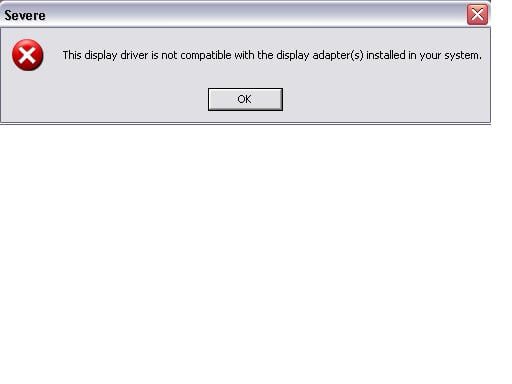
After i downloaded the whole file and almost was compliting the installation,i got this message:
thx for helping ,but can u tell what should i do now?

That means that you got the wrong file. You need to ensure that you are getting the driver that exactly matches the hardware.

my fan's power was making a lot of noise and damaged .when i changed it i don't have that problem any more.thx for helping me.

Be a part of the DaniWeb community

We're a friendly, industry-focused community of developers, IT pros, digital marketers, and technology enthusiasts meeting, networking, learning, and sharing knowledge.